On Sale: GamesAssetsToolsTabletopComics
Indie game storeFree gamesFun gamesHorror games
Game developmentAssetsComics
SalesBundles
Jobs
TagsGame Engines
(12 edits)

Succubus reporting for duty! In the main menu scene plugin, you allow us to change the actor target window. I've noticed the following:

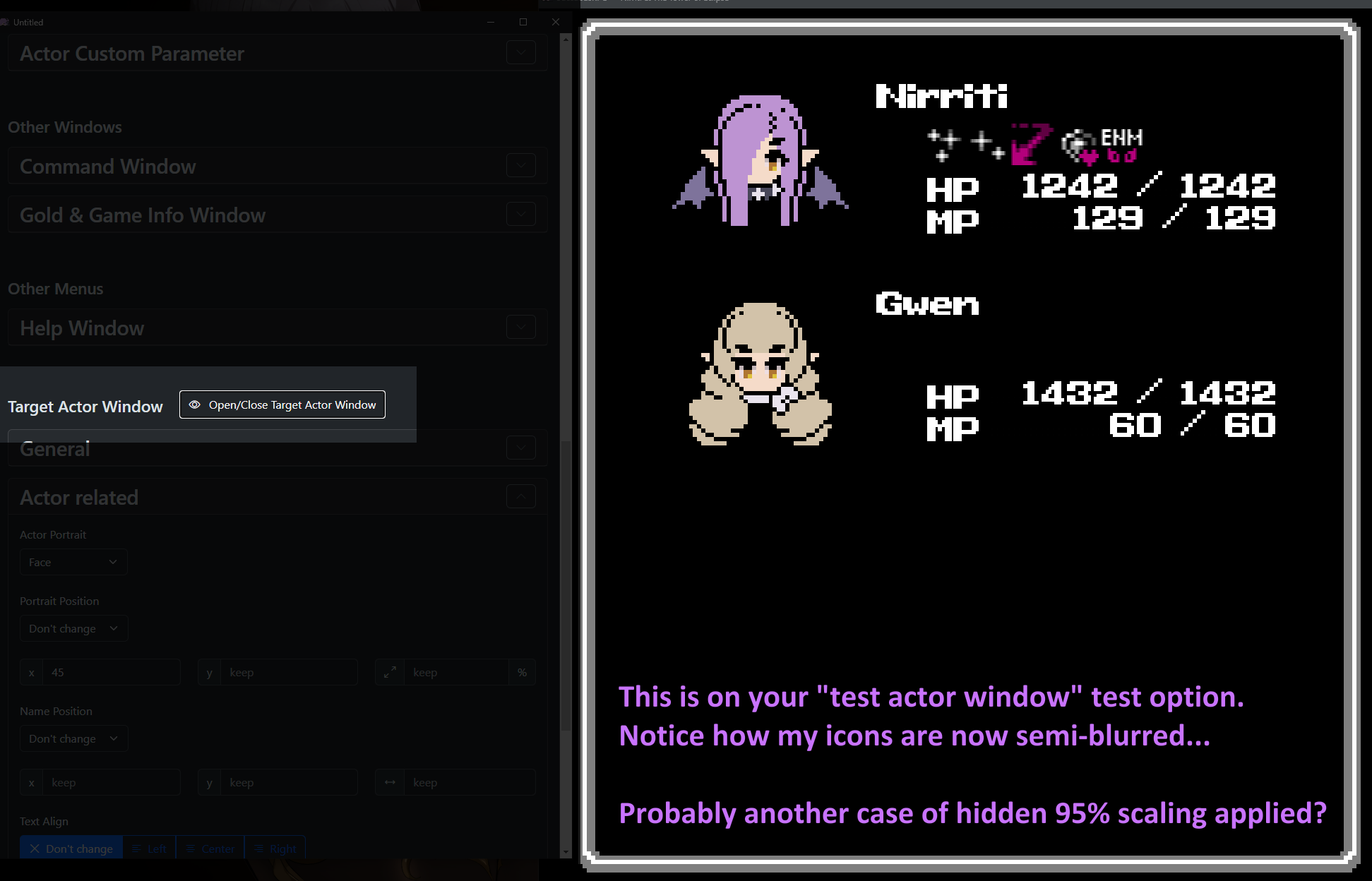
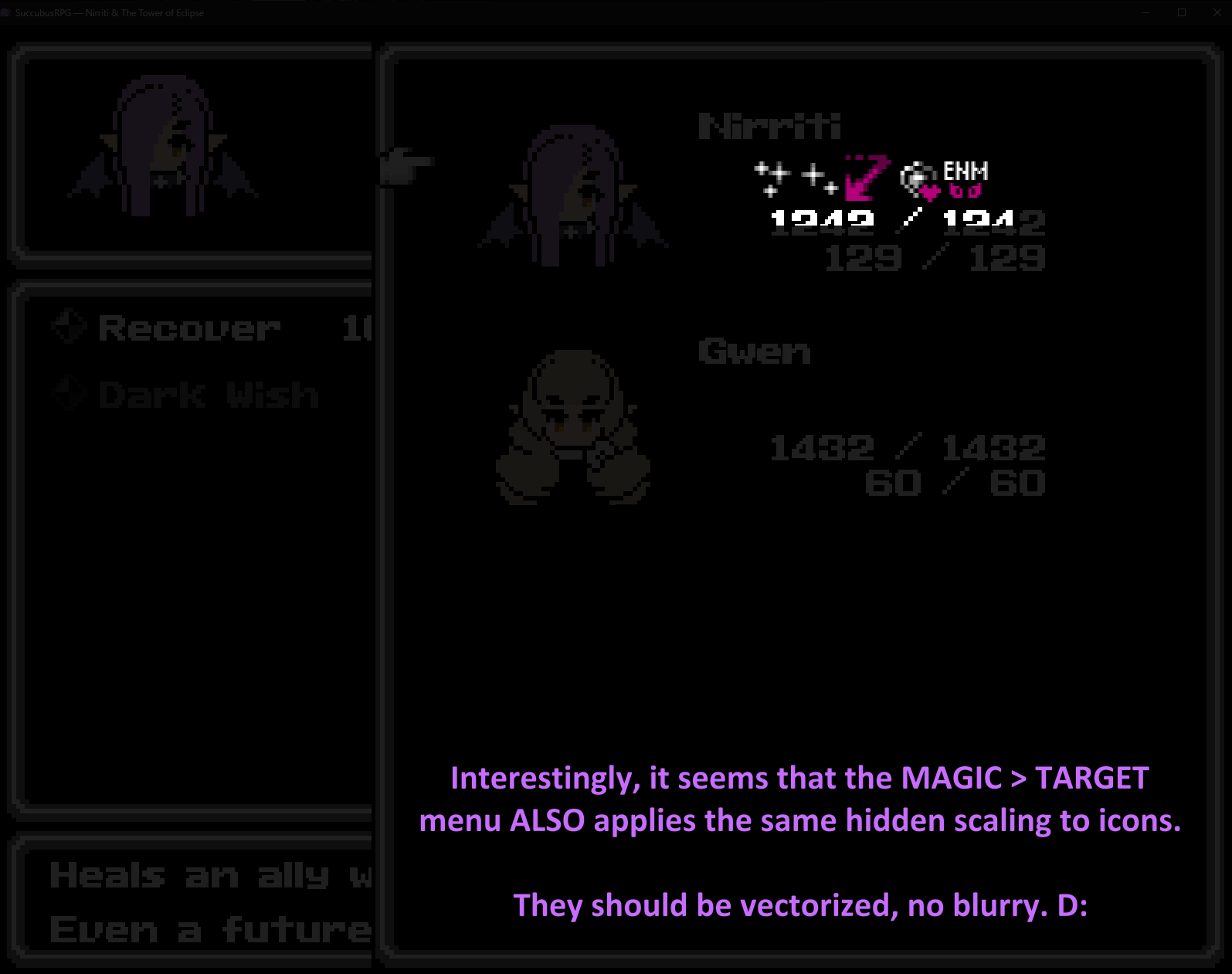
  • The status icons, if applied, have a blur effect to them. We had a similar situation before, if you recall (though its been a while). Basically, a %-based scaling value was pre applied that wasn't 100%. Again, this is inside the actor target scene (targeting scene spawned from the skill/magic menu). In the actor target testing menu you made, it appears as normal.

Side Note: I like that you added placeholder menu tabs inside the other plugins, redirecting the user back to this Custom UI. EDIT: Im sorry, I was wrong on the window size thing, I've edited my comment.
(+1)

Thanks for your message!

Can you maybe share a screenshot with me? I cannot reproduce this problem yet.

You can also send me your config file (your game/uicustom/config.json) via mail (mail@aerosys.blog), that would help me a lot! (Don't worry about any custom pictures that are referred in the config file, I can still inspect it)

(1 edit)
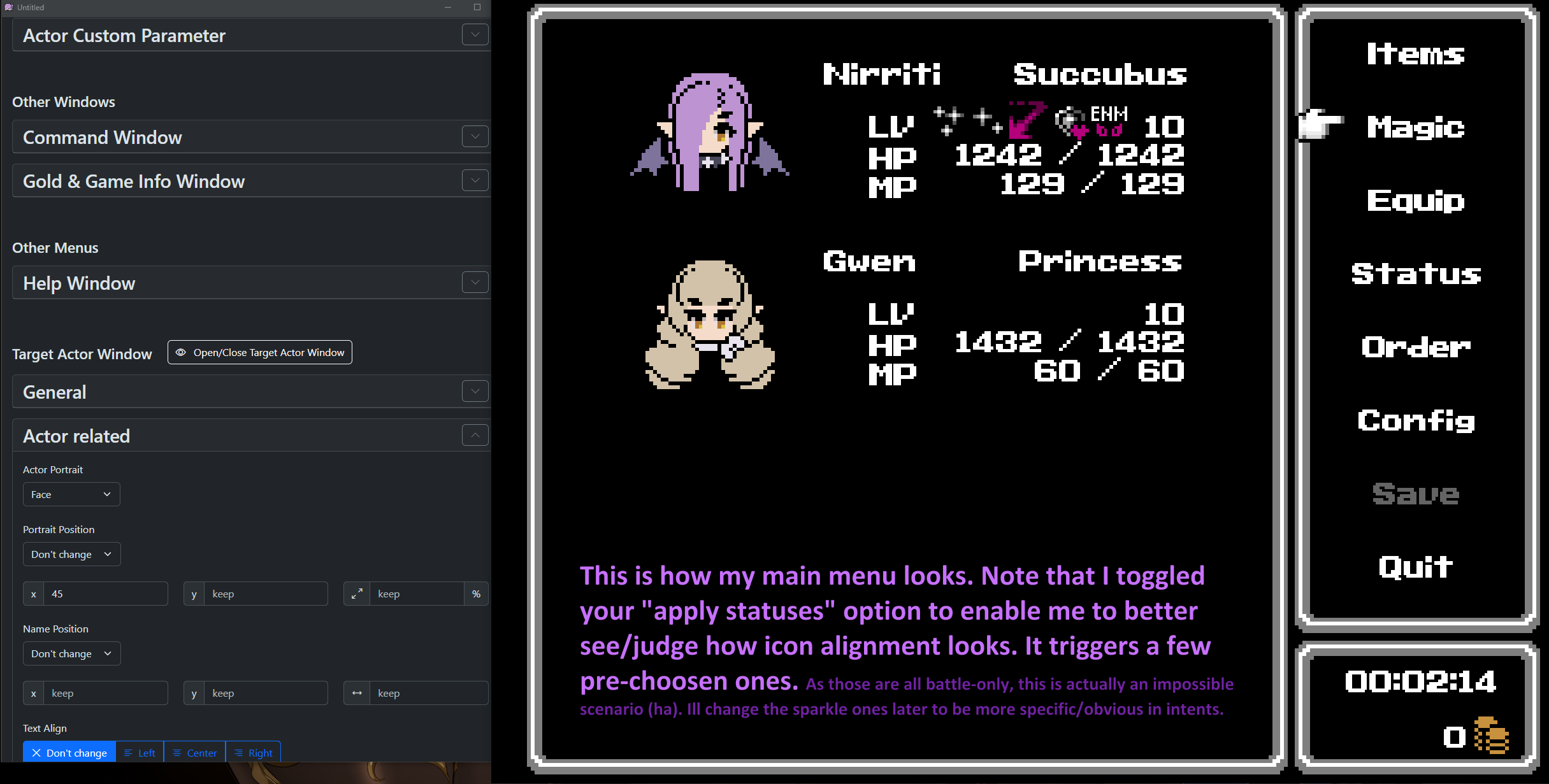
There you have it. Worth noting: In the magic/skill scene... the icons look good (not blurry). You just dont see it as the TARGET window is seen above it. Also... on the final screenshot, notice that the empty space on the right of the window is much larger than on the preview. 

[ MAIN MENU ]


[ TARGET ACTOR TEST MENU ]


[ MAGIC > TARGET ACTOR MENU ]