Indie game storeFree gamesFun gamesHorror games
Game developmentAssetsComics
SalesBundles
Jobs
TagsGame Engines

A large list of things in no particular order:

  • Fog of war / observers doesn't seem to be respected on a per group basis. Even if you change a token to a different team and turn off observer, moving it around still updates fog of war for everyone.
  • "Hidden" standees are still displayed to people connected to the server, often at the default size / shape. Also the images for standees often doesn't load for people connecting to the server. Interestingly everything works for the most-recently saved token. If you manually click save on a token as the host, it's properties will be respected correctly on the client, but will reset the rest. The rest of the tokens show up as nameless under the "Default" group.
  • While focused on any keyboard UI element, camera controls are still listening and the camera moves around if you type any of "wasd".
  • The grid drawn when pressing tab should be a little bit more pronounced -- like the grid when in build mode. It seems like if you click "Reveal All" the grid is displayed nicely.
  • Would be convenient if it was possible to teleport tokens to a target.
  • Building occasionally stops working -- when you click in build mode nothing happens. This can be fixed by changing tabs (i.e to Paint and then back). This has happened a few times so far, but haven't identified a consistent cause yet.
  • Setting token diameter instead of token radius would be nice as well. Right now you can only set tokens with a size of 1x1, 3x3, 5x5 e.t.c would be nice to have even sizes as well.
  • Also placing block after a player has joined seems to keep the blocks in a fog of war state permanently.
  • I did successfully test a connection via port-forwarding, and it works

Overall though, it feels like it's just a couple things away from being ready for an actual session. Very excited to gives this a real try.
Awesome, thanks you testing an actual internet session! This is a good list.

(1 edit)

The grid drawn when pressing tab should be a little bit more pronounced – like the grid when in build mode. It seems like if you click “Reveal All” the grid is displayed nicely.

Can you elaborate on this one? The grid for Tab vs. Build should be identical, and are drawn using all the same systems in the same way, as far as I can tell. The only difference is that Build mode also brightens the scene. It should definitely be totally separate from fog-of-war- what does “Reveal all” change in the grid, exactly?

EDIT: Ah, nevermind, I found it. The full-fog effect is suppressing more outlines than it should be.

These multiplayer related bugs should, hopefully, be fixed in the 2026-06-23 update.

Managed to do some testing locally with a second instance of terrablox running. Seems like permissions-wise everything related to tokens has been cleaned up! Thanks!

  • Fog of war / observers still doesn't seem to be respected on a per group basis. If I have a hidden token hiding in fog of war, with observer turned off, and on a different team than the players, moving it around still updates fog of war for everyone connected.
  • Placing blocks after someone has joined still seems to keep them in a fog of war state mostly permanently. Mostly permanent, because I don't know what triggers it but occasionally these blocks unstick themselves from the permanent fog of war state somehow.
  • Painting a block after someone has joined doesn't update it on their end.
  • Deleting blocks after someone has joined occasionally doesn't update it on their end.
  • I figured out how to reproduce build mode not working. If you select and then delete any amount of blocks, you become unable to place new blocks until you cycle through the menus at the top i.e. Paint -> Build, also re-selecting "Select" and then un-selecting it seems to work as well.

More notes from testing!

  • Would be convenient if you could undo a token movement. Occasionally tokens can move to funny places and it can be difficult to get them back to where they were, especially in the case of things that have a lot of vertical layers.
  • Limiting movement ability based on height difference of a block. Shouldn't be able to just ascend or descend large cliffs, at least in some cases. Ideally controlled by some kind of per-token config with a way to override it.
  • Can't Delete a Campaign. Even after confirming delete the Campaign still sticks around. 
  • Using WASD to move a token, if you move a 1x1 token onto another 1x1 token the game freezes. Clicking and dragging tokens doesn't seem to let you move them on top of each other, but doing so via WASD crashes the game everytime. In multiplayer games this crash only happens on the initiator. Interestingly this only seems to happen with tokens that have radius = 1.
  • On that note, would be nice if we could have multiple tokens on the same square. For D&D / pathfinder at least small and smaller creatures can squeeze into the same square.
  • Set Cam / Lock view don't send the cut height to the clients.
  • Light only updates for a standee if you are the one to move it. If as a GM I move someone elses standee, the light stays where the standee was originally for the player and vice-versa.
  • Would be convenient if you could move tokens up or down with a button press. Page-up / page-down only affect the camera even if a token is selected. page-up/down only work for vertical movement if you click and hold on a token.
(1 edit)

I think I’ve got all these fixed for the next update. Overlapping actually SHOULD have been allowed, there was a side effect with how the climbing worked that was breaking it. For up/down movement, Alt+Q/E moves flying tokens up and down, though I don’t think I put that in the hints anywhere.

Thanks for all the fast replies and hard work! Very excited to use it for our actual sessions, I've built out several terrible looking maps already. Which reminds me, is there a convenient way of exporting entire scenes as images somehow?

(+1)

Yeah! In the “Images” tab, there’s an Export tool for top-down and isometric views of the entire scene.

Some more notes from testing!

I was able to successfully have 3 other people connect in via port-forwarding, and all things considered it ran pretty well! I used a medium-ish sized test map with probably a couple thousand blocks placed, so haven't done a true over the network load test but performance seems to be pretty good outside a couple occasional lag spikes on the host end of things. Some minor bugs:

  • When using "alt + q" to move a flying token, you can't move it back down to the ground. Can only do it by clicking and holding, and pressing page down.
  • If I enable flying on a token AFTER a player has joined, the player can't move it vertically, and it doesn't render as flying on their screen. If you set a token to flying BEFORE the player joins it works as intended.
  • Custom images are rendered as white boxes for other players.

QOL requests:

  • The ability to teleport/move a token to your cursor.
  • A better way of tracking distances of flying tokens to the ground. Even if it's just a field you can see when you inspect a token.
  • The ability to move invisible tokens around inside fog of war without affecting fog of war / visibility.


Overall it works well enough that we've fully switched over to using Terrablox instead of Owlbear for our sessions! The players in particular really love the POV camera mode. Great work!

Amazing to hear, I’m glad a group is using it for a real game. I’d love to see screenshots of things you’ve built, so far I’ve only seen things I made myself.

Newest update should fix these bugs. “J” hotkey is added for teleports, and the drop line on flying tokens gets the same height label shown for movement rulers.

For custom images and sounds, the game itself doesn’t have a way to transfer them, but the idea is to give the files to your players who put them in their user data folder with the same path/filename, and everything should work.

Unfortunately giving a bunch of files for images to the players before sessions each time is probably a little bit too cumbersome, though we might attempt it at some point just to see if it works. With all of the new giant default list of images to choose from it's not that big of an issue.

I'll add some screenshots as long as you promise not to judge my artistry too much.


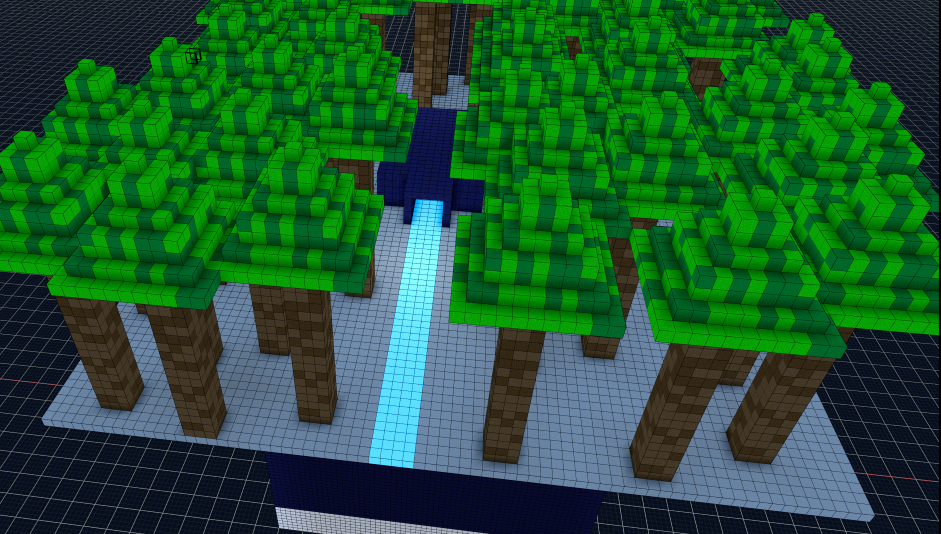
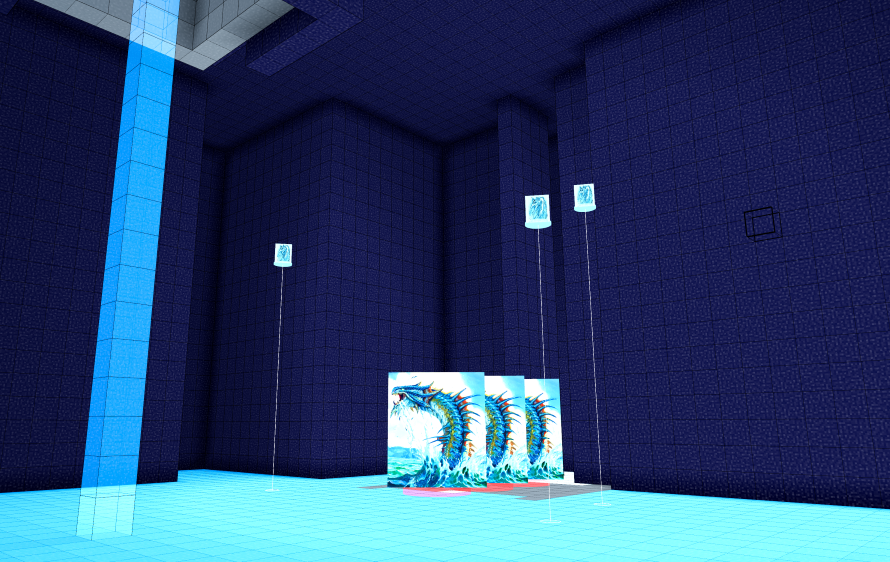
Some snaps from the waterfall cave I made:


And then a random encounter: