

Today we’ve updated the jam theme editor. The jam theme editor has been stuck on our legacy theme editor format for quite some time. (Partly because I’ve been afraid to mess up all the existing beautiful custom CSS themes hosts have put together.)
We exercised a lot of care because we know there are a lot of jam hosts that depend on custom CSS to bring their pages to life. There’s more info for CSS users below, but we made a few critical markup changes and ran an automated migration script to migrate existing CSS files to the new format where we could.
For this update we migrated the theme editor UI to our standard theme editor UI that is already used for profile and project pages. We scanned through hundreds of jam pages with custom CSS to find patterns that we could expose directly in the theme editor so that regular accounts can access these customizations, and CSS users don’t have to write CSS to achieve some simple changes.
Part of this update is getting the jam’s markup and theme editor in a good place to add much more sophisticated design options in the future without having to depend on custom CSS. Consider this stage 1 in theme editor revamping.
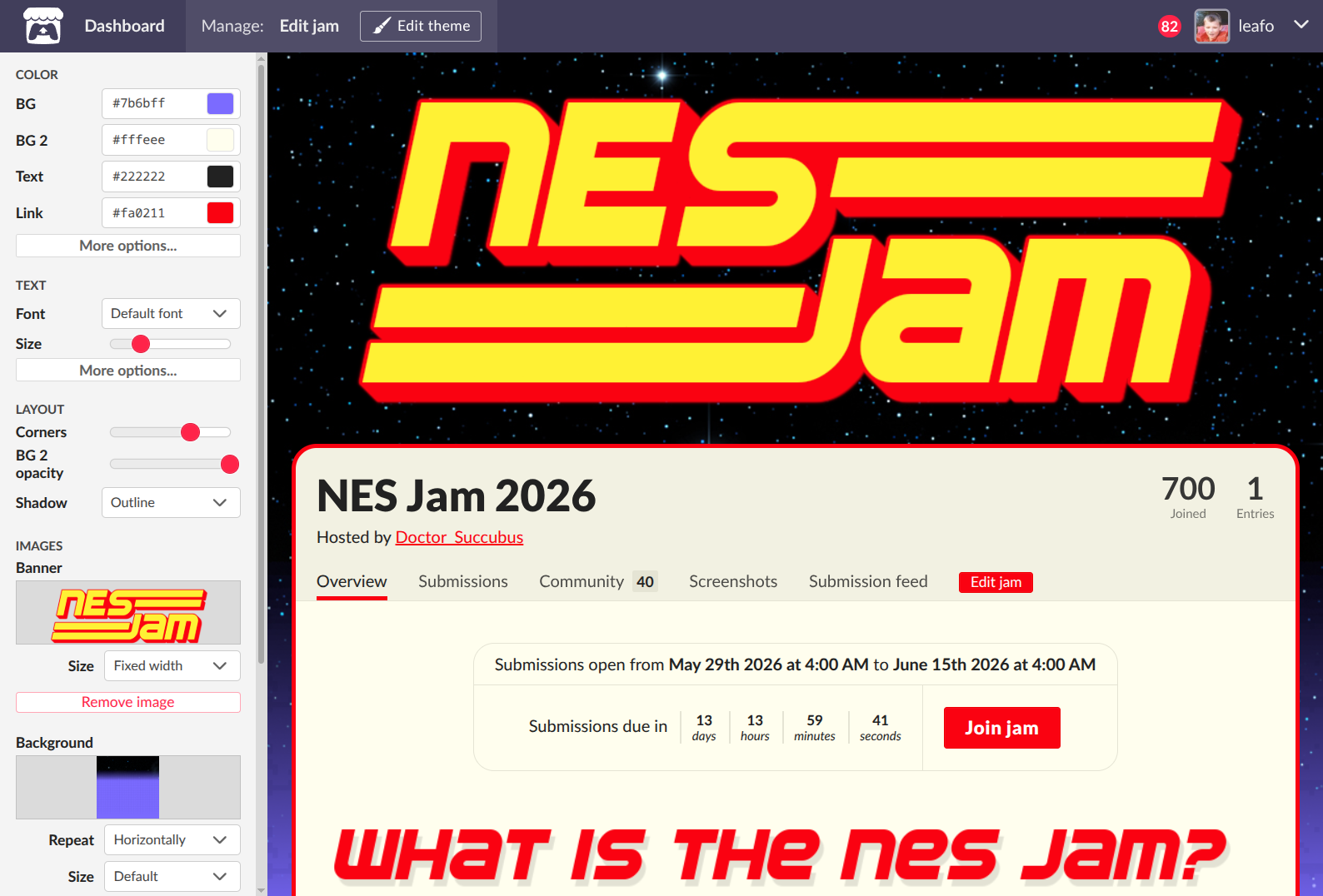
Here’s what’s in this update:
New theme options
- Fonts! - You can now set a font family using the Google Fonts selector for the body text, and also apply a secondary font to headers on the page
- Font size - You can use a free range slider to adjust the text sizing across the page. We’ve found that many Google fonts can have different baseline sizes, so the font size slider will let you get the spacing you’re looking for
- Button color - optional color that can be set independently from the link color
- Header color - optional color that can be set independently from the regular text color
- Corner radius - You can apply rounded corners to the main content area
- Shadow presets - We added a few shadow presets for the main page container for basic shadows, outline or glow effects based on your theme’s colors
- Background image - Added size cover & contain options, added fixed position option
- Opacity slider on the main content area - Fade the background of the main content area so that your page background can show through
Copy and paste themes!
You can now copy your theme as a JSON text string, and paste it into other jams. This will enable hosts who do many recurring jams to quickly get their new jam page styled.
Note: This will not copy the images currently, it only copies all theme field values, CSS, and image properties. You will need to re-upload images.
CSS Guide updated for jams
We’re codifying some of the elements on the page for custom CSS users. We’ve added a new section outlining the jam page layout, with some considerations and recommendations: https://itch.io/docs/creators/css-guide#jam-page-layout