

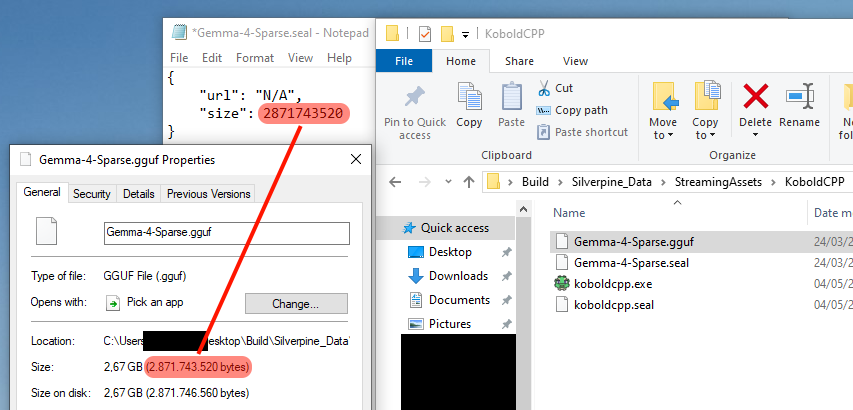
You can manually download the model from any source and put it in the KoboldCPP folder, then create a .seal file of the same name, which is just a JSON with two fields inside. The size field must be the same number as the byte size of the .gguf file, as shown here.
The quantization level of the downloaded model should be Q4_K_M. The .gguf file must be named the same as its alias in the game. For Gemma-4-Sparse, the actual model is Gemma 4 26B-A4B.
Edit: I made a mistake here. The "url" field has to be "https://huggingface.co/bartowski/google_gemma-4-26B-A4B-it-GGUF/resolve/main/google_gemma-4-26B-A4B-it-Q4_K_M.gguf?download=true" for Gemma-4-Sparse, or the game will force you to redownload it from that source.
Edit: As of version 1.7.2, you can now use "N/A" like in the picture to skip the version check.