

Associated GitHub issue: https://github.com/itchio/itch.io/issues/1902
A regression introduced in April 2026, unless it’s simply the first time I take part in a jam with such a long name ;)
The user_tools <ul> block has the following bounding box (seen when debugging HTML):
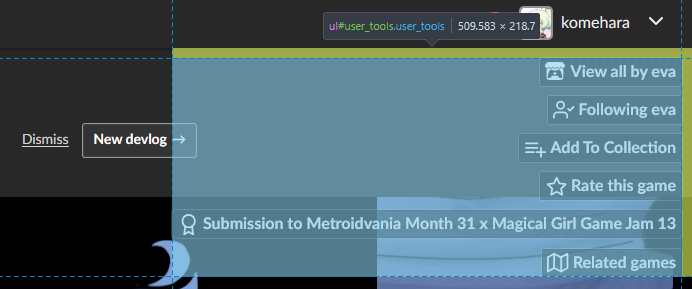
I noticed when I tried to click on the “You recently updated this page” banner’s New devlog button that it didn’t register mouse hover on its right part, which corresponds to this blue area.
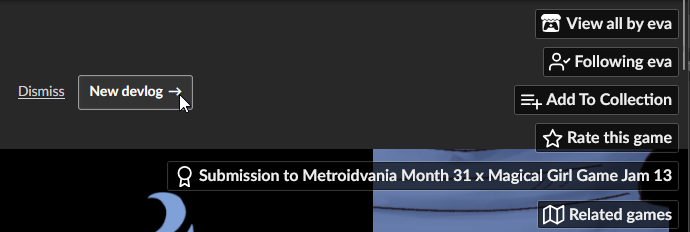
I would expect to be able to click through the user tools area (outside of its actual buttons, obviously), like this:
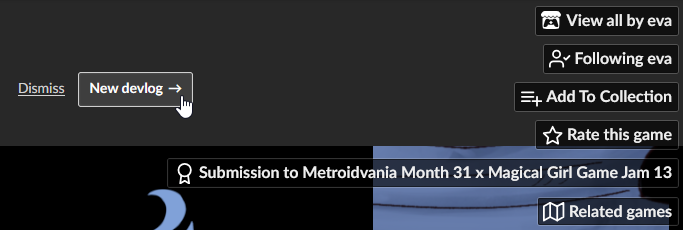
This is the local fix with custom CSS I made in TamperMonkey to make it work and take the screenshot above:
// ==UserScript==
// @name         itch: click through user tools banner area
// @namespace    http://tampermonkey.net/
// @version      2026-04-28
// @description  This fixes regression introduced in April 2026 and allows user to click through user tools banner area (e.g. to Dismiss, New devlog)
// @author       You
// @match        https://*.itch.io/*
// @icon         https://www.google.com/s2/favicons?sz=64&domain=itch.io
// @grant        GM_addStyle
// ==/UserScript==

(function() {
    'use strict';

    const css = `.user_tools {
  pointer-events: none;
}

.user_tools .action_btn {
  pointer-events: auto;
}
`;

    GM_addStyle(css);
})();
So this should be a good start for an official fix:
- set
.user_toolspointer-events: none; - restore clicking on its buttons by setting
.user_tools .action_btntopointer-events: auto;