

Hello I was wondering if it's possible to prevent items from being discarded if the players inventory is full when picking up items? Or maybe the way to do it would be a conditional branch script in the Chest event to detect if the inventory is too full?
Hey bro, how are you?
You raised two interesting points, and I hadn't noticed the second one yet.
I'll be updating this plugin this weekend to address the first issue and resolve the second. I'll make a devlog explaining the changes and let you know here.
Thank you for reporting these issues; I'll do my best to fix them.
And thank you for all your support as well.
Bro, sorry about that, that bug went unnoticed in my test. Thanks for the quick and accurate report. I updated the V3.9 file with a fix to allow mouse and keyboard control between grids (I had left the item image offset adjustment the same as the previous version, which didn't have the extra inventory management, so it kept appearing in the bottom grid even when the manipulation was in the top grid). It worked fine with drag and drop using the mouse, but it caused the visual bug with keyboard and controller. So I fixed that to allow dynamic navigation between grids. Could you download the file again and test it, please? Let me know if you have any questions.
The visual bug is fixed. In my testing I did have a confusing moment when an item refused to discard but I realized you can only discard items in its original zone (i.e. a sword from the red zone moved to the player inventory won't be discardable until moved back to the red zone, and vice versa). Not a huge deal but I can see it leading the player to a confusing moment like it did for me.
I added a series of parameters so that the system doesn't distinguish between an item in the extra grid and an item in the normal inventory grid, so all options will be available for both types of items. Please download the v3.9 file again; I believe everything is now in order. Thank you for all the feedback; I am truly grateful for your help in improving this tool.
We have a new update with lots of interesting things, take a look: https://kadajah.itch.io/kadajahs-reinventory/devlog/1555842/update-42-is-here-am...
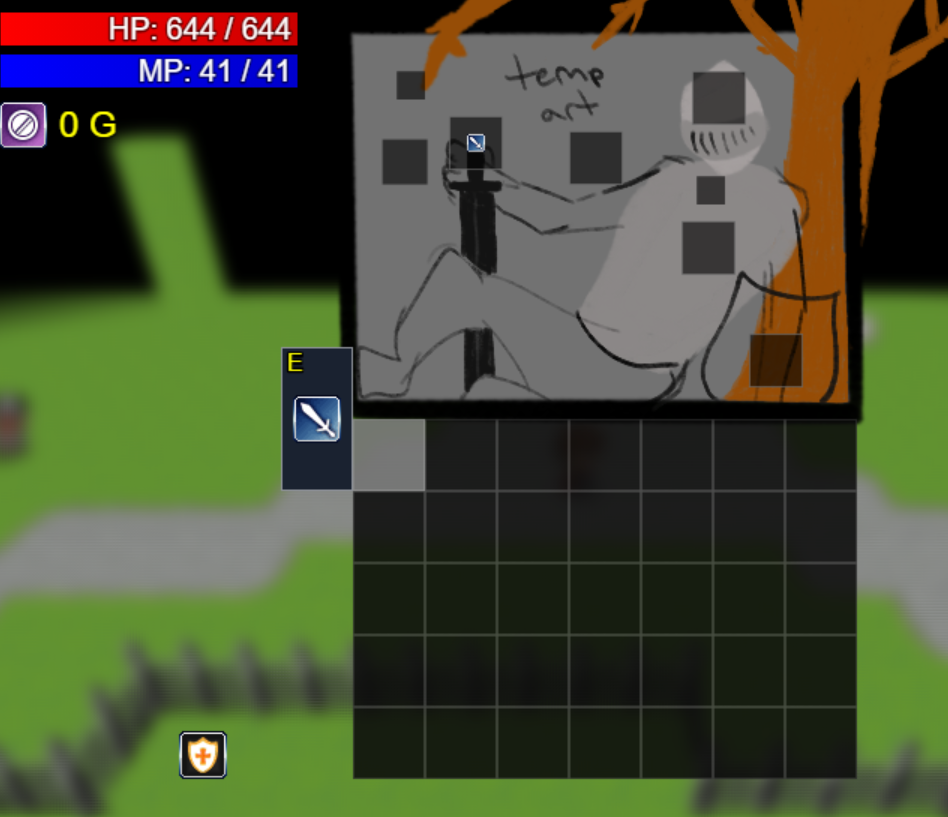 You fixed that so quick thank you! Coupe things I noticed, after you equip something you can then move it from the main inventory into an extra space outside the inventory grid on the left side of the very first inventory space. It is locked in that space until it is unequipped and moved back.
And two more nit-picky notes. The custom equip slots start at 0 while in the rpg maker database equip types start at 1 so every slotIndex is actually off by 1 (i.e. Equip Type 3 is Shields in database but the custom slotIndex would be 2:#:#:#). Lastly it's really not an issue but I figured I'd note it, I noticed with an empty inventory mouse movement freezes when holding the space bar. I assume this is just the game attempting to open an item window when there is none.
I will let you know if I find anything else as I play with it more.
Hey bro, I finally managed to implement the suggestion you gave; now it's possible to arrange the equipment slots with custom coordinates and zoom levels, along with a series of improvements suggested by other users. Thanks as always for the support and for helping make this plugin better. The new version is already available, hope you enjoy it!
https://kadajah.itch.io/kadajahs-reinventory/devlog/1571644/devlog-version-45-up...