Indie game storeFree gamesFun gamesHorror games
Game developmentAssetsComics
SalesBundles
Jobs
TagsGame Engines
(4 edits)

Hi!  New to Decker and learning my way round things; have recently come across something about Dialogizer I can't get my head round. 

Trying out a scene of two people speaking, and aiming to have the dialog box move position on the card according to who is speaking.  I've created two invisible canvases on the card to act as anchoring locations for each speaker. And setup separate styles for each, to be set on triggered commands in a rich text field. 

This works as I'd expect, showing the first two lines of dialog at fullscreen width, centered on the relevant anchor widget.  

s_lower:() 
s_lower.pos:"dialog_lower" 
s_upper:() 
s_upper.pos:"dialog_upper" 
on view do       
 dialog_drip.view:"none"   
 dd.open[deck]   
 dd.say[text_a.value]   
 dd.close[] 
end  
on command x do   
 if x~"lower"   
  dd.style[s_lower]   
 elseif x~"upper"   
  dd.style[s_upper]    
 end 
end
(1 edit) (+1)

The problem I'm having is when I also want to change the sizes on these box styles; i.e. where styles are

s_lower:()  
s_lower.pos:"dialog_lower" 
s_lower.size:300,0
s_upper:()  
s_upper.pos:"dialog_upper"
s_upper.size:200,0

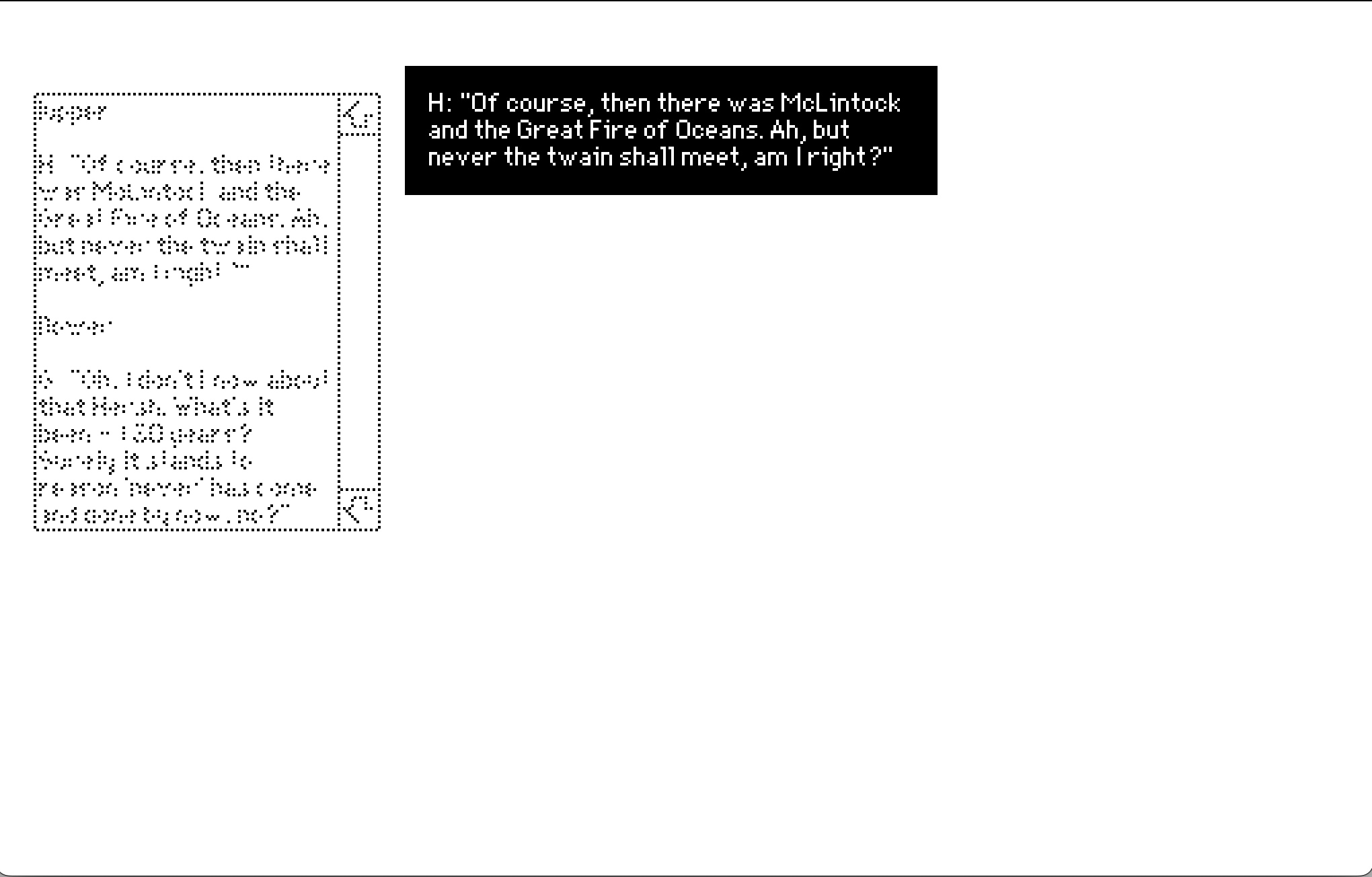
For some reason I can't figure out, while this seems to display the upper dialog box at the correct width, the lower dialog box is displayed at fullscreen width with text only spanning the width configured in the other style?

First line seems fine?


Second line - not so much


Taking a look at other ways of doing the same thing now - but if anyone has any thoughts on this (or can share where I might be going wrong here), would be interested to hear!

Thanks folks and Merry Decker-ing ^_^

(+1)

I tried reproducing the scenario you describe, but it seems to work as you intended, without showing any odd sizing for the lower dialog box.

Here is a card with my reproduction that you can paste into a the Dialogizer deck to compare to your own:

%%CRD0{"c":{"name":"card1","script":"s_lower:()  \ns_lower.pos:\"dialog_lower\" \ns_lower.size:300,0\ns_upper:()  \ns_upper.pos:\"dialog_upper\"\ns_upper.size:200,0\n\non command x do   \n if x~\"lower\"   \n  dd.style[s_lower]   \n elseif x~\"upper\"   \n  dd.style[s_upper]    \n end \nend","widgets":{"button1":{"type":"button","size":[60,20],"pos":[23,221],"script":"on click do\n dialog_drip.view:\"none\"   \n dd.open[deck]   \n dd.say[text_a.value]   \n dd.close[]\nend","text":"Do It"},"text_a":{"type":"field","size":[150,116],"pos":[23,92],"value":"!upper\n\nthe upper text but long enough to demonstrate that it's wrapping and so on and so forth, blah blah blah\n\n!lower\n\nthe lower text. again, this needs to be appropriately long to demonstrate text wrapping."},"dialog_lower":{"type":"button","size":[60,20],"pos":[133,294]},"dialog_upper":{"type":"button","size":[60,20],"pos":[236,43]}}},"d":{}}

Please make sure you're using Decker v1.66 (see Decker -> About in the menu) and Dialogizer v1.8 (see File -> Resources in the menu and select the "dd" module); using an outdated version of Decker with a modern Dialogizer or vice versa might cause strange behavior?