

Yeah, basically the inverse. If you inflict a critical you gain tp but if you receive a critical you will lose tp. If I use the same formula would it apply to the player if it place it in the Charge Tp By Damage section?
No, like I said, different contexts. It will not work. You need a hack into this. You will use the same formula, but on the end of the formula, you will need to identify if the action is being performed by an enemy attacking an actor. If yes, you have to use a script call to give the actor the negative tp and also set the tpValue to 0, so the enemy does not gain any tp. Unless you want the enemy to gain tp. Then you can just not use the line "tpValue = 0". Here is an example with the previous formulas we worked here:
const result = target.result()
const isTargetWeakToElement = BattleManager._action.calcElementRate(target) > 1
let tpValue = 0
if(result.critical){
    tpValue += 30
}
if(result.missed){
    tpValue += -15
}
if(isTargetWeakToElement){
    tpValue += 45
}
const isForActor = this.subject().isEnemy() && target.isActor()
if(isForActor){
target.gainSilentTp(-tpValue)
tpValue = 0
}
return tpValue
Basically add this into your formula, before the "return tpValue":
const isForActor = this.subject().isEnemy() && target.isActor()
if(isForActor){
target.gainSilentTp(-tpValue)
tpValue = 0
}
Also, you will have to attach your notetag "<ChargeTpByActionFormula: ID/index>" into the enemies too.
Give it some test. If it not work:
- Paste here the exactly formula you are using
- Check if both actors and enemies has the same ChargeTpByActionFormula on their note fields.
- Tell me what is happening
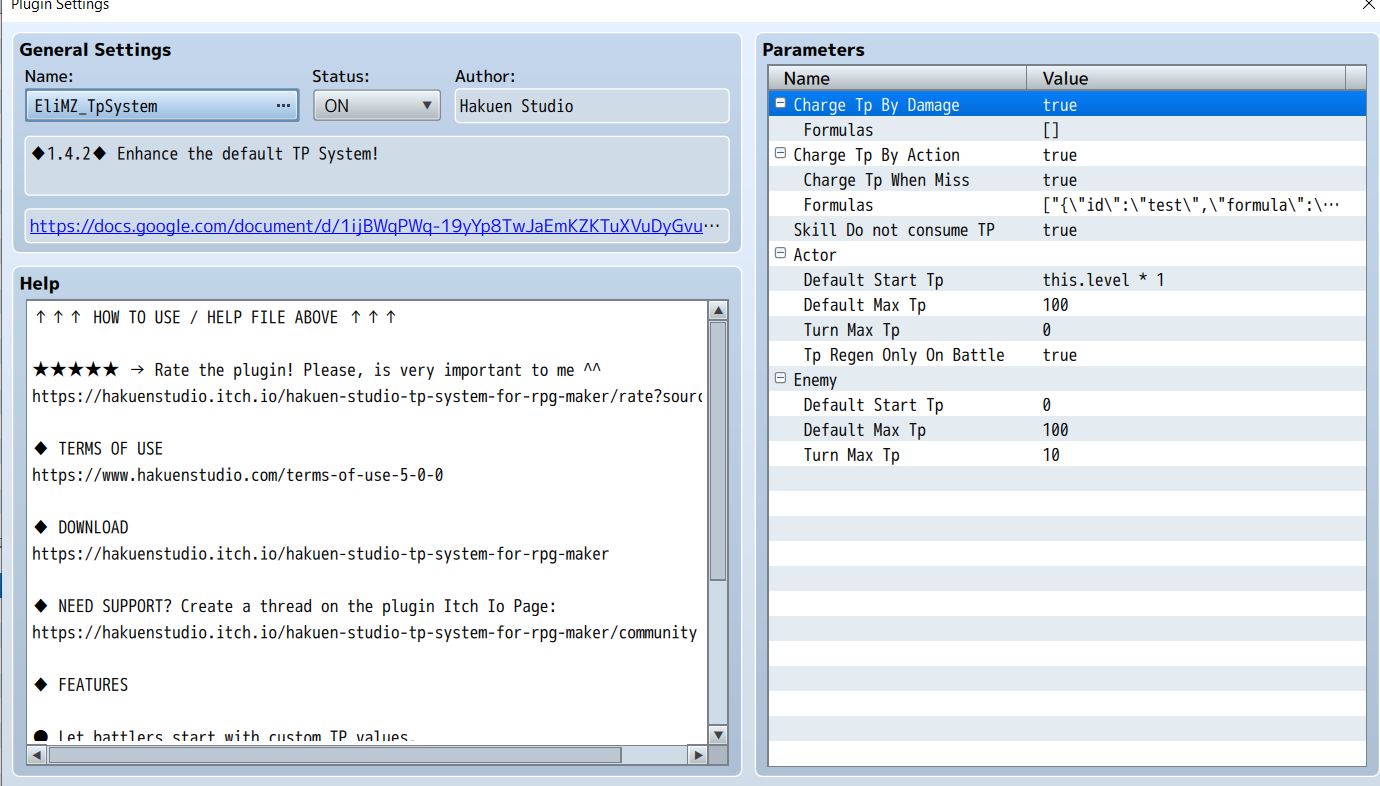
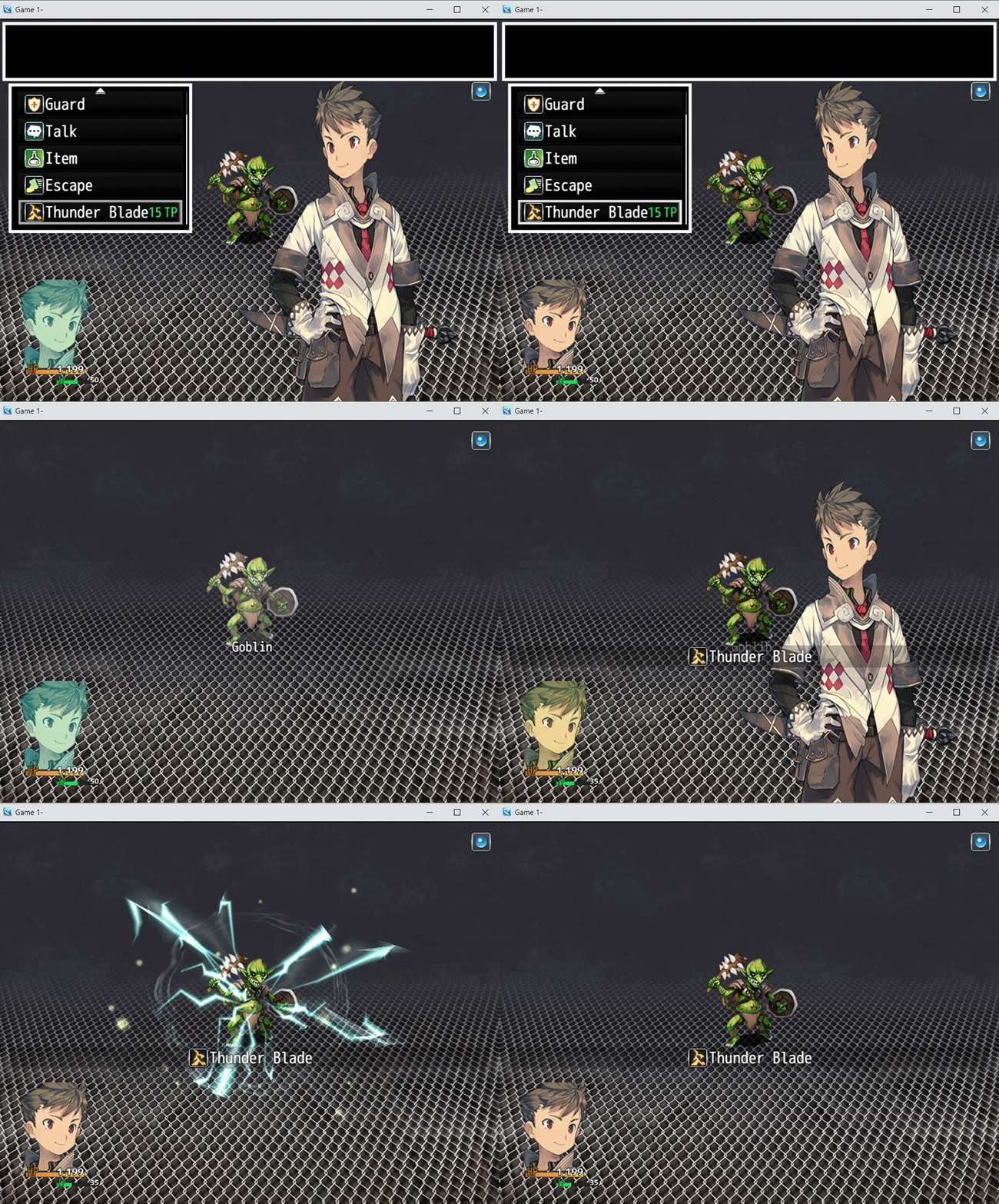
I'm still working with the code you gave me, but I thought I let you know something I noticed while working with the plugin. When Skill Does not consume Tp is set to true its supposed to only allow skills to be used when a Tp threshold is met but not consume it like it would normally. But whenever I use a skill it consumes Tp like normal. (The Tp is consumed Immediately as the skill is being used, and not as a result of anything so I don't think its the formula doing that, I even removed the note tag when making the gif to make sure it wasn't that.) (Here's the gif of it and an image of my settings.) Don't know if I set something wrong or not.
Show me a screenshot of your plugin manager with all your plugins.
But you will probably have to disable one plugin, test. And repeat the process until it works. The last disabled plugin will be the one with the compatibility.
Unless the problem has to do with the tp formulas you are using. You can also trybto detach them from the actor and test to see what happens.
98 days ago(+1)
I found it. It was conflicting with the Visustella SkillsStatesCore. More specifically the Skill Cost Types under Skill settings. The Tp coding title "Paying the Cost" under the JS Type formula was overriding your plugin. I simply had to remove that code. Now it functions as intended.