
Indie game storeFree gamesFun gamesHorror games
Game developmentAssetsComics
SalesBundles
Jobs
TagsGame Engines

Project banners blurry on high density screens.

A topic by ORMACH created 32 days ago Views: 121 Replies: 2
Viewing posts 1 to 3
(1 edit) (+1)

Hi, it seems like there is some issue with the way project banners are displayed. Seems like banner is set to 315x250px width via inline styling, but then displayed as 306x242.85px on the page which causes the image to appear blurred.

Not sure if it is something with my page setup, but I was unable to resolve this for a while now. Can you please help to understand if it's a website issue or a profile page config issue?

- My page
for reference, there are banners with icons that are blurred, all are exported at 2x the suggested size.
- FYI you won't see this  issue on 1080p screens.
- I also tried to upload a 306x242.85px @2x, but it did nothing because the banner is still stretched to 315.
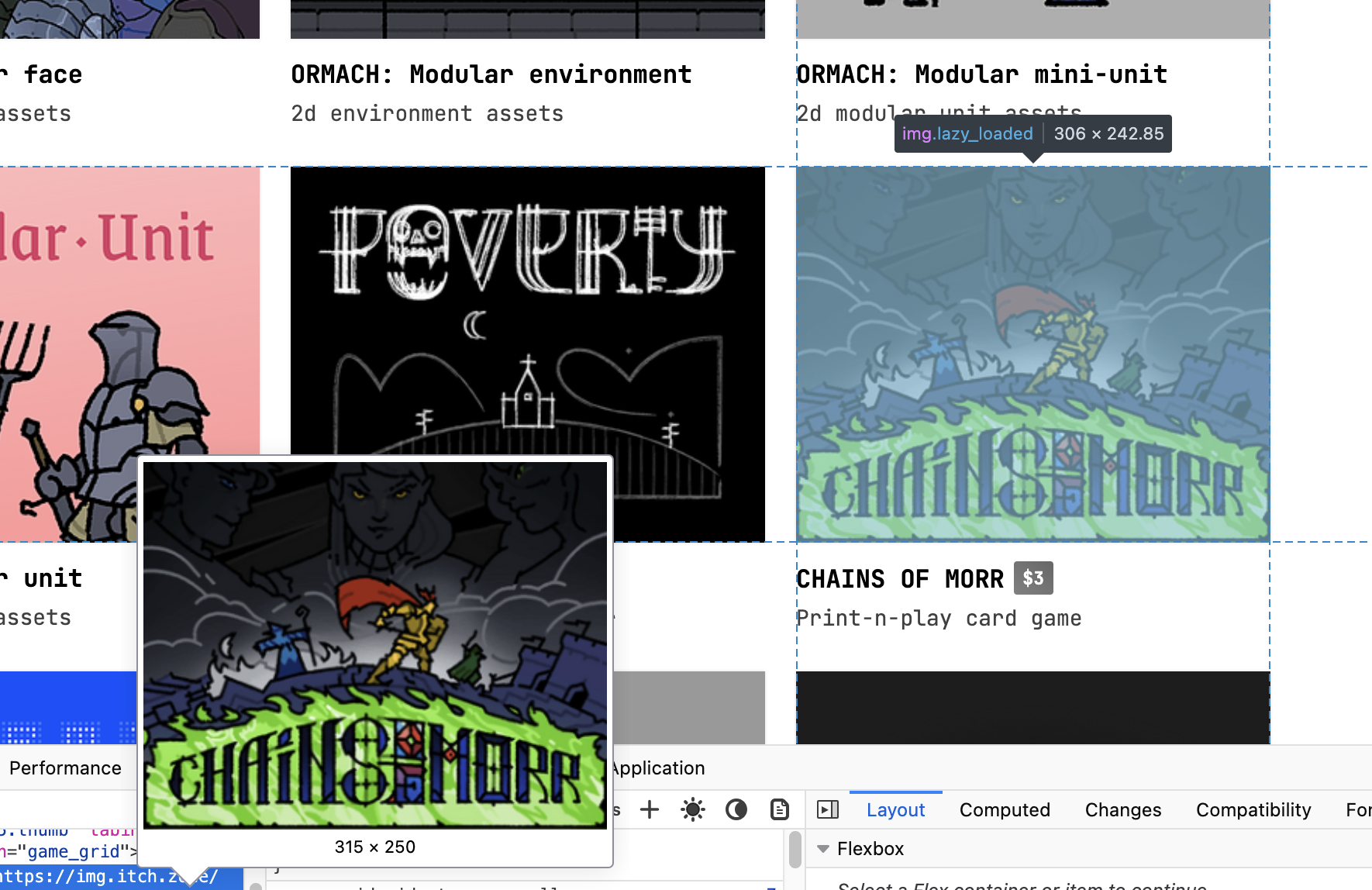


I noticed the same thing on my page, so it's not just you.

Seems like banner is set to 315x250px width via inline styling, but then displayed as 306x242.85px on the page which causes the image to appear blurred.

The banners are converted to 315x250. They really are that size. Just open a banner directly.

The physical display size is never that what you see in the browser inspect. That's the virtual size on the virtual canvas of the browser. Also, there is a operating system zoom (which is default 150% on 1080p Windows) and there is browser zoom (which can range from 25% to 500%). There could even be subpixels and other factors.

So an image will practically always be resized.

Try changing your browser's zoom towards 25%. See how the image appears smaller and smaller, but the browser inspect will still claim the rendered size is 306x243. When testing you can have it say 286x227 and even down to 100x79 size. It would look very blurred at that size, but does not.

So to actually display the image, there seems to not happening a lot of resizing and blurring. No matter what the inspect claims.

And for inspecting image size, the css does a lot of fiddling here. Try changing the width of your browser. See how the columns change. It also does this for changing browser zoom. And even more so on the regular browse pages. It would even have an impact if you remove your scrollbar, since that increases the canvas width. Grid sizes and even the number of columns is calculated by width. Itch's css changes a lot of things on width, btw. It changes appearance for mobile view based on that. You can force that by simply resizing your browser window to be narrow.