Indie game storeFree gamesFun gamesHorror games
Game developmentAssetsComics
SalesBundles
Jobs
TagsGame Engines
(1 edit)

soo i tried the suggestions but it didnt work

  1. i gone to nvdia app and intel graphics software to update my drivers
  2. i installed directx from https://www.microsoft.com/en-us/download/details.aspx?id=35
  3. i removed and installed x86 and x64 versions of visual C++
  4. i run a system check but i didnt find any anomalies
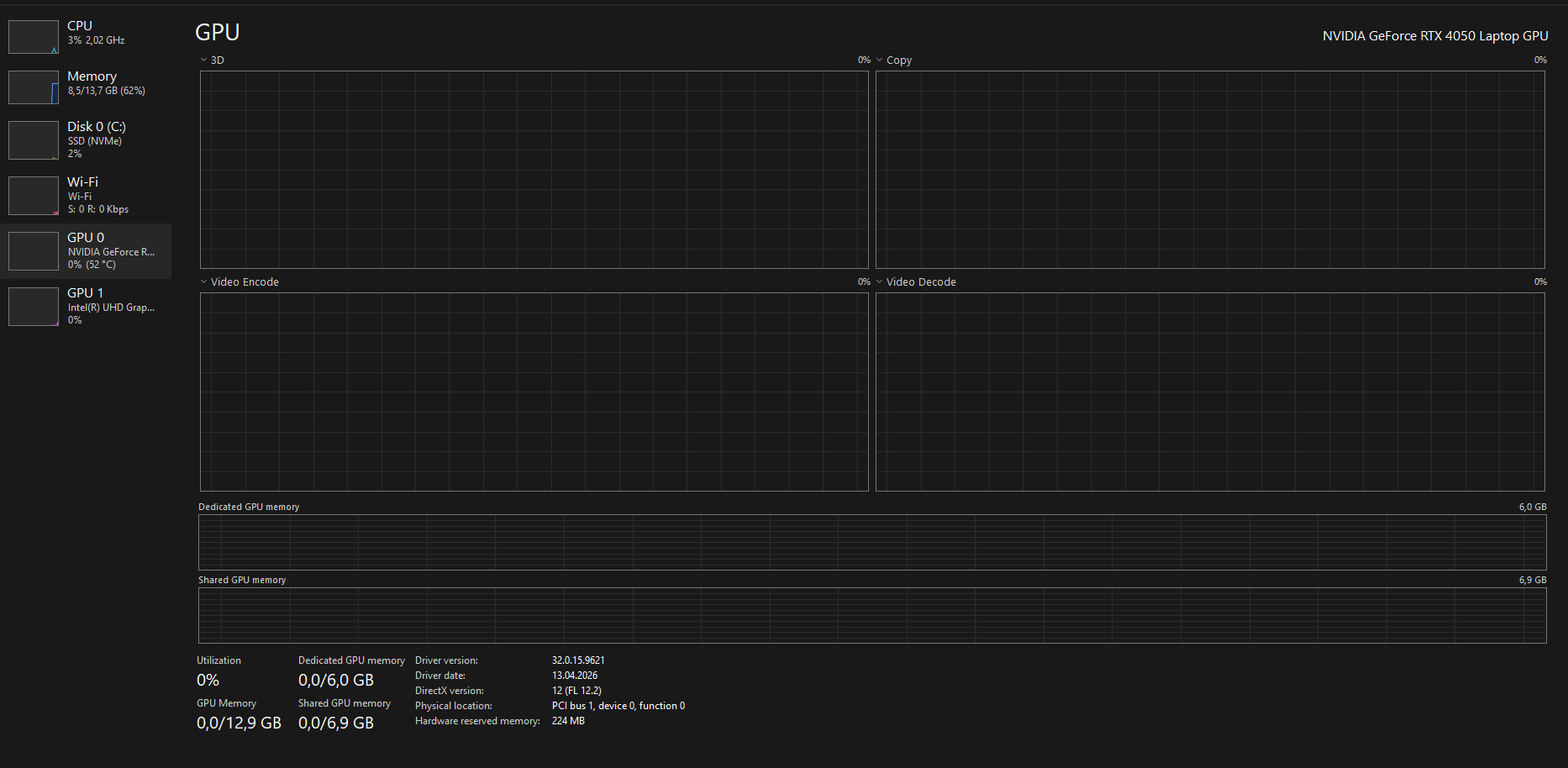
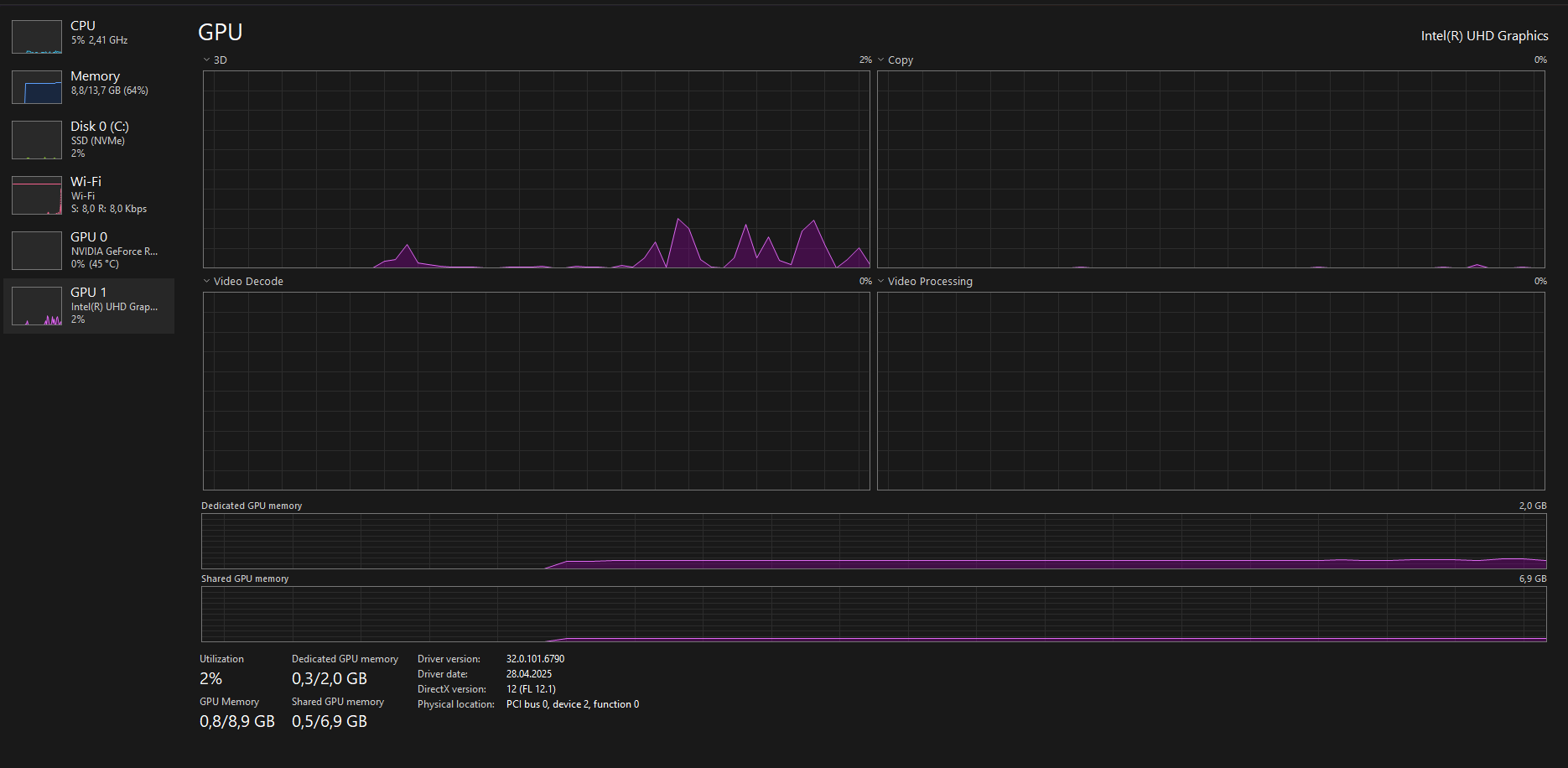
image.png image.png product number: 9J254EA#AB8

(2 edits)

๐Ÿ‘‰๐Ÿป Your system IS detecting both GPUs correctly
๐Ÿ‘‰๐Ÿป BUT the game is still not consistently using the NVIDIA GPU

And more importantly…

โš ๏ธ The behavior you described:

  • Works once after reinstall
  • Breaks again after reboot
  • Random freezes / not responding

๐Ÿ‘‰๐Ÿป This is NOT normal GPU switching anymore

๐Ÿ’ก What this actually points to:

This is most likely a Windows / driver-level instability issue, specifically:

๐Ÿ”ด Possible causes:

  • Broken hybrid GPU switching (Optimus bug)
  • Corrupted graphics driver state after reboot
  • Windows 11 25H2 instability / bug
  • Conflict between:
    • Intel GPU driver
    • NVIDIA driver

Thank you for all the details and screenshots.
This helps a lot.

At this point, since you have:

  • Reinstalled the game multiple times
  • Installed all required runtimes
  • Updated drivers
  • Even formatted your system

This is no longer a normal setup issue.

โš ๏ธ Most likely cause:

Your system is not consistently using the correct GPU (RTX 4050), and this behavior after reboot suggests a driver or Windows-level issue, not the game itself.

๐Ÿ”ง What you should try next:

1. Clean reinstall GPU drivers (VERY important)

Use DDU (Display Driver Uninstaller):

  • Remove BOTH:
    • NVIDIA driver
    • Intel GPU driver

Then reinstall:

  • Intel GPU driver (from Intel website)
  • NVIDIA driver (latest from NVIDIA)

2. Force GPU again AFTER reinstall

Redo:

  • Windows Graphics Settings โ†’ High Performance
  • NVIDIA Control Panel โ†’ High-performance GPU

3. Disable Hybrid GPU (if possible)

If your laptop supports it:

  • BIOS โ†’ disable hybrid / enable dGPU only

4. Try older NVIDIA driver

Sometimes newest drivers break Unity games:

  • Try a slightly older stable version

๐Ÿ’ก Important:

Since the web version works, your save is fine.
This confirms the issue is local system-related, not a game bug.

If the issue still persists after this, it may be a deeper system conflict, and testing on another PC would help confirm it.

(1 edit)

thank you so much disabling hybird worked you are the best. thank you so much again i realy appreciate it.

(+1)

Happy to help.