

Errors appear up to this value
from the very beginning to this end.
Is this how it should be?
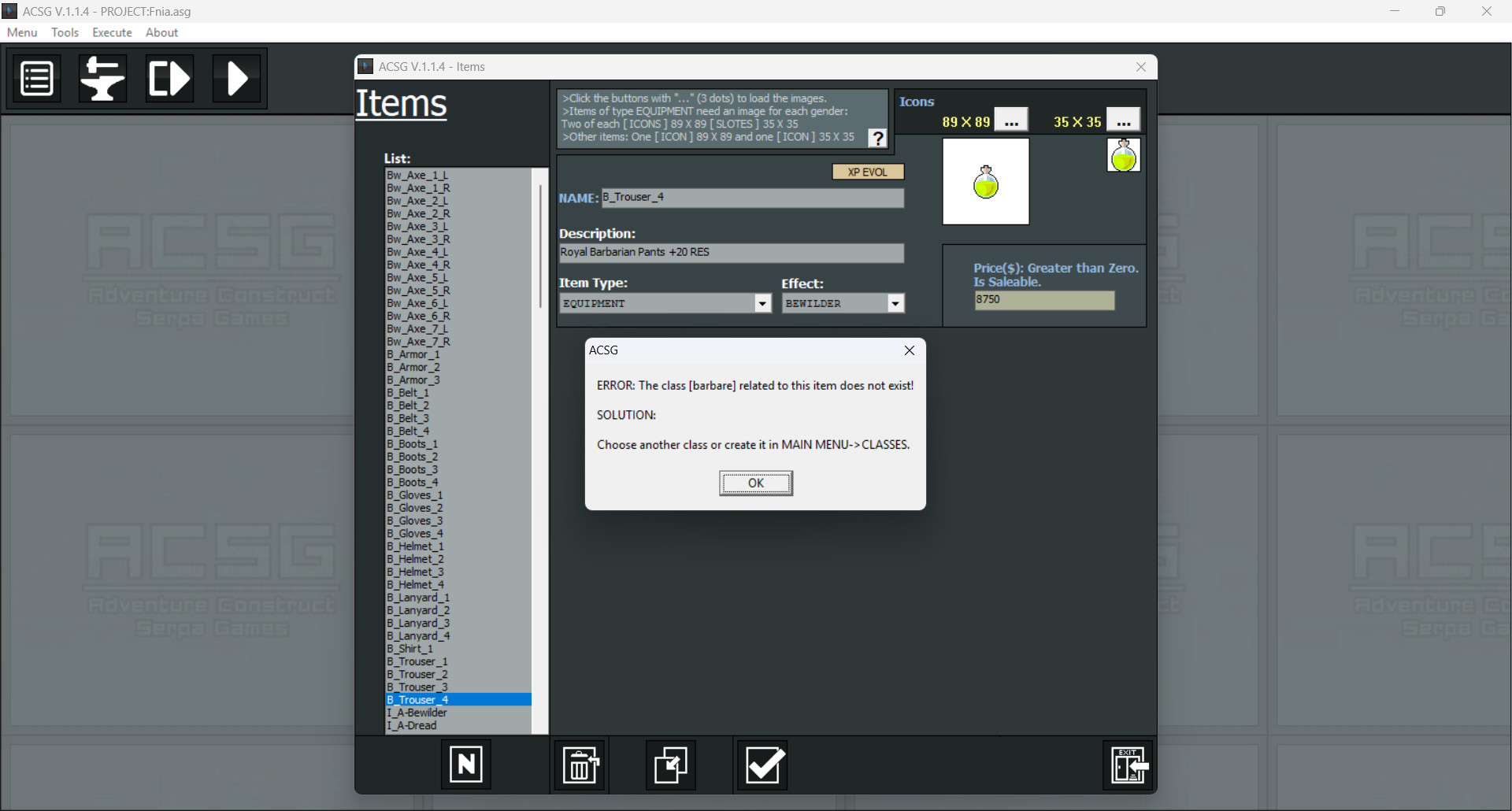
Errors appear up to this value
from the very beginning to this end.
Is this how it should be?
What’s happening is this: In version 1.1.3, I renamed the 'Barbare' class to 'Barbarian,' but I missed updating the default items for new projects. I fixed that in version 1.1.4.
However, when you update an existing project, ACSG does not automatically modify your project resources. This is by design, so the engine never overwrites your custom items or data. I only add resources if they are brand new.
In this case, the engine's behavior and the error message are correct. Just click OK on the message and select the 'Barbarian' class for all items showing this alert, and everything will work perfectly!👍
PS: Whenever you rename or delete a class, you might have items linked to it. When you open an item whose class has been renamed or deleted, this message is displayed to alert you and ensure data consistency.