Indie game storeFree gamesFun gamesHorror games
Game developmentAssetsComics
SalesBundles
Jobs
TagsGame Engines

Great tool, can be a massive timesaver for making car animations.

However, when I try to import a predrawn sprite from all angles I can't seem to find a way to import the back or under view (like in the ambulance example).

Am I missing an option / hotkey or is it not possible?
(2 edits)

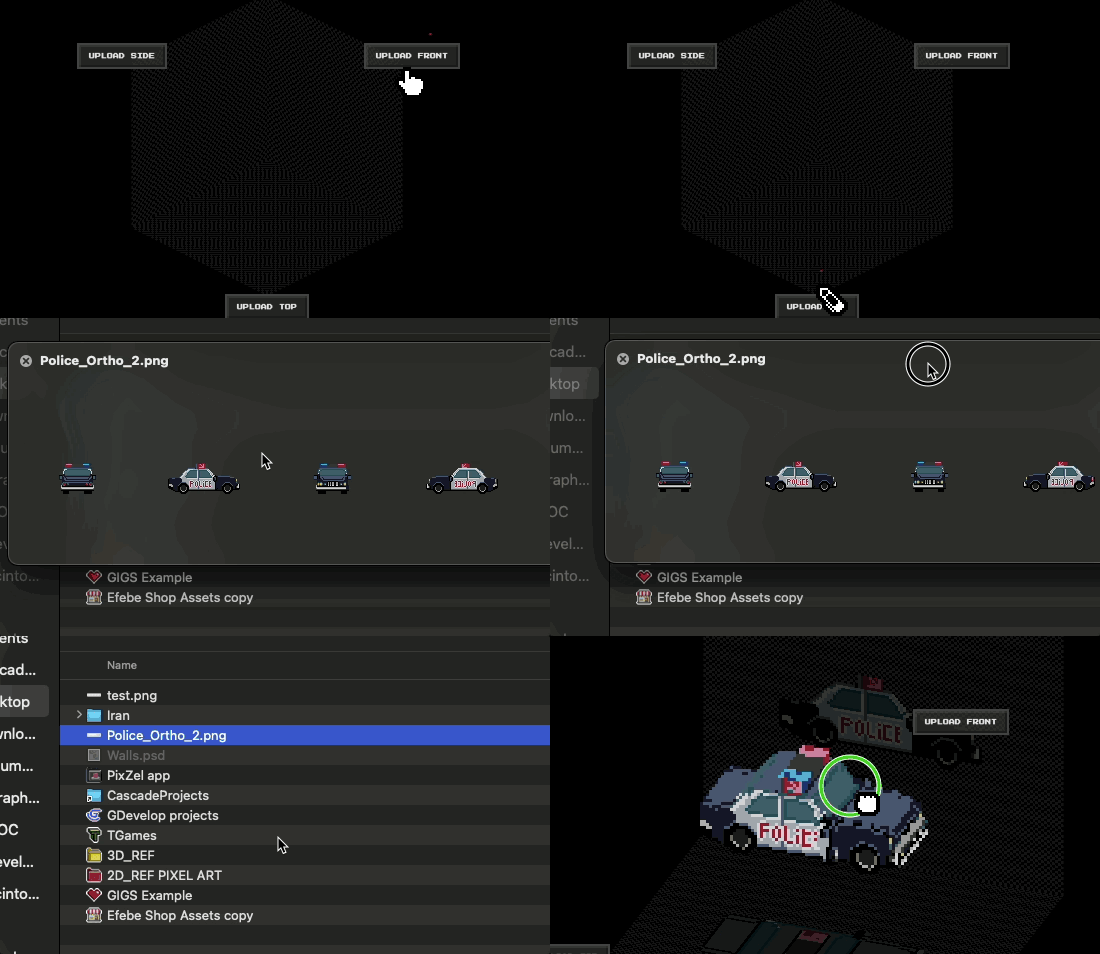
My best approach (out of my tests) is to start the model with just importing 2 or 3 images. From there u can get of the most needed models... After I export as ortho image and work on Photoshop or Aseprite the rest of the missing  textures on the Ortho exported image, before reimporting this file  back into the app... Is it possible to  import this  ortho image (6 sprites) using any upload button. Also, if u prefer,  you can paint the missing textures using the PixZels app if u prefere. I do like beter to work on Photoshop.
Many Thansk PixelHenkie :)


Thank you for your swift response!

I just tried it out and while it's not the most intuitive way,  it is indeed working so I'm very happy with that. :)

Again, great job on making this tool, it's already very impressive and a massive timesaver!

You are right :) Need to find a way to make it uploads more intuitive :) Thinking about.
Many thanks PixelHenkie :)