Indie game storeFree gamesFun gamesHorror games
Game developmentAssetsComics
SalesBundles
Jobs
TagsGame Engines

BASIC Forum & Tutorials

The tutorials are useful for self-learning and the forum is good for sharing ideas & information · By david.JamIsFun

NeoBASIC

A topic by david.JamIsFun created Dec 22, 2025 Views: 184 Replies: 6
Viewing posts 1 to 4

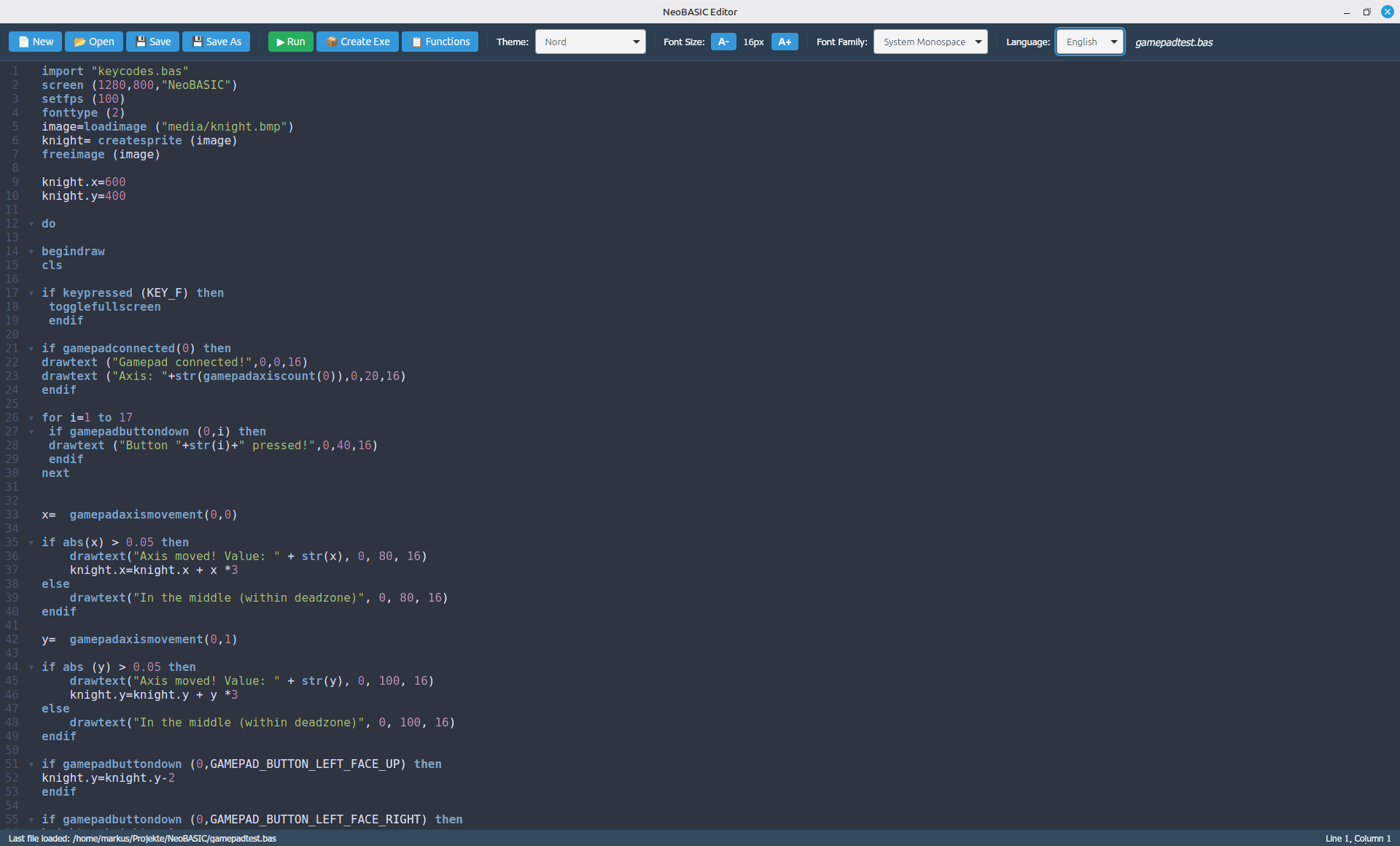
Hello......a new BASIC dialect is being developed. The name is NeoBASIC. It is a BASIC dialect with the famous raylib library. If you are interested in raylib, you should also be interested in NeoBASIC. The information of this dialect is here:
https://itch.io/post/15104012
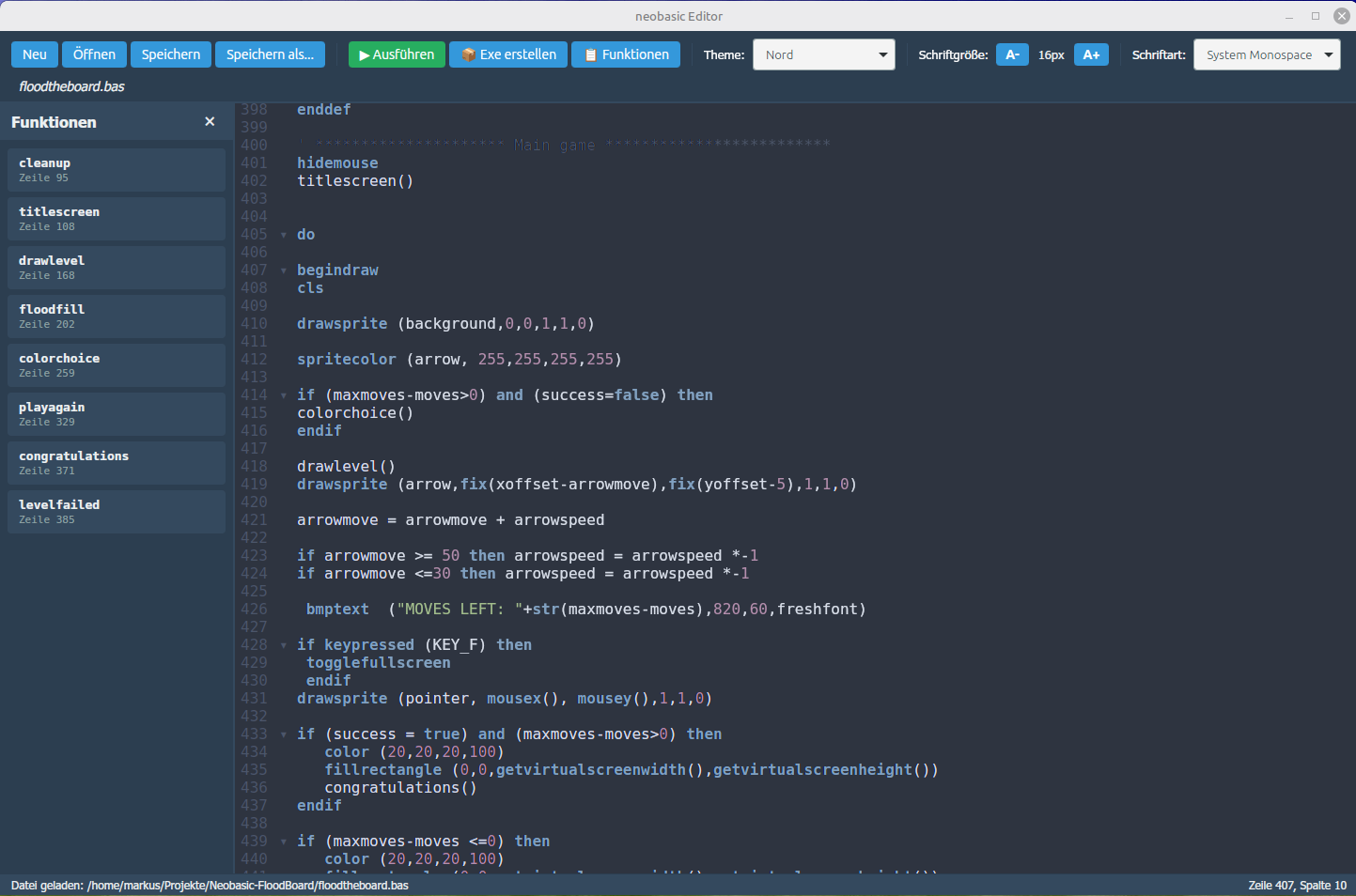
I am working on a new editor made with Neutralinojs and CodeWarrior.
UI is still in German - will be translated soon.


On the interpreter side of things, TTF fonts are now implemented.


Hello! Thanks for sharing the information of the progress of NeoBASIC. The progress is encouraging!

So now, translation is complete. One can choose between English and German. Maybe more languages to come ... 

Next step is to work on the documentation. This could take a while with approx. 150 functions. 


Good job. The sky is the limit!

(1 edit)

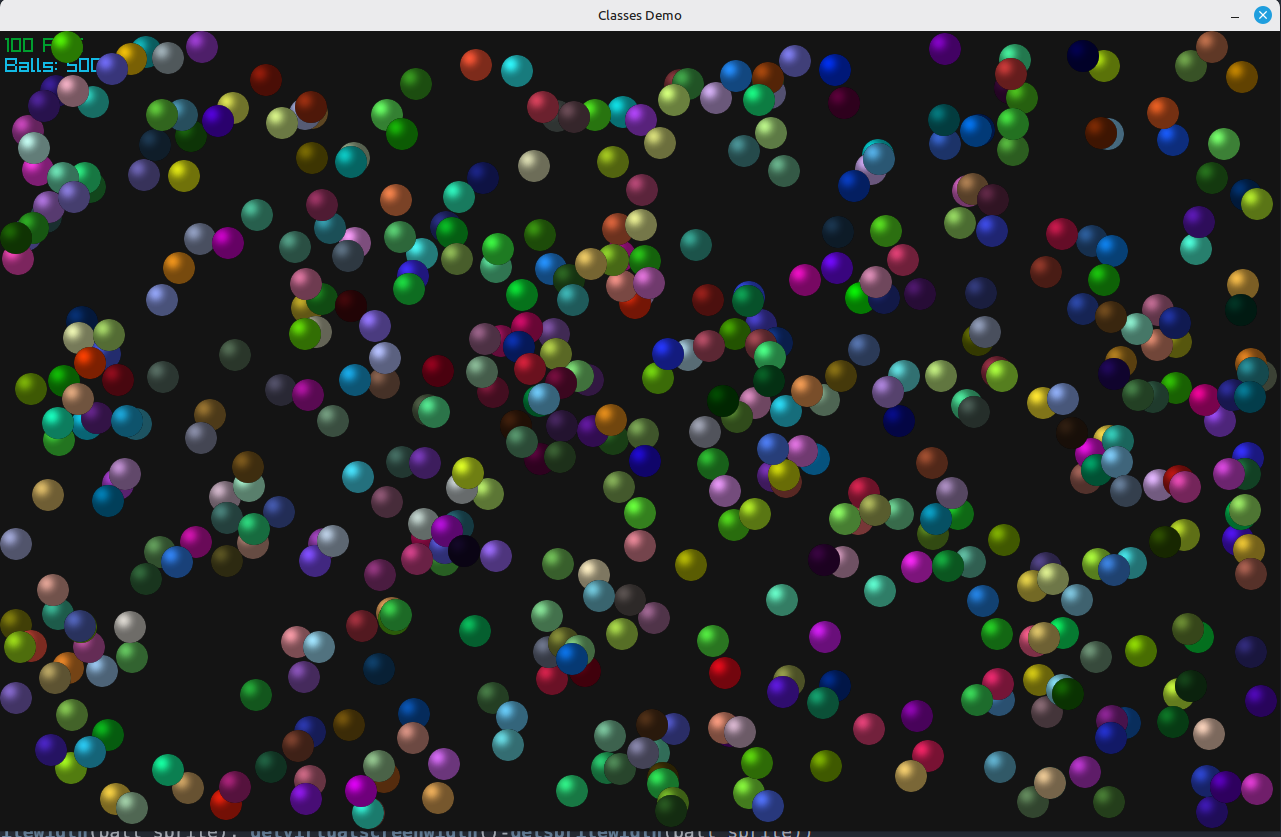
Some might be curious how the programming language looks. Well here is a small snapshot of a classes demo:


import "keycodes.bas"
screen (1280, 800, "Classes Demo")
setfps (100)
srnd (val(right(TIME(),2)))
' sprite class
class entity
    var x = 0
    var y = 0
    var vx = 0
    var vy = 0
    var sprite = 0
    var red = 0
    var green = 0
    var blue = 0
    def update()
        x = x + vx
        y = y + vy
        ' screen sizes
        if x < 0 or x > getvirtualscreenwidth()-getspritewidth(sprite) then
            vx = -vx
        endif
        if y < 0 or y > getvirtualscreenheight()-getspriteheight(sprite) then
            vy = -vy
        endif
    enddef
    def draw()
        spritecolor (sprite, red, green, blue, 255)
        drawsprite (sprite, x, y, 1.0, 1.0, 0)
    enddef
endclass
' load sprite
ball_sprite = loadsprite ("media/ball.png")
spritecolor (ball_sprite, 200,200,50,255)
backcolor (20,20,20,255)
' multiple instances
balls = list()
for i = 1 to 500
    ball = new(entity)
    ball.x = rnd (getspritewidth(ball_sprite), getvirtualscreenwidth()-getspritewidth(ball_sprite))
    ball.y = rnd (getspriteheight(ball_sprite), getvirtualscreenheight()-getspriteheight(ball_sprite))
    ball.vx = (rnd * 4) - 2
    ball.vy = (rnd * 4) - 2
    ball.red = rnd (255)
    ball.green = rnd (255)
    ball.blue = rnd (255)
    ball.sprite = ball_sprite
    push(balls, ball)
next
' main loop
do
    begindraw
    cls
    drawfps (5,5)
    drawtext ("Balls: "+str(i-1),5,25,20)
    ' update all balls and draw
    for ball in balls
        ball.update()
        ball.draw()
    next
    if keypressed (KEY_F) then
        togglefullscreen
     endif
    enddraw
until screenclosed() = true
freesprite (ball_sprite)
closescreen
And a screenshot:


Yes, very curious. Thanks!! Keep at it, you’re almost there!