
Indie game storeFree gamesFun gamesHorror games
Game developmentAssetsComics
SalesBundles
Jobs
TagsGame Engines

Cybermonkey

17
Posts
2
Topics
7
Followers
5
Following
A member registered Dec 03, 2016 · View creator page →

Creator of

Recent community posts

Hi everyone,

I wanted to give you an update on where my BASIC interpreters stand. A lot has happened.

1. NeoBASIC
As far as I'm concerned, this interpreter is usable in its current state. Further development is on hold for now (see Retro-Q below). I know a release is still pending, but I don't have a schedule for it at the moment, since I want to focus on Retro-Q.

2. RetroQ – the JavaScript transpiler
Development has ended, because Retro-Q is now being built as a real bytecode compiler/interpreter. See point 4.

3. bas-2.5 GUI extension
This one is fairly new and hasn't been announced yet. It's based on the BAS interpreter from here: https://www.moria.de/~michael/bas/
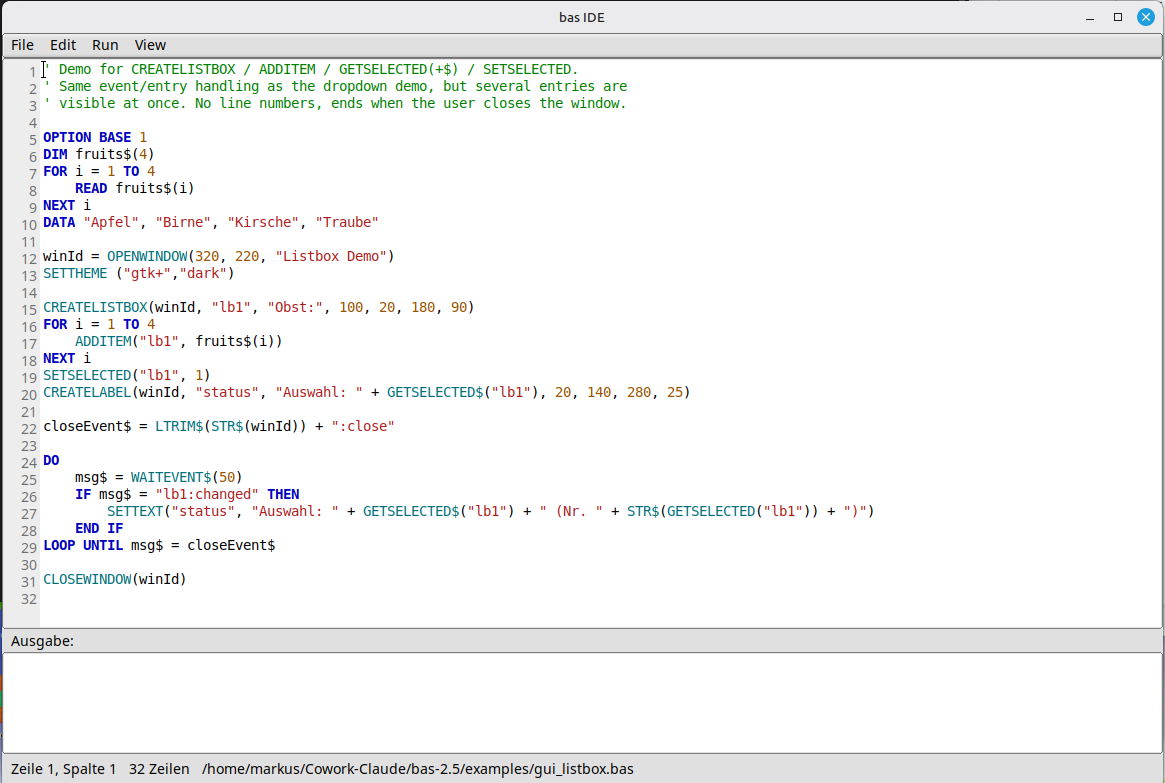
I've added a number of extensions in the form of GUI elements built on FLTK. It now also builds on macOS and Windows, not just Linux. The screenshot shows the editor (written in bas itself) along with some sample code. Development is ongoing. The idea is that you'll be able to write small tools with it. Executables already can be created.

4. Retro-Q
The current flagship! It's entirely inspired by RapidQ by William Yu. I've made, and will keep making, a few changes and improvements, so the interpreter won't be 100% source-compatible. RapidQ was originally developed in Borland Delphi. Retro-Q takes the Free Pascal/Lazarus route instead, which is what makes it possible to reproduce RapidQ's behavior quite closely. The GUI will be fully integrated. Here's an example with checkboxes and radio buttons:

DIM Clicks AS LONG 
Clicks = 0  
CREATE Form AS QFORM
   .Caption = "Retro-Q - Phase 9k: QCHECKBOX / QRADIOBUTTON"
   .Width = 360
   .Height = 240
   .Center
    CREATE AgreeCheck AS QCHECKBOX
     .Left = 20
     .Top = 20
     .Width = 300
     .Height = 20
     .Caption = "I agree"
     .Hint = "Tick or untick"
     .ShowHint = TRUE
     .Checked = FALSE
     .OnClick = @AgreeClicked   ' required - "@" prefix, see QBUTTON.OnClick's own note
   END CREATE
   CREATE RedRadio AS QRADIOBUTTON
     .Left = 20
     .Top = 60
     .Width = 300
     .Height = 20
     .Caption = "Red"
     .Checked = TRUE
     .OnClick = @ColourClicked
   END CREATE
   CREATE GreenRadio AS QRADIOBUTTON
     .Left = 20
     .Top = 85
     .Width = 300
     .Height = 20
     .Caption = "Green"
     .OnClick = @ColourClicked
   END CREATE    
   CREATE BlueRadio AS QRADIOBUTTON
     .Left = 20
     .Top = 110
     .Width = 300
     .Height = 20
     .Caption = "Blue"
     .OnClick = @ColourClicked
   END CREATE    
  CREATE StatusLabel AS QLABEL
     .Left = 20
     .Top = 150
     .Width = 300
     .Height = 40
     .Caption = "No clicks yet."
   END CREATE
 END CREATE
PRINT "Opening a native window - click the checkbox and the radio buttons, then close the window..."
Form.ShowModal 
PRINT "Window closed. Total clicks seen: "; Clicks  
SUB AgreeClicked
   Clicks = Clicks + 1
   IF AgreeCheck.Checked THEN
     StatusLabel.Caption = "Click #" + STR$(Clicks) + ": checked"
   ELSE     
StatusLabel.Caption = "Click #" + STR$(Clicks) + ": unchecked"
   END IF
 END SUB
SUB ColourClicked
   Clicks = Clicks + 1
   ' Each radio button shares this handler; Checked tells us which one is on now.
   IF RedRadio.Checked THEN
     StatusLabel.Caption = "Click #" + STR$(Clicks) + ": red selected"
   ELSEIF GreenRadio.Checked THEN
     StatusLabel.Caption = "Click #" + STR$(Clicks) + ": green selected"
   ELSE
     StatusLabel.Caption = "Click #" + STR$(Clicks) + ": blue selected"
   END IF
 END SUB 

There are still quite a few widgets to implement. What already works, and this is the really exciting part, is binding to external DLLs on Windows, .so and .dylib files on Linux/macOS. That's why I think NeoBASIC may become obsolete: you can simply call Raylib (or SDL3 or anything) straight from Retro-Q.

Example with Raylib:

$IMPORT "raylib.inc"  
FUNCTION RGBA (R, G, B, A)
    RGBA = R OR (G * 256) OR (B * 65536) OR (A * 16777216) 
END FUNCTION  
RAYWHITE = RGBA(245, 245, 245, 255) 
DARKGRAY = RGBA(80, 80, 80, 255) 
RED      = RGBA(230, 41, 55, 255)  
InitWindow(800, 450, "Retro-Q + raylib") 
SetTargetFPS(60)  
WHILE WindowShouldClose() = FALSE
   BeginDrawing()
   ClearBackground(RAYWHITE)
   DrawText("Retro-Q talks to raylib!", 190, 200, 20, DARKGRAY)
   DrawFPS (10,10)
   DrawCircle(400, 260, 40.0, RED)
   EndDrawing() 
WEND  
CloseWindow() 

Executables can already be created today, and it all works on Linux, macOS and Windows.
Planned next are bindings for SQLite and possibly PostgreSQL, as well as a reporting option. So once it's finished, Retro-Q should cover everything you'd want from a BASIC interpreter. It's meant to be all-purpose, whether that's a game, a console program or full-blown business software (within reason).
Hi all,

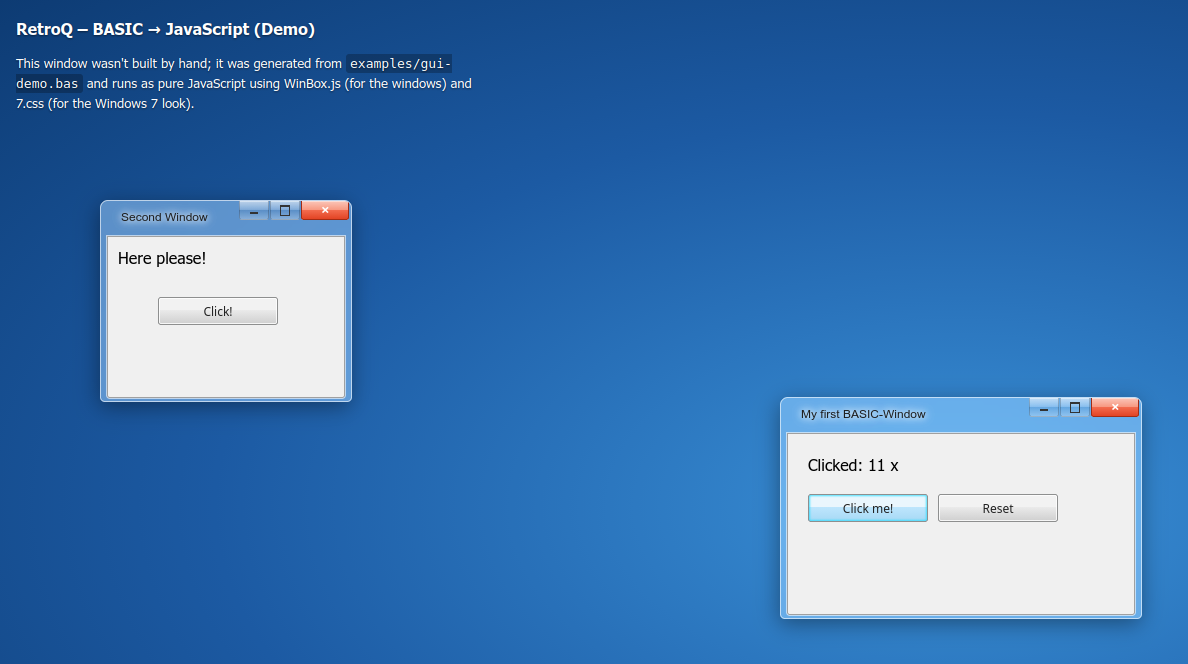
I wanted to tease a side project I've been building: RetroQ, a BASIC dialect close to RapidQ that transpiles straight to JavaScript. No public release yet, but figured this crowd would appreciate an early look.

What it does so far:

  • Full core language: DIM/CONST, IF/ELSEIF/ELSE, FOR/WHILE/DO...LOOP, SUB/FUNCTION, arrays, string & math builtins. No GOTO/GOSUB — structured control flow only, on purpose.
  • A small GUI subset (FORM, LABEL, BUTTON, EDIT, CHECKBOX) that maps onto WinBox.js windows styled with 7.css — BASIC programs run as real draggable, resizable windows in the browser.
  • Just wired up a custom Aero-glass theme on top of that, so the windows now genuinely look like Windows 7: translucent frame, blue/red buttons, no fullscreen button (kept it faithful to the original).

A quick taste of the syntax:

CREATE Form1 AS QFORM
   Caption = "Hello"
   CENTER    
   CREATE Button1 AS QBUTTON
     Caption = "Click me!"
     Left = 20
     Top = 60
   END CREATE
 END CREATE  
Form1.Show()  
SUB Button1_OnClick()
   Label1.Caption = "Clicked!" 
END SUB

That transpiles to plain JavaScript — no build step, runs directly in the browser (or under Node for console-only programs, complete with PRINT/INPUT).

Still polishing before a proper release — more widgets and events are next — but curious what fellow BASIC folks think of the approach. Screenshot attached.


(1 edit)

Yes, good idea. I hope it will be finished until December.

(1 edit)

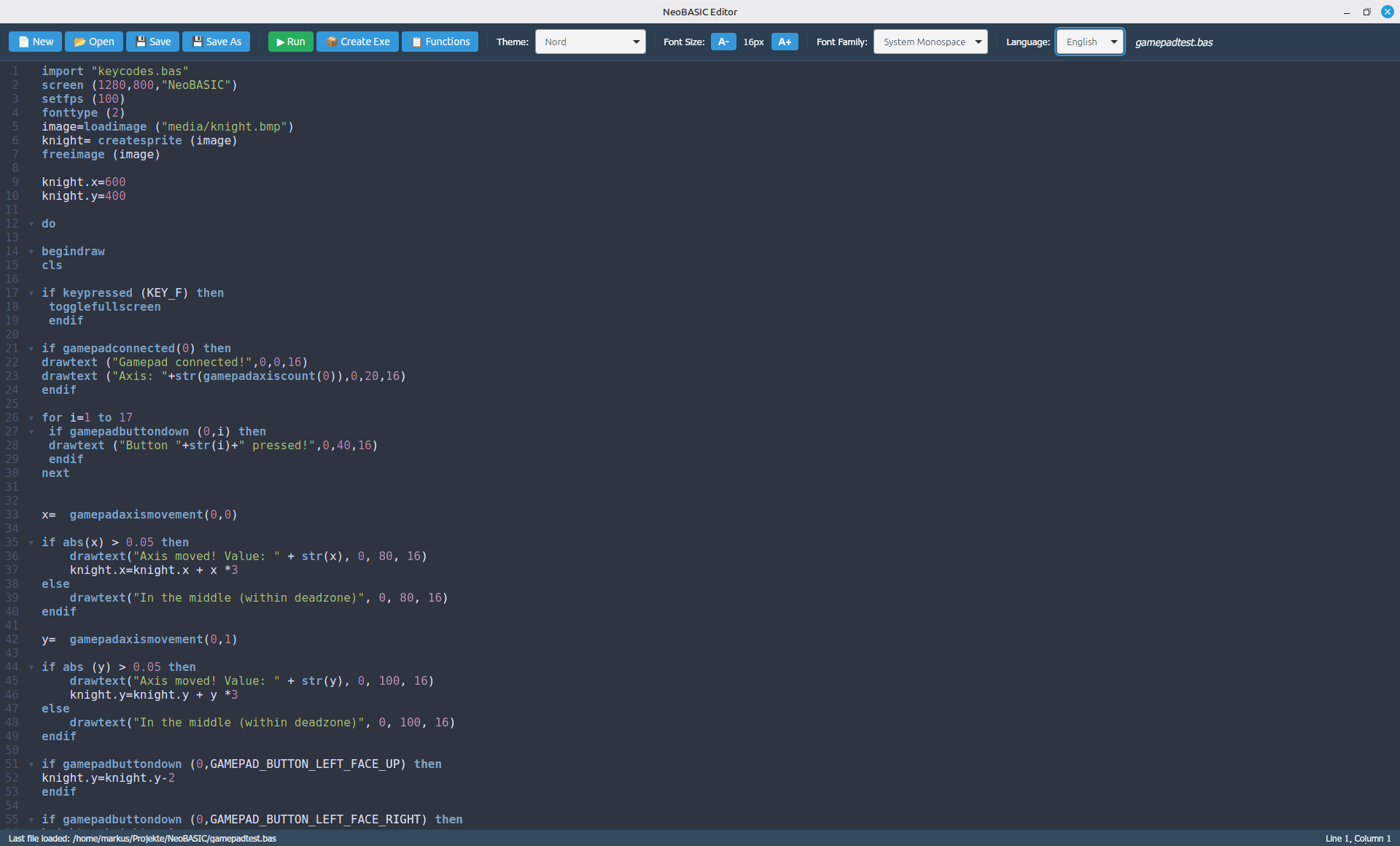
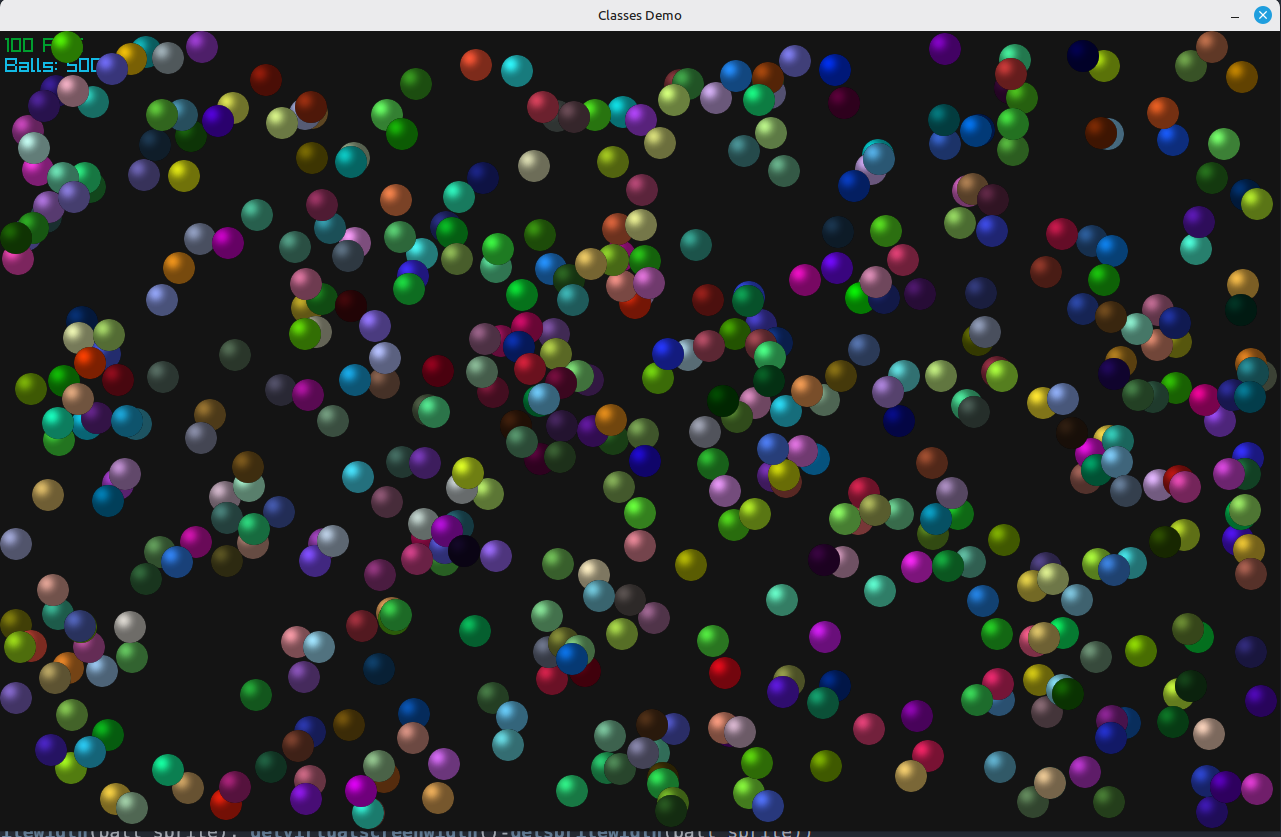
Some might be curious how the programming language looks. Well here is a small snapshot of a classes demo:


import "keycodes.bas"
screen (1280, 800, "Classes Demo")
setfps (100)
srnd (val(right(TIME(),2)))
' sprite class
class entity
    var x = 0
    var y = 0
    var vx = 0
    var vy = 0
    var sprite = 0
    var red = 0
    var green = 0
    var blue = 0
    def update()
        x = x + vx
        y = y + vy
        ' screen sizes
        if x < 0 or x > getvirtualscreenwidth()-getspritewidth(sprite) then
            vx = -vx
        endif
        if y < 0 or y > getvirtualscreenheight()-getspriteheight(sprite) then
            vy = -vy
        endif
    enddef
    def draw()
        spritecolor (sprite, red, green, blue, 255)
        drawsprite (sprite, x, y, 1.0, 1.0, 0)
    enddef
endclass
' load sprite
ball_sprite = loadsprite ("media/ball.png")
spritecolor (ball_sprite, 200,200,50,255)
backcolor (20,20,20,255)
' multiple instances
balls = list()
for i = 1 to 500
    ball = new(entity)
    ball.x = rnd (getspritewidth(ball_sprite), getvirtualscreenwidth()-getspritewidth(ball_sprite))
    ball.y = rnd (getspriteheight(ball_sprite), getvirtualscreenheight()-getspriteheight(ball_sprite))
    ball.vx = (rnd * 4) - 2
    ball.vy = (rnd * 4) - 2
    ball.red = rnd (255)
    ball.green = rnd (255)
    ball.blue = rnd (255)
    ball.sprite = ball_sprite
    push(balls, ball)
next
' main loop
do
    begindraw
    cls
    drawfps (5,5)
    drawtext ("Balls: "+str(i-1),5,25,20)
    ' update all balls and draw
    for ball in balls
        ball.update()
        ball.draw()
    next
    if keypressed (KEY_F) then
        togglefullscreen
     endif
    enddraw
until screenclosed() = true
freesprite (ball_sprite)
closescreen
And a screenshot:


Just a moment, you are E. K. Virtanen? The guy who also was on the old Yabasic forums? Long time not seen...  

So now, translation is complete. One can choose between English and German. Maybe more languages to come ... 

Next step is to work on the documentation. This could take a while with approx. 150 functions. 


I am working on a new editor made with Neutralinojs and CodeWarrior.
UI is still in German - will be translated soon.


On the interpreter side of things, TTF fonts are now implemented.


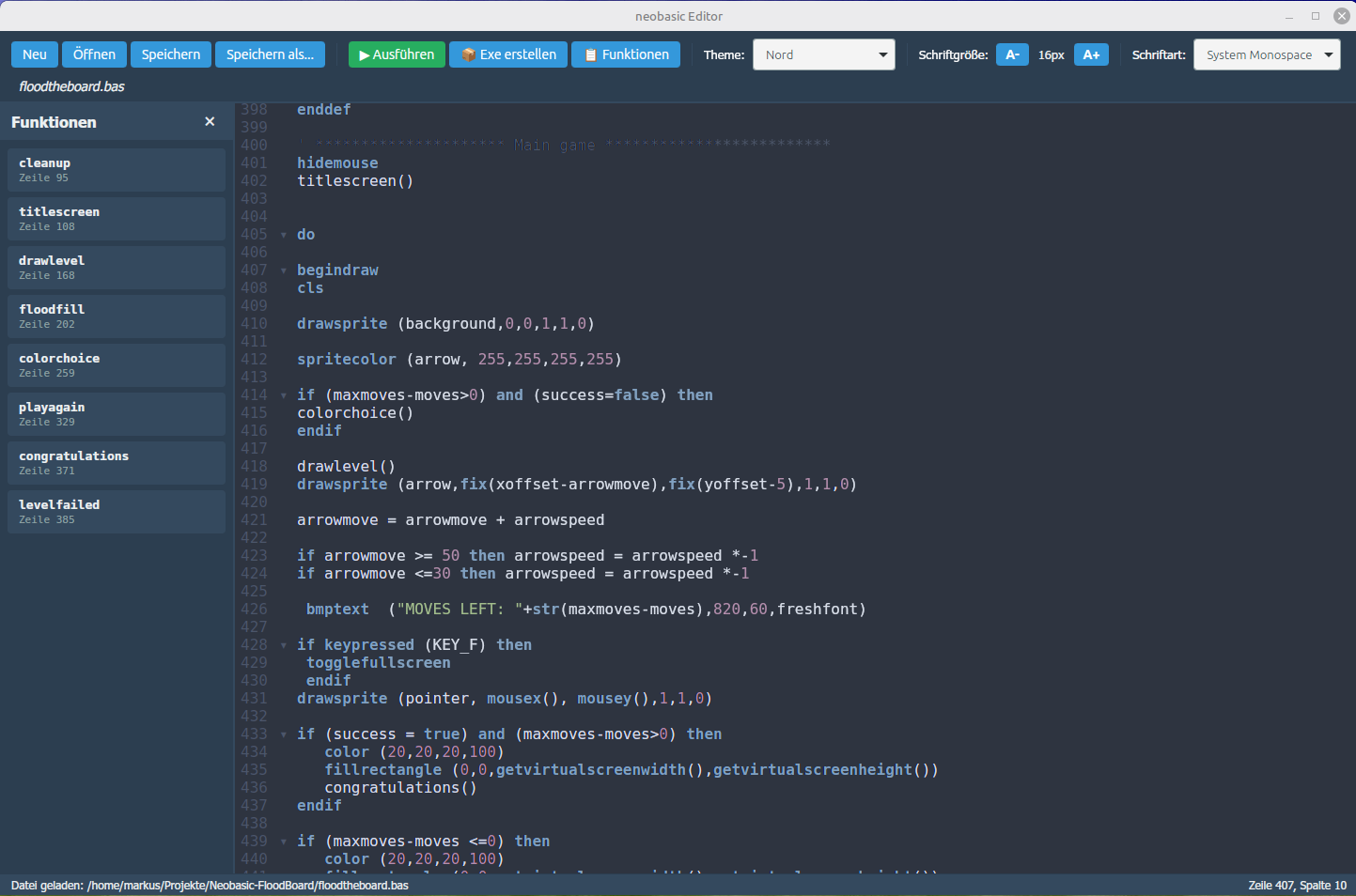
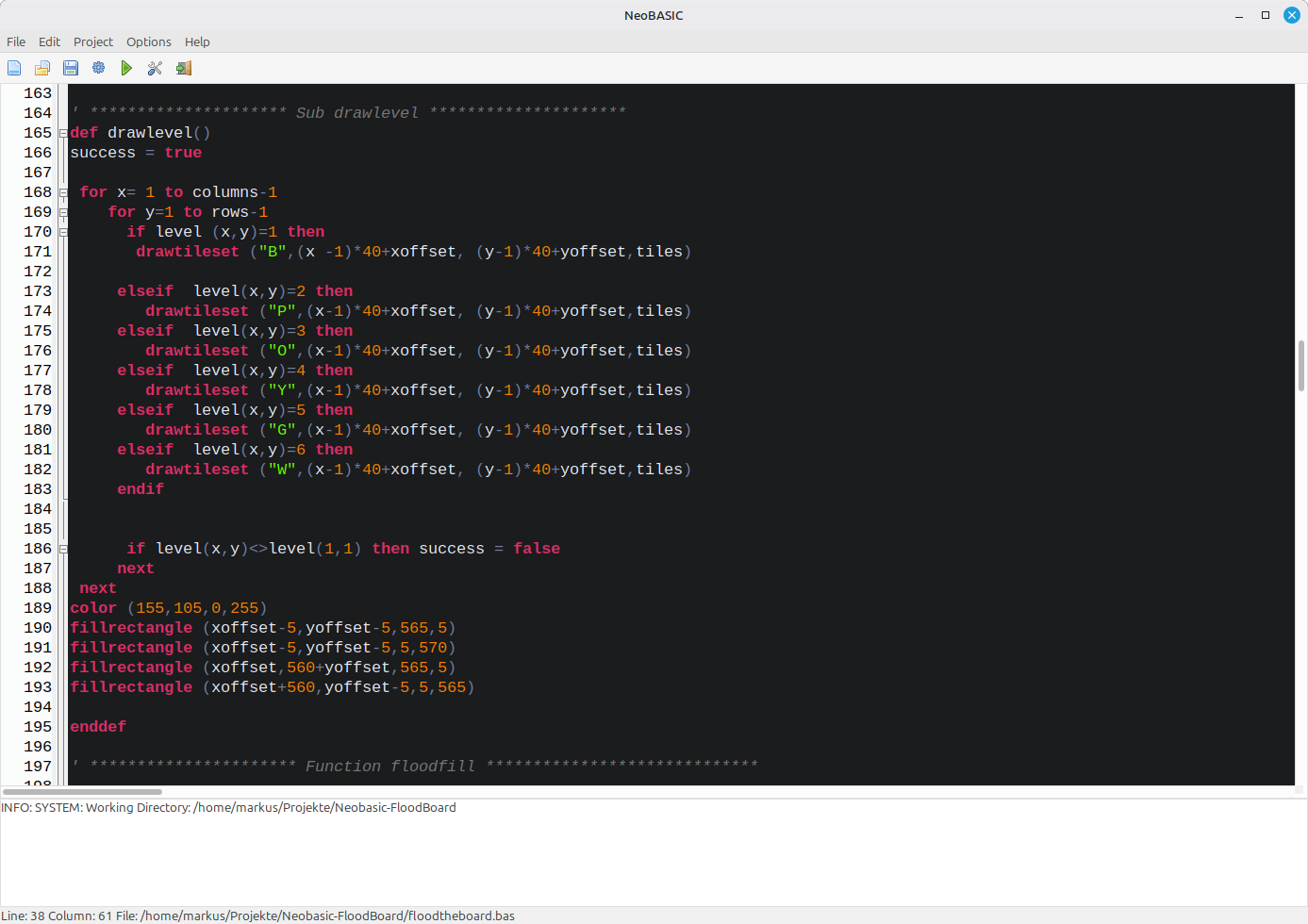
Yes, NeoBASIC is in development at the moment. It's an interpreter which uses raylib for graphics and sound.  It works on Windows, macOS and Linux. Here is a screenshot of the editor

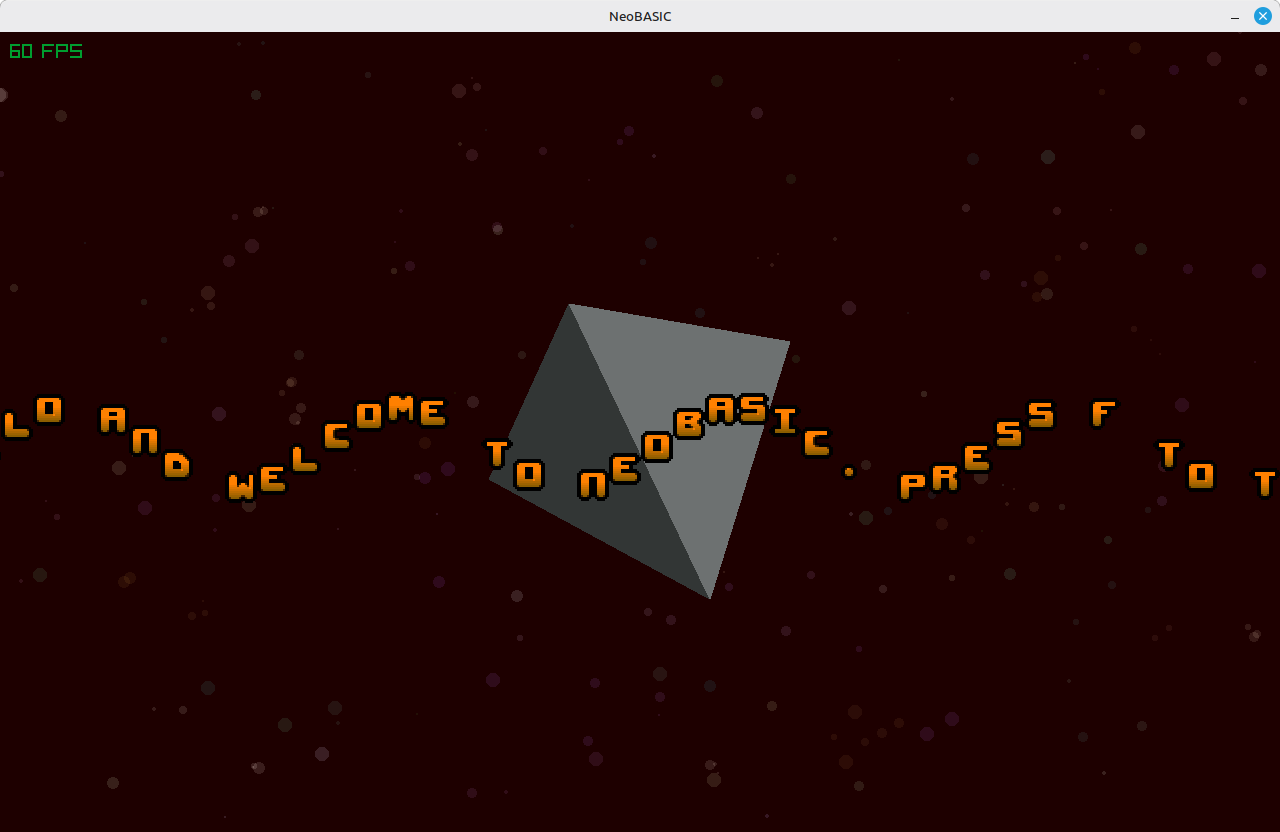
And a little scrolling demo:


Hey Murcas, long time not seen. :)

(1 edit)

This post is meant for aurelsoft, right?

(1 edit)

Hello. First I want to clarify that Pulsar2D never was abandoned. This is not the truth that Tomaaz is writing. Anyway, the development delayed  for several  reasons:

  1. The source code isn't commented, yet. I want to make it open source via Github, so this is a "must" in my opinion.
  2. It doesn't compile on macOS. Well, that's a minor issue, but anyway ...
  3. There is no documentation, yet. Formerly the members of retrogamecoding moaned about that issue.

So, again, development on Pulsar2D hasn't stopped, yet. It is delayed. 

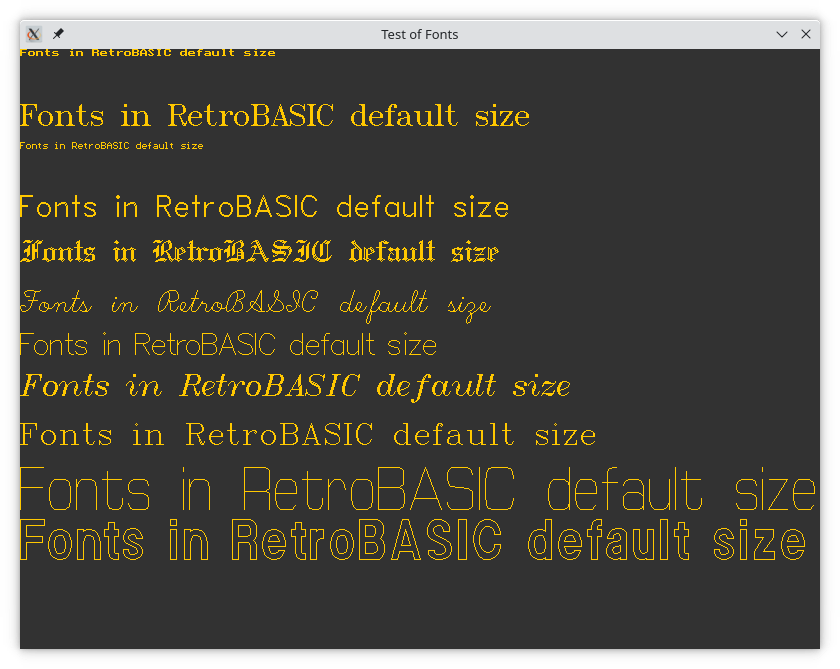
What about RetroBASIC, you ask? Well, it's a similar situation. It is now on delay in favour of TiGR-BASIC. I wanted to use a graphics library with a very low footprint. For SDL2 this is not the case. So I found the TiGR-library and will use it for further development.


But it may take a while since I am very busy in "real life".

(1 edit)

Sorry, no download of examples. 

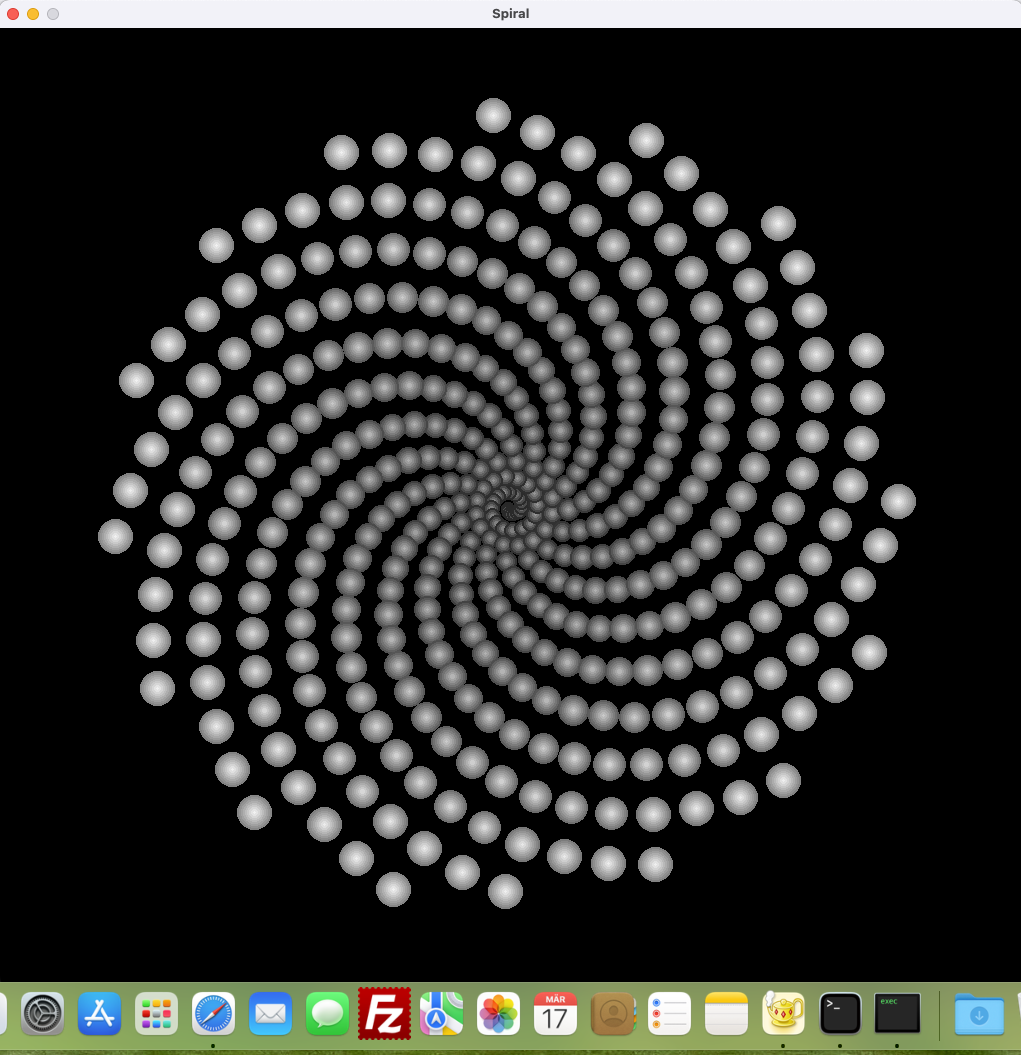
Do you mean something like:

' ported from a SmallBASIC example
screen (1024,960,"Spiral")
KEY_ESC          = 27
cx = screenwidth/2
cy = screenheight/2
pi=3.141
setfps (120)

do
cls
key=getkey
size = 1
  radius = .06
  angle = sangle
  cls

  While radius < 400
    x = cos(angle) * radius
    y = sin(angle) * radius
    r2 = (x ^ 2 + y ^ 2) ^ .5
    size = 4 * r2 ^ .25

    For r = size to 1 step - 2
      cc = 160 + 95 * radius/400 - r/size*120
      ink (cc, cc, cc)
      fillcircle (cx + x, cy + y, r)
    Next

    angle =angle - .4
    radius =radius + 1

  Wend

   sangle = sangle + pi/360

sync

until key=KEY_ESC


Yes, RetroBASIC works on macOS, too. 

(1 edit)

Hi Aurel,


yes that is correct. I am using My-BASIC from Tony Wang (Github Link).

I also use that for RetroBASIC which will be compatible to AllegroBASIC but uses SDL2. (And will have a few built-in fonts...)


No. EGSL is long "dead and gone" as they used to say in the early 19th century. Anyway, Pulsar2D - and especially pulsarlua - is still developed. It almost done, but I have to document at least the code. This is what I am doing right now. I think a binary version for Windows and Linux will be published on itch.io eventually.

Hi rcbasicfan,

thank you for your message and your interest in AllegroBASIC and the Pulsar2D framework. Unfortunately, I am not able to upload these files to itch.io at the moment as they are no longer available for download.

As I wrote to Aurel, I am currently working on a new project called RetroBASIC. It will still take a while, but when it's finished, I will probaly upload it to itch.io.
(1 edit)

Hi Aurel,

thank you for reaching out to me. Unfortunately, I no longer have AllegroBASIC available for download as I have removed it from the internet. I apologize for any inconvenience this may cause you.

However, I am currently working on a new project called RetroBASIC, which will have a similar scope as AllegroBASIC. Although it is not yet available, I will keep you updated on its progress and let you know when it is ready for download.

This will take some time, I think. I recently discovered that it's now possible to do closed source programs with QB64 since they are now using a new sound library. Because I am also coding for macOS on Apple Silicon, the next game might use QB64 (and maybe the GX game engine)