

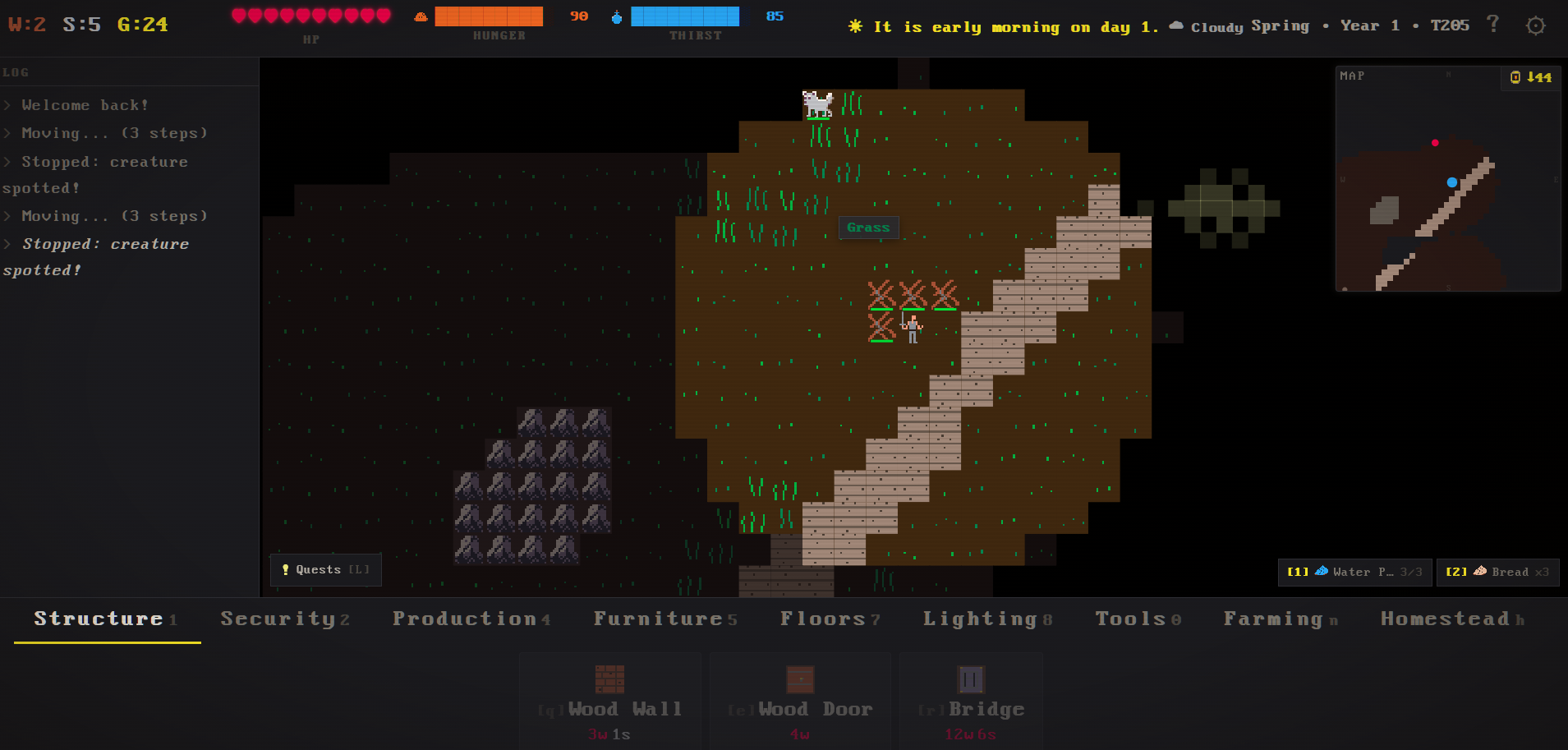
Why can I not move at all when a wolf is around? I've read the in-game help for adventure mode and this is not explained.. maybe a bug? I'm just stuck when a wolf is on screen, tried waiting but it doesn't walk away. I just wanna walk! Got very frustrated, will try to play again if I hear something from you.
Hi there - I'm really sorry to hear about this bug. That would be really frustrating if there's a wolf and you can't move - sorry about that. It's the first time I've come across it, but I will fix it right away. Could I ask please what you were doing when this happened? Did you start a fresh game? Did you have building selected? You might need to hit escape to cancel building mode? Were you playing on web or on your own machine and if so what OS was it please?
I was playing the web version, just walking around. Walked into this town or village, and suddenly a wolf entered the top of the screen and I couldn't move any more; every time Id click a tile it would say "enemy spotted" in the log. I could go in and out of look mode, place buildings, etc, but just couldn't move.
Heya Scrambled-Vagabond, just picking this up again to say that v0.3.3 is just released and it has a huge number of bug fixes and new features. I hope that this solves all your issues! thanks for your patience and for playing. https://timothyjgraham.itch.io/roguefort/devlog/1466839/roguefort-v033-war-chees...
42 days ago(+1)
Hey Scrambled-Vagabond, thanks so much again for your patience and for walking me through these issues. I have just uploaded the latest build and I hope that this solves the issues - please keep me posted and thanks again. Devnotes covers it: https://timothyjgraham.itch.io/roguefort/devlog/1462896/roguefort-022-touch-cont...