Indie game storeFree gamesFun gamesHorror games
Game developmentAssetsComics
SalesBundles
Jobs
TagsGame Engines
(2 edits)

Hi there!

Yes, you can do all this. 

1 - Set the plugin parameters Charge Tp By Action and Charge Tp When Miss to true.

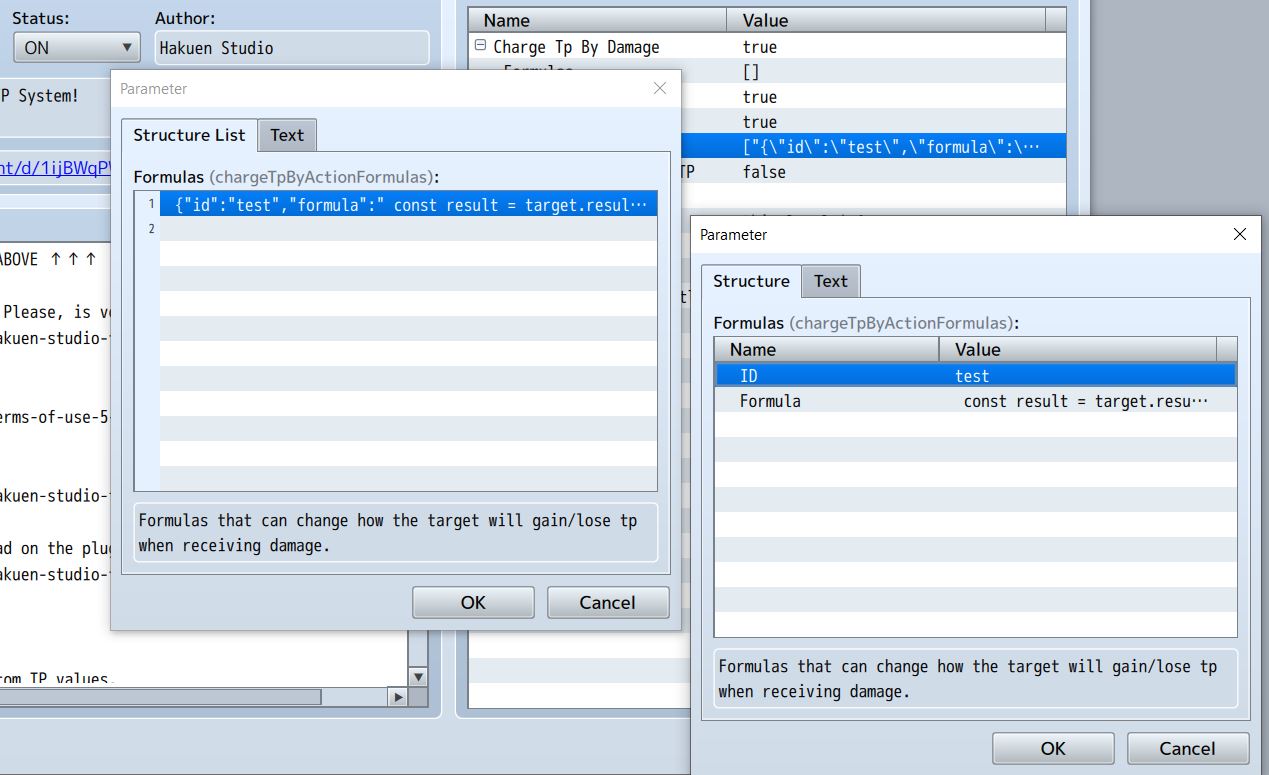
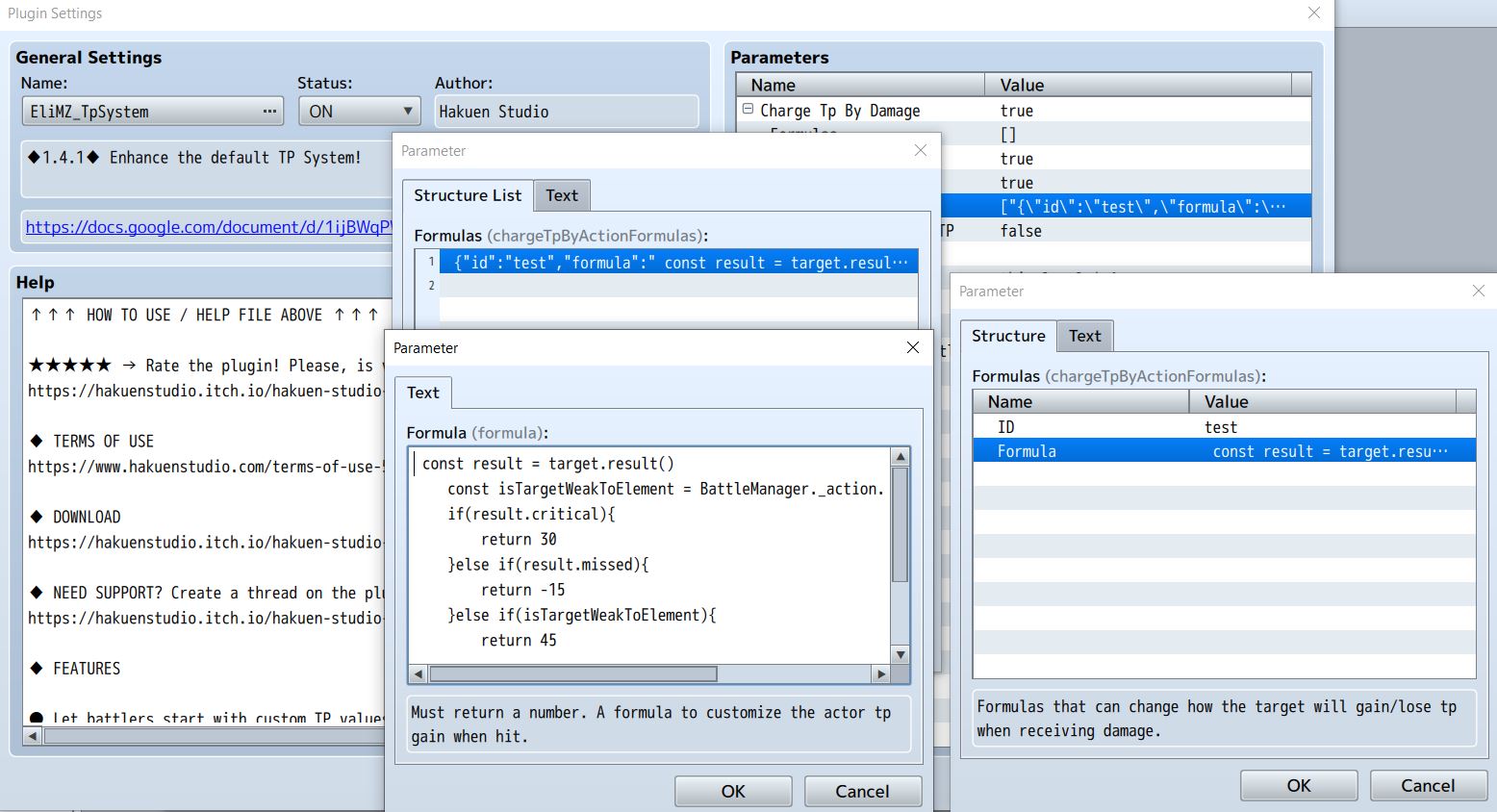
2 - Create a new entry on the Formulas parameter, under the Charge Tp By Action:

    const result = target.result()
    const isTargetWeakToElement = BattleManager._action.calcElementRate(target) > 1
    if(result.critical){
        return 30
    }else if(result.missed){
        return -15
    }else if(isTargetWeakToElement){
        return 45
        
    }else{
        return 0
    }

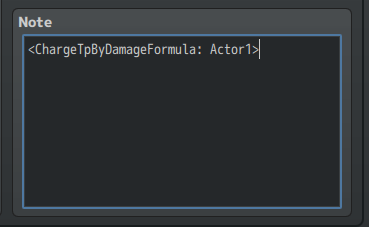
3 - Apply that formula ID on the note tag of what you want to use that formula (actor, enemy, skill, weapon, armor). 

That should do the trick. Since you can use formulas, you can do almost everything to change the behavior of how the user gains/loses tp when using an action.

[EDIT] Just for reference, this may be helpful for you. The meaning of each thing on the Charge Tp By Action Formula:

  • this = The one who is attacking/using action(user).
  • target = The one who is receiving the attack/action
  • item = The skill or item used on the action
  • item.tpGain = The TP Gain field from the database(skills and items)
  • this.tcr = The user/attacker TP Charge Rate
  • Now to get access to the action results, we can do this:
  • const result = target.result()
  • result.critical = returns true if the action was critical
  • result.evaded = returns true if the target has evaded the attack
  • result.missed = returns true if the user misses the action on the target
  • const isTargetWeakToElement = BattleManager._action.calcElementRate(target) > 1
(+1)

Thank you so much for this and especially the code. I'll purchase this plugin as soon as I can.

I'm trying to use the note tags but its not working. I tried using the ChargeTpByDamageFormula but it doesn't work and the formula doesn't go there. I looked at the help sheet, but it doesn't say what note tags to use for the Charge Tp By Action Formula are.

I'm also trying to change the default start TP to equal the actors current level but whenever I try to do it, the game crashes. I think I'm just using the wrong code. I try to use this but all I get in return is "id undefined."

1 * $gameActors.actor(id).level

(1 edit)

Hi there!

Formula

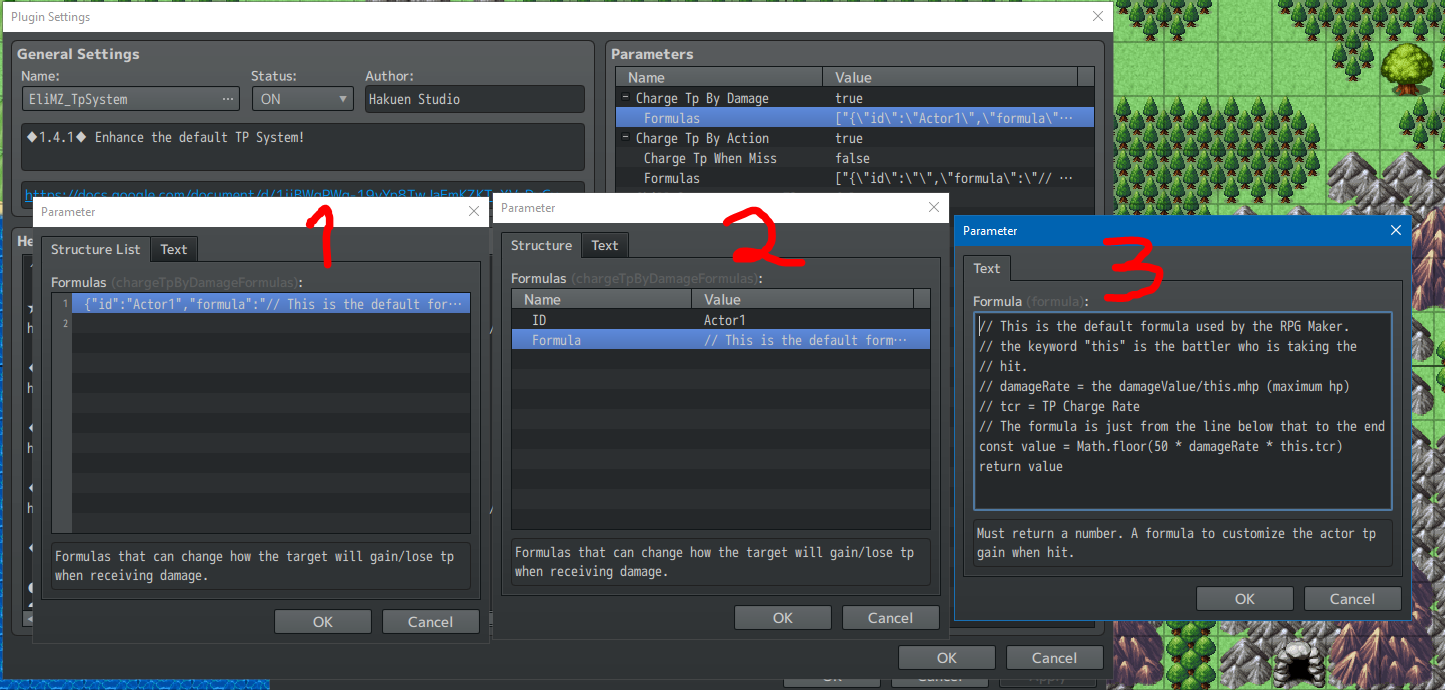
You need to show me what you did with the ChargeTpByDamageFormula note tag. Because indeed you can't write code on that note tag. The right thing to do is to write the formula on the plugin parameters, and set the Charge Tp By Damage to true:

Then, reference that formula on the note tag by it's ID:


As so, if that still does not work, I need for you to send me a screenshot of what you did so i can see what is wrong. Always nice to test on a clean project or on my sample project to see if the problem is a plugin conflict.

Start Tp

1 * $gameActors.actor(id).level

Yes, ID is undefined by default, unless you define it on the formula you are using.

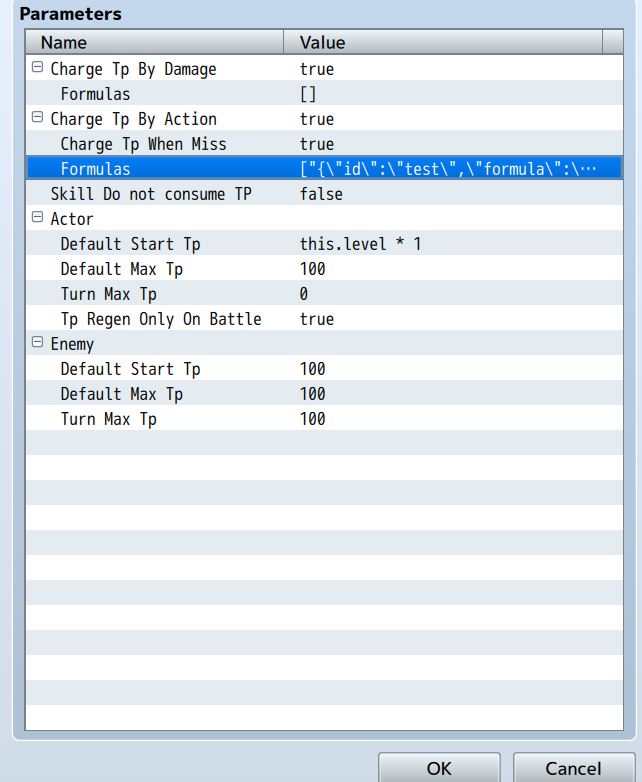
If you want for all actors to follow the level rule, you can just use the plugin parameter "Default Start Tp" on the Actor section. And you can just put there:

this.level * 1

The this keyword will point to the actor who is using that formula, on your case all of them.

But, if you want that formula for specific actors, just use the same formula on the note tag field of the actor:

<StartTp: this.level * 1>

Let me know the results!

The TP equals level thing worked but here are the images of my plugin settings.