

Hey! Thanks for reaching out — and no worries, we’ll figure it out 👍
If the translation can’t keep up in visual novels, it’s usually related to performance settings. Thaluna actually runs two separate things at the same time:
• OCR (reading the text from the screen)
• Translation (processing that text)
If both run on CPU on a laptop, it can get overwhelmed.
Here’s what I’d suggest trying:
1. Make sure you’re using the latest version — recent updates improved OCR behavior and device switching quite a bit.
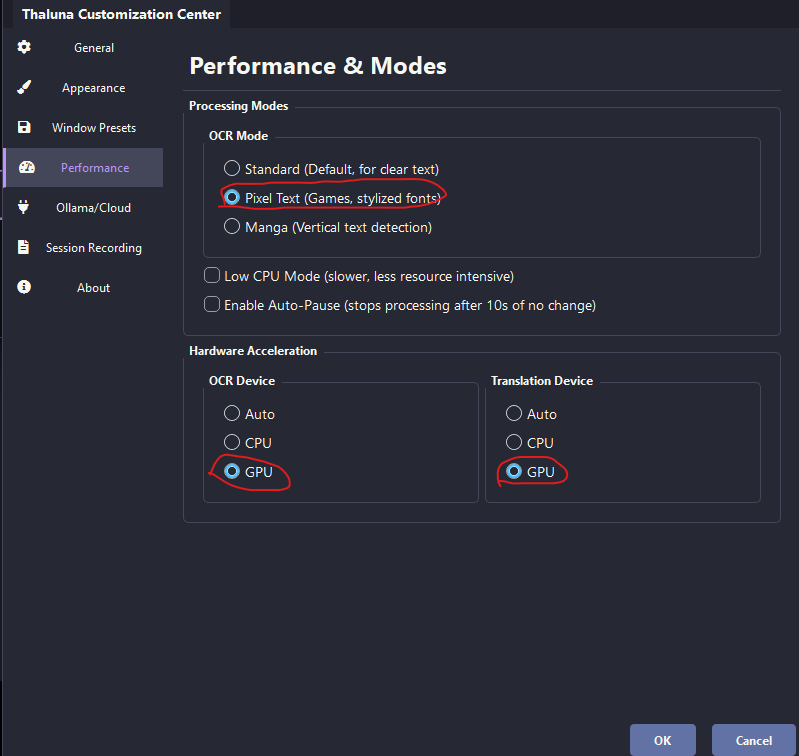
2. Set OCR device to GPU (if your GPU supports it).
You can find this in Settings → Performance.
OCR on CPU can slow things down a lot on weaker systems.
You can also try Pixel Text mode — sometimes it works better with VN fonts.
3. If you're using built-in local translation models, they also use CPU/GPU resources.
On lower-end laptops, running both OCR and translation locally can cause lag.
For smoother performance, a good setup is:
• OCR → GPU
• Translation → OpenRouter (Cloud Mode)
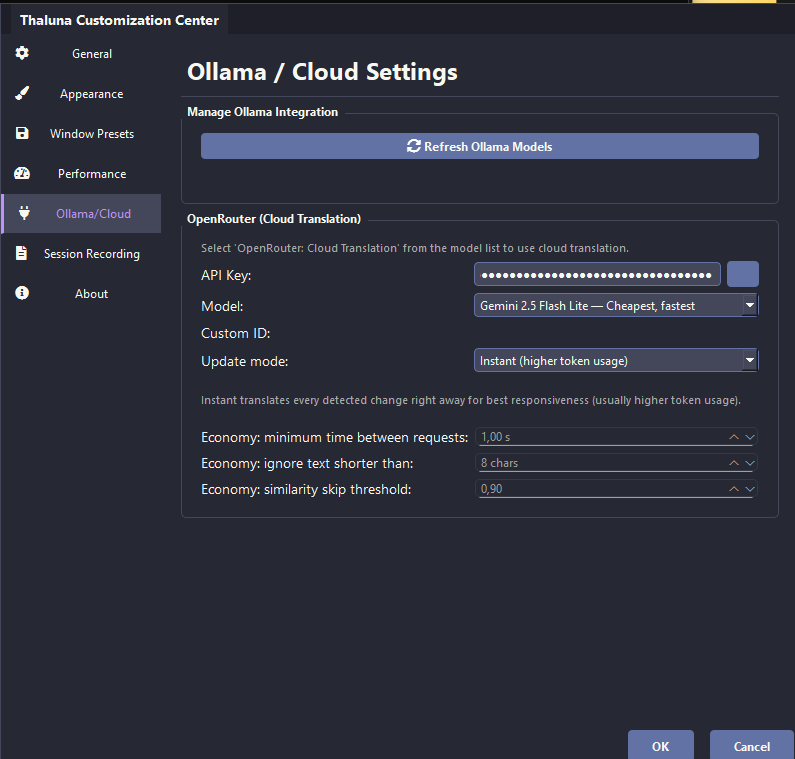
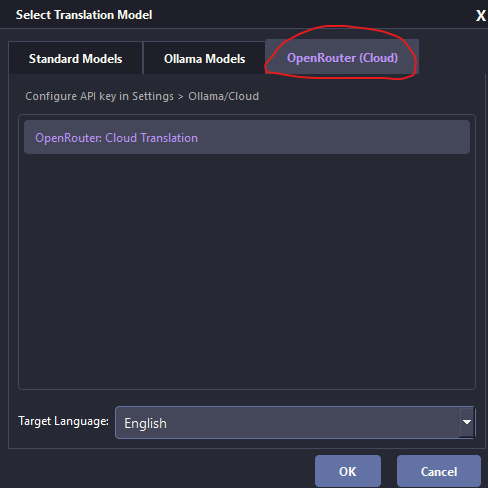
That way your PC only handles OCR, and translation runs externally — which usually makes a noticeable difference on weaker hardware.
There’s a simple OpenRouter guide in the Forum if you want to try it. And don’t worry about cost — Gemini Flash Lite is extremely cheap, so even $5 lasts a long time.
Also make sure the game is running in windowed or borderless mode — exclusive fullscreen can block screen capture updates.
If you’d rather stay fully local, tell me your CPU/GPU/RAM and I can suggest a lighter model that might work better 👍
As for translations stopping or looking weird at first — this can happen if the models are still loading when you start. Give it a few seconds after launching before playing. It's also worth double-checking that the OCR language matches what's on screen. And updating to the latest version should help too — we fixed a bug where settings sometimes didn't apply correctly.