

The templates used were Mixel Pixel (High-res Pixel Restoration) and Pixelate Goat Animation as Video. The input images were both specified by default (Mixel-Pig and SpriteSheet-goat). Also, manually placing Pixel Unfake did not work. The OS used was Windows 11, and the version of PixelAfterAll was 1.0.3.
Sorry for the trouble you're having with PixelAfterAll.
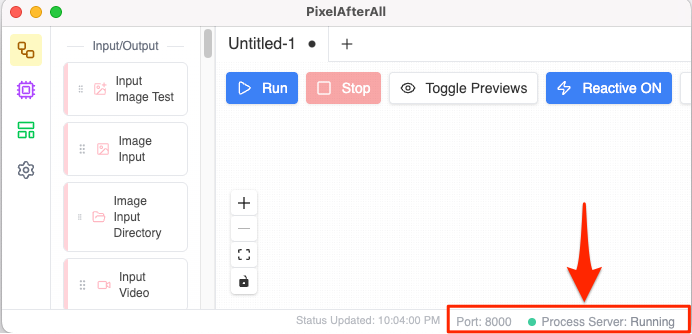
Some filter nodes in the app rely on a Process Server at port 8000.
Could you check if you see this running in your system (refer to the attached image)?
In my own Windows environment, I've noticed the server occasionally fails to start. I suspect it might be a port conflict with another application. To fix this, I'm planning to implement a port configuration setting and stop/restart functions in the upcoming version 1.0.4.
Hello.
I have just released version 1.0.4.
In this update, I’ve added a feature to manually change the Port number for the Process Server. If the server still fails to start, please try changing the port to a different number (like 8001 or 8081) to avoid any potential conflicts.
Please give it a try and let me know if this resolves the issue for you. Thank you for your patience and for helping me improve the app!