Indie game storeFree gamesFun gamesHorror games
Game developmentAssetsComics
SalesBundles
Jobs
TagsGame Engines

Dropshadow (and outline) difficulties

A topic by Draque created Feb 14, 2026 Views: 517 Replies: 18
Viewing posts 1 to 19
(1 edit)

Heyo! I just upgraded to the latest version of STM, and overall, it's running better than ever at this point! There's one problem that I'm running into now that has me really scratching my head, though. Dropshadow (and outline) do not really function for me at all at this point. Dropping all the details I can think of below. Please let me know if there are any other details I can provide! At this point I am using the URP for all rendering, although I have details/results for multiple different shaders below. The Render Queue setting is nonstandard, but the outcome is the same even when set to 3000, as it typically would be. (I am breaking this into multiple posts because the forum keeps giving me "missing token" errors when I try to post anything larger...)
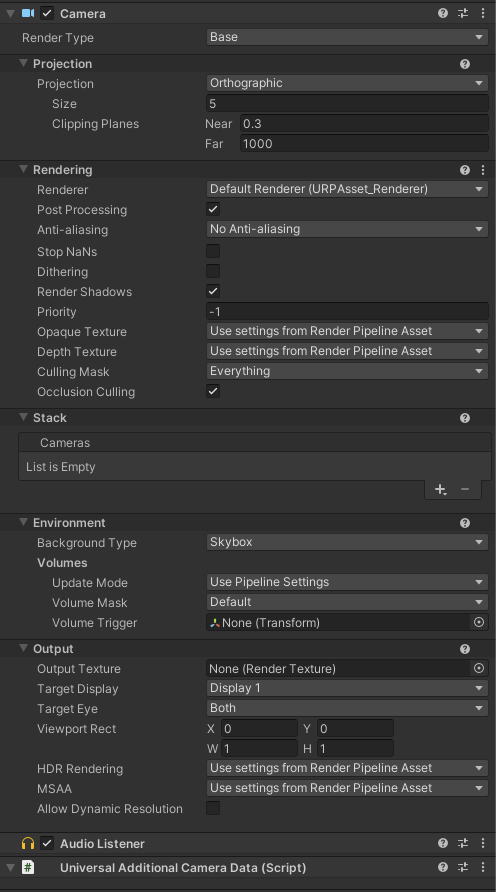
First my camera settings:

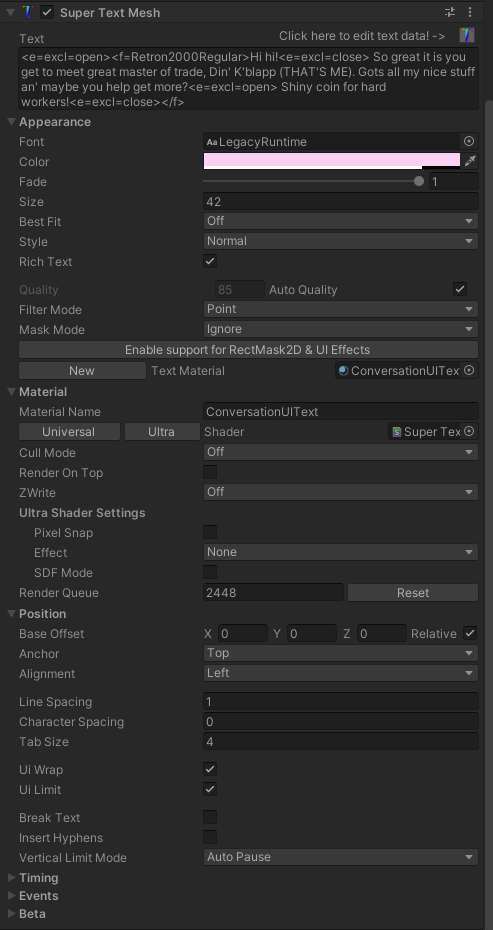
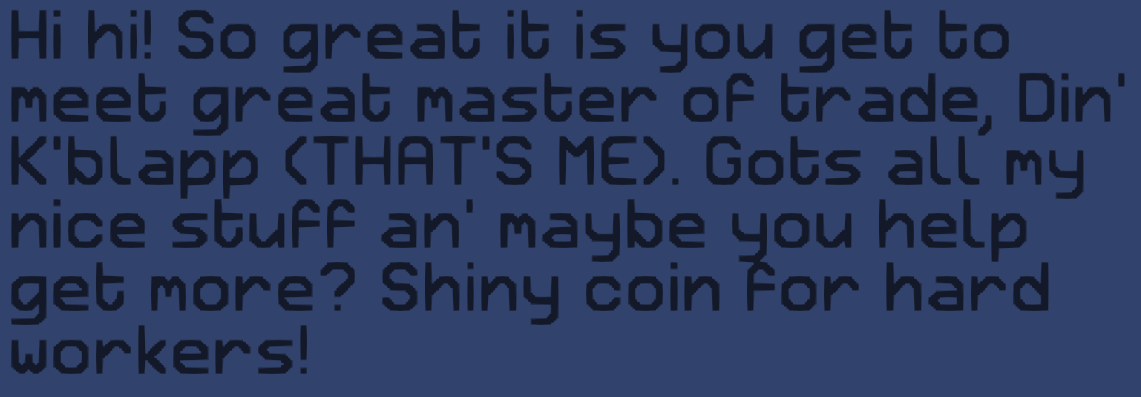
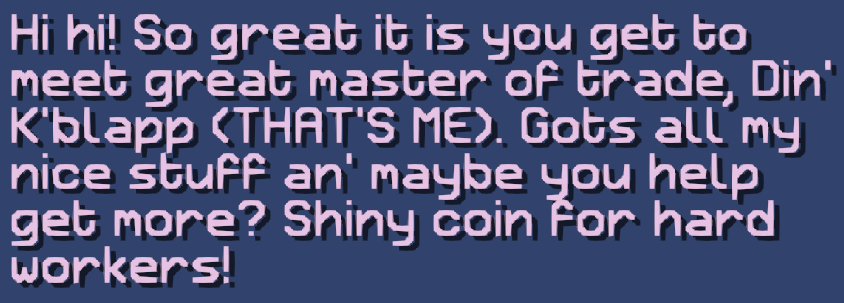
Below is normal text using Ultra with no shadow/outline and the settings for it.


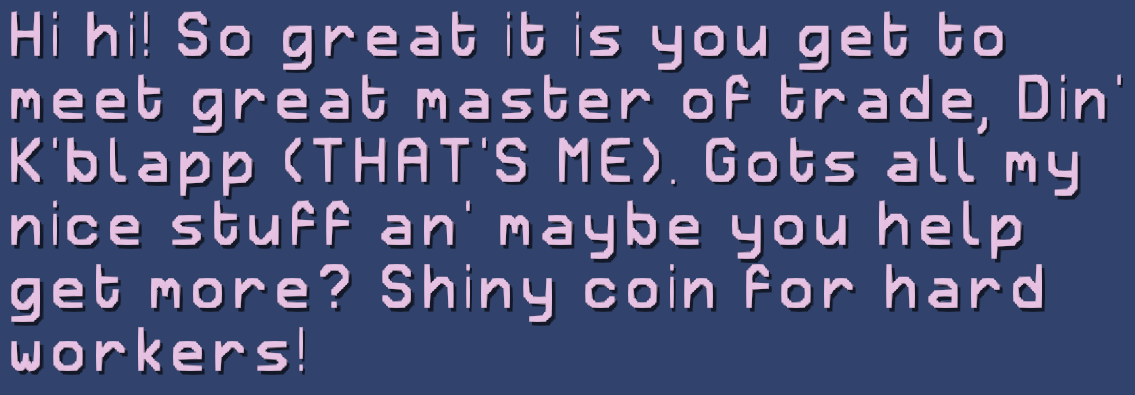
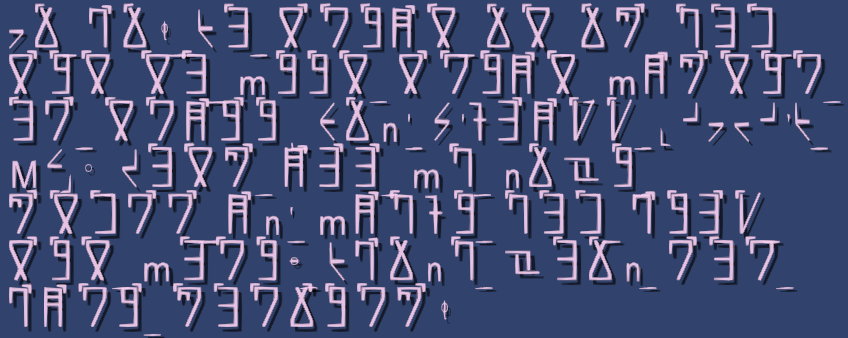
Below is the distorted version of text when I try to use Ultra with dropshadow. It looks slightly different if I scale with object rather than text, but it is still distorted (same with Vector vs. Angle type for dropshadows). I have tried every combination of Cull Mode, Render On Top, and ZWrite, and the distortions remain.  


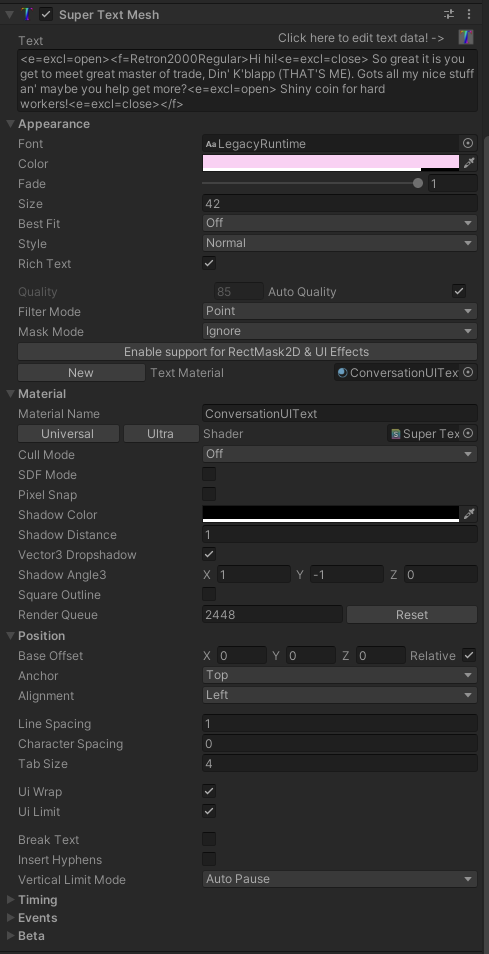
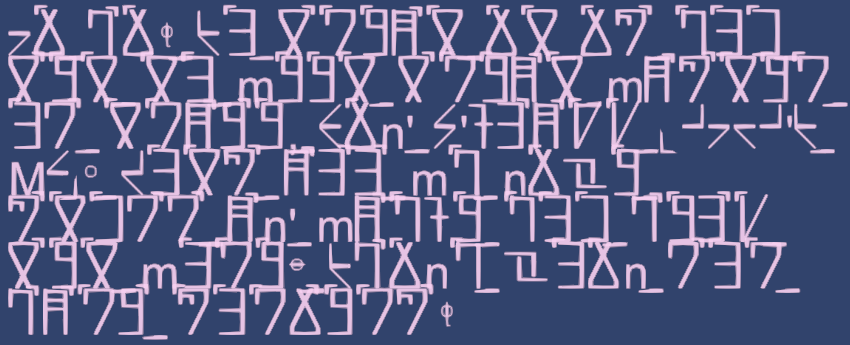
Below is what the text looks like with the shaders "STM Dropshadow", "STM UI Dropshadow", "STM Universal Dropshadow", and "STM Unlit Dropshadow", regardless of settings. The shadows themselves are the correct, un-distorted shapes, but the text itself is not rendered. Also included are the settings (unchanged between all of the non-Ultra shaders, though the settings shot was taken specifically from UI Dropshadow)


Developer

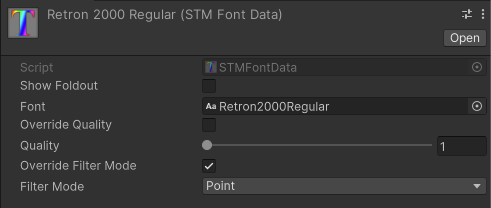
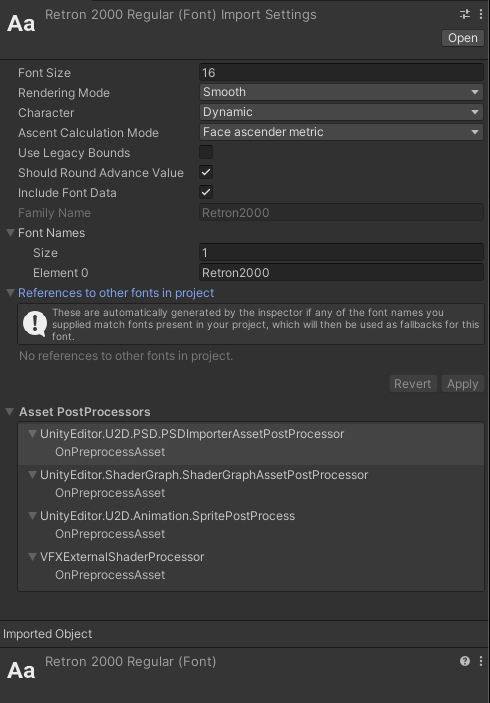
Does the error with distorted text happen with other fonts? I'm curious about the import settings for Retron2000Regular. The fact the letters are changing proportions makes me think that it's a bitmap font and that the system I wrote for making things scale differently with bitmap fonts hit yet another edge-case... but that's just a guess! Would it be possible to send me this font with either a link to where you got it or by email?

If you need an immediate quick fix, does it work when you click "Enable support for RectMash2D & UI Effects" and add a dropshadow effect with that? (On the basic Universal shader)


The error where only the shadow renders is just how the non-Ultra shaders will render in URP, so... not really a bug, just what the Ultra shader and STMMaskableGraphic was made to correct. (More efficiently than those shaders!)

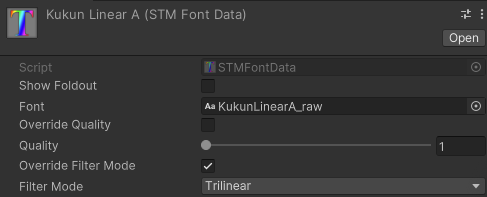
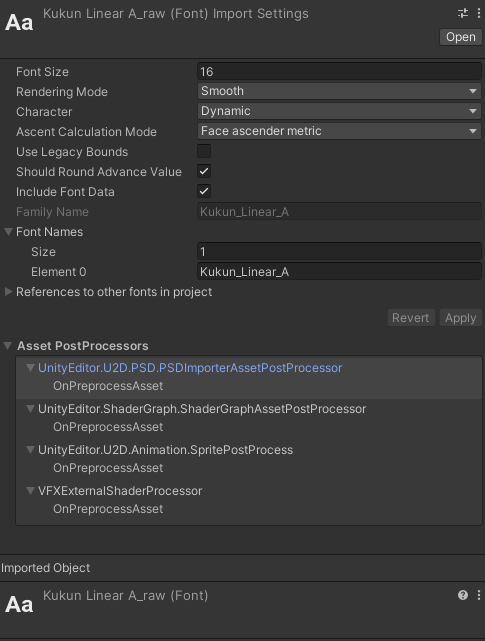
Here's a font which I made and which I am positive is vector based rather than bitmap. As you can see, the distortion effect is still going in when I use STM Ultra with shadows. The non-ultra shadows not rendering correctly in URP makes sense as well! The Maskable Graphic / "Enable support Rect..." is a solution that I did already try after searching the forum and seeing it suggested for some other troubles (which *did* help me with stuff I would have otherwise posted about here XD).


HOWEVER!!! After messing more with the Rect Support, I realized that its shadow support was its own independent implementation! I had thought it was simply a compatibility layer of some sort. It is working exactly as I was looking for! Thank you for the help there! (Also also, I have found an out of index bug within UpdateMaskingOnAllSubmeshes() that I'm hoping to have a writeup on soon... so apologies in advance for picking on you XD).


Developer (1 edit)

I'm curious to see these custom fonts! I'm saying "bitmap font" but I mean... I just want to see the font's import settings in Unity! 

Basically, fonts that don't inherit from .ttf or .otf behave differently with the Ultra shader, and the way it's determined is in-shader is that they have a certain value (I'm forgetting which, specifically) that's negative instead of positive, s STM/the shader is checking for that. Perhaps you set up your font correctly (afaik, the way Unity does it is *incorrect* according to their own docs...) and this value is flipped so it's acting like the other font type. Or it could be some other metadata value causing it to be interpreted the wrong way, I don't know.


But yes, the STMMaskableGraphic component allows STM to work together with Unity's "Shadow" and "Outline" components (as well as LeTai Asset's "True Shadow" or any other custom Unity UI effect) so... that should be a good option!

Here y'go! Let me know if there's anything else that would be helpful ^^


Developer

Huh, yeah both of those fonts are proper imported fonts, right? Like .ttf/.otf? If so, yeah that looks about right... 

Only idea that comes to mind, which I need to check, is since you're changing from LegacyRuntime to this font by using the <f> tag, I'm wondering if it's *that* fact causing this to mess up. Like some setting is set for LegacyRuntime, and it's carrying over to the other font. I'll be able to give it a closer look this next week!

Yeah, one is ttf, the other is otf, so both are covered there. Anyhow, I will experiment with the switching of fonts and see what comes up there!

(1 edit)

Ok, I have some significant findings.


1) This is tied to the STMMaskableGraphic class. When I deactivate or remove it, the exception does not appear.

2) As you suspected, this has something to do with a mismatch of the font which is selected in the Inspector properties of the STM object and the font which is assigned via tags. I am not sure what the mismatch is or what makes things compatible. All of the fonts I have created are OTF fonts and are compatible. But I also have some OTF fonts which are NOT compatible, and make the bug happen.

3) After text auto-typing completes, the shadows will vanish. This happens 100% of the time, whether or not compatible fonts are chosen.

    3b) Commenting out ShowAllText() on the last line of ReadOutText() corrects this, so ShowAllText() must somehow eliminate the shadow glyphs

        3bI) buuuut.... commenting this out also leads to another error entirely being thrown repeatedly (included below)

    3c) Calling SkipToEnd() does not activate this bug

4) Dropping text in which does not auto type, but which appears instantly (for instance, editing it through the inspector) makes shadows appear and stay

    4b) this is likely because ShowAllText() is not called in this case


EXCEPTION POPPING WHEN ShowAllText() is commented out at the bottom of ReadOutText():

ArgumentOutOfRangeException: Index was out of range. Must be non-negative and less than the size of the collection.

Parameter name: index

System.Collections.Generic.List`1[T].get_Item (System.Int32 index) (at <cac1dea318b4499fb9eaf77618617c23>:0)

Assets.Scripts.TestActorVoice.CreateGUI () (at Assets/Scripts/Editor/TestActorVoice.cs:38)

System.Reflection.RuntimeMethodInfo.Invoke (System.Object obj, System.Reflection.BindingFlags invokeAttr, System.Reflection.Binder binder, System.Object[] parameters, System.Globalization.CultureInfo culture) (at <cac1dea318b4499fb9eaf77618617c23>:0)

Rethrow as TargetInvocationException: Exception has been thrown by the target of an invocation.

System.Reflection.RuntimeMethodInfo.Invoke (System.Object obj, System.Reflection.BindingFlags invokeAttr, System.Reflection.Binder binder, System.Object[] parameters, System.Globalization.CultureInfo culture) (at <cac1dea318b4499fb9eaf77618617c23>:0)

System.Reflection.MethodBase.Invoke (System.Object obj, System.Object[] parameters) (at <cac1dea318b4499fb9eaf77618617c23>:0)

UnityEditor.UIElements.DefaultEditorWindowBackend.Invoke (System.String methodName) (at /Users/bokken/build/output/unity/unity/ModuleOverrides/com.unity.ui/Editor/WindowBackends/DefaultEditorWindowBackend.cs:358)

UnityEditor.RetainedMode:UpdateSchedulers() (at /Users/bokken/build/output/unity/unity/ModuleOverrides/com.unity.ui/Editor/RetainedMode.cs:55)

Developer (1 edit)


A) For the font size outline issue, please email me the fonts you're using just so I can rule that out as a factor.


B) Shadow disappearing upon complete... These shadows will *only* work when STMMaskableGraphic is on the STM object, so that part is expected. I just fixed the other issue you reported, which could have effected this as well. (Even if it didn't return an error, it could get the wrong index of text used for a font upon rebuilding)


That said, yes I'm seeing shadows disappearing when text is done reading! I managed to track down the issue, STMMaskableGraphic wasn't applying effect data when a mesh was done reading, only while int he middle of reading. I've got this updated and optimized now.


C) That error trace seems to be coming directly from your TestActorVoice script, so I'm not sure how related it is at a glance? What is the list that the out of range exception is happening on, and what is the index it's trying to get?

I think I'll publish what I've got here so far as an update, this is a good chunk of fixes! (Look for v1.14.17!)

Sounds good! I'll send you the fonts I'm using/seeing inconsistencies with. And yeah, I grabbed the wrong stack trace there, my bad. XD

Developer

Got the email! Something came up, so I should be able to look at this on Friday, hopefully. But for now, please try using the new version of STM, and see if the MaskableGraphic shadow works properly for you!

Just tested everything and it's working perfectly after the new release! Thank you! ^^

Developer

Wait, everything? Including the custom fonts with the Ultra shader dropshadow resizing strangely? (Or if you're not using that for dropshadows anymore that's fine! Can just write this down as something to look into later)

Literally everything so far, but I will absolutely keep my eyes peeled and report anything back that I see.