Indie game storeFree gamesFun gamesHorror games
Game developmentAssetsComics
SalesBundles
Jobs
TagsGame Engines
(1 edit)

I am using windows, played around with it for a bit and have a few observations

when i click export or save as json I get two save dialogs open. 

it would be nice to have a button to change the orientation of the object without reuploading the front/top/side. like 'lay this on its back'

right click and drag doesnt change perspective unless i drag quickly which is really inconvenient. it seems the orientation snapping into position is too strong. in the web demo it seems more forgiving but in my windows app the snap is too strong and hard to rotate perspective.

it would be nice to have buttons to see back/bottom/otherside instead of just front/top/side

here is what i made so far, i tried to do a bow but the bow string was very difficult to make. https://imgur.com/a/pjHrIxU

Wow Aubro2.. Many thanks for your feedback, and for your art!
U trully have a good eye on art tools :)

I take all atention at your requests and I add them to the list of to do. Definitely I will need to fix right-click snap (works great on mac ans web), buttons export and buttons missing views.. It´s really important to see what artists need, because I focus on things and I do not see other things.

Amazing ❤️


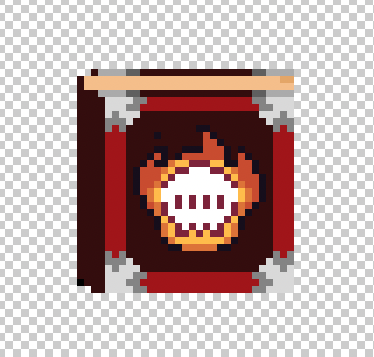
It is ok for you if I add your book at the hall of fame?

(3 edits)

I would be very happy for you to use it - i cleaned up the black line on the spine of the book and reuploaded the gif.

for what its worth this is the art I had that i was starting with. I used someone elses free 16x16 book and upscaled it for my game. the front view i uploaded had the proper X on the eyes but when it gets compressed to isometric the eyes struggle at a lot of angles. Is there a technique you use to make the isometric export angle look proper? i guess i could be pasting the fixed version in the isometric view? I added two new photos to the imgur album posted, one shows in the South view the eyes have an X but in the actual export the angle is slightly different so we just have the lines. this might be an export setting that i have wrong?

Many Thanks I reuploaded the book. ❤️
Based on your pictures.. Maybe the reason because are slightly different is because the book from Front image and the book on isometric there is a camera Tilt, to export the object as true isometric Top_Down. That angle changes prespective on the book illustartion. 
Looks great the book, love it :)