

My gosh, this is such a helpful guide. I was able to make my own font, which is a cool achievement for me. I thought it would be much harder, but to my pleasure, it really wasn’t. Here is what it looks like in my project:
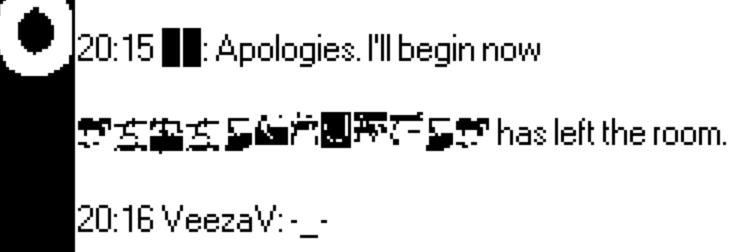
Of course, it doesn’t look perfect, but it is a promising start. I was not able to get a plain black-on-white pixel version of my original bitmap, likely because my starting image was too small. I tried converting it to plain black and white in clip studio, but that didn’t get rid of the semi-transparent pixels fully and only made the image blurrier. Importing directly into Decker and inverting made the problem worse in that I kept losing clarity/details of each character. Either way, now that I know what I’m doing, I hope this should be a quick fix to get those details back and make the font look much better. Thank you so much.
EDIT: Oh, and yes, I believe you are correct that I got the Font Importer from Coral Nulla’s pack.