

Everything works in terminal until I get to this:
./nexprep.sh rom
Error: ROM File 'rom' not found!
rom folder is in the downloads folder but it can't find it? Should it be a zip file?
Don’t give up!
Are you using Mac or Linux?
You need your Rom file and the starforc_nex.zip file from here in the same folder - this will usually be your Downloads folder on your machine.
Then you should be able to follow the appropriate section of the video guide here: https://youtu.be/bfyol449GFY?si=-wBsZQV4TbxifBGb
Mac OS.
In my downloads folder I have:
starforc_nex.zip
starforc.zip
I enter this into terminal:
cd ~/Downloads
unzip starforc_nex.zip
Which creates two folders in my downloads:
_MACOSX (empty)
starforc_nex (contains unzipped files)
Then I enter:
xattr -d com.apple.quarantine nexprep.sh
Resulting in this message
xattr: No such file: nexprep.sh
Leaving this still to be entered.
./nexprep.sh starforc
Nope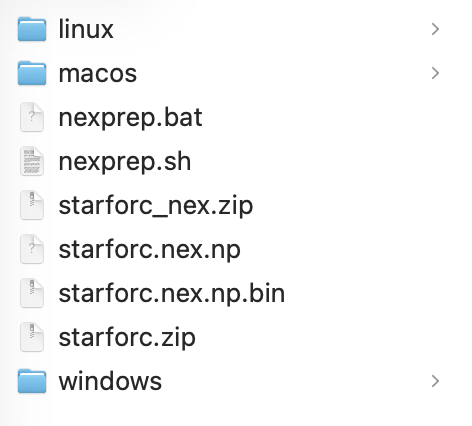
jasonwhite@LON00481-JW downloads % xattr -d com.apple.quarantine nexprep.sh
xattr: nexprep.sh: No such xattr: com.apple.quarantine
jasonwhite@LON00481-JW downloads % ./nexprep.sh starforc.zip
xattr: macos/nexprep: No such xattr: com.apple.quarantine
Reading 'starforc.zip'...
Processing 'starforc.nex.np'...
Preparing 'starforc.nex'...
An error occurred during the preparation of 'starforc.nex'. Error code: -1.
jasonwhite@LON00481-JW downloads %