
Indie game storeFree gamesFun gamesHorror games
Game developmentAssetsComics
SalesBundles
Jobs
TagsGame Engines

Mac OS.

In my downloads folder I have:

starforc_nex.zip

starforc.zip

I enter this into terminal:

cd ~/Downloads
unzip starforc_nex.zip

Which creates two folders in my downloads:

_MACOSX (empty)

starforc_nex (contains unzipped files)

Then I enter:

xattr -d com.apple.quarantine nexprep.sh

Resulting in this message

xattr: No such file: nexprep.sh

Leaving this still to be entered.

./nexprep.sh starforc
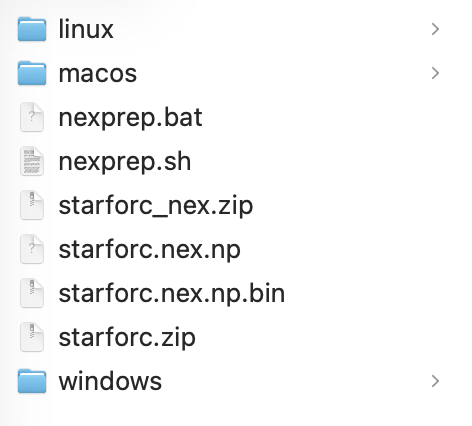
That is strange.  The unzip command has created a “ starforc_nex” subfolder and put the files there instead of in the Downloads folder.

Easiest thing to do would be to use Finder to copy the files & folders from the “starforc_nex” folder to Downloads folder.

Then retry the xattr command again.

Nope


jasonwhite@LON00481-JW downloads % xattr -d com.apple.quarantine nexprep.sh

xattr: nexprep.sh: No such xattr: com.apple.quarantine

jasonwhite@LON00481-JW downloads % ./nexprep.sh starforc.zip 

xattr: macos/nexprep: No such xattr: com.apple.quarantine

Reading 'starforc.zip'...

Processing 'starforc.nex.np'...

Preparing 'starforc.nex'...

An error occurred during the preparation of 'starforc.nex'.  Error code: -1.

jasonwhite@LON00481-JW downloads % 

Ok, you’re close.

That message just  means you do not have one of the supported Rom files.

Not sure which one you have.  Try using a different Rom file if you can.