
Indie game storeFree gamesFun gamesHorror games
Game developmentAssetsComics
SalesBundles
Jobs
TagsGame Engines

Don’t give up!

Are you using Mac or Linux?

You need your Rom file and the starforc_nex.zip file from here in the same folder - this will usually be your Downloads folder on your machine.

Then you should be able to follow the appropriate section of the video guide here: https://youtu.be/bfyol449GFY?si=-wBsZQV4TbxifBGb
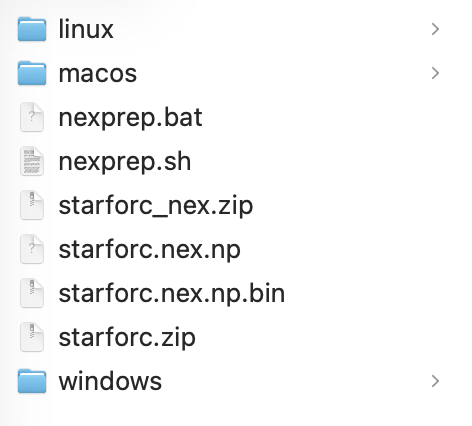
Mac OS.

In my downloads folder I have:

starforc_nex.zip

starforc.zip

I enter this into terminal:

cd ~/Downloads
unzip starforc_nex.zip

Which creates two folders in my downloads:

_MACOSX (empty)

starforc_nex (contains unzipped files)

Then I enter:

xattr -d com.apple.quarantine nexprep.sh

Resulting in this message

xattr: No such file: nexprep.sh

Leaving this still to be entered.

./nexprep.sh starforc

That is strange.  The unzip command has created a “ starforc_nex” subfolder and put the files there instead of in the Downloads folder.

Easiest thing to do would be to use Finder to copy the files & folders from the “starforc_nex” folder to Downloads folder.

Then retry the xattr command again.