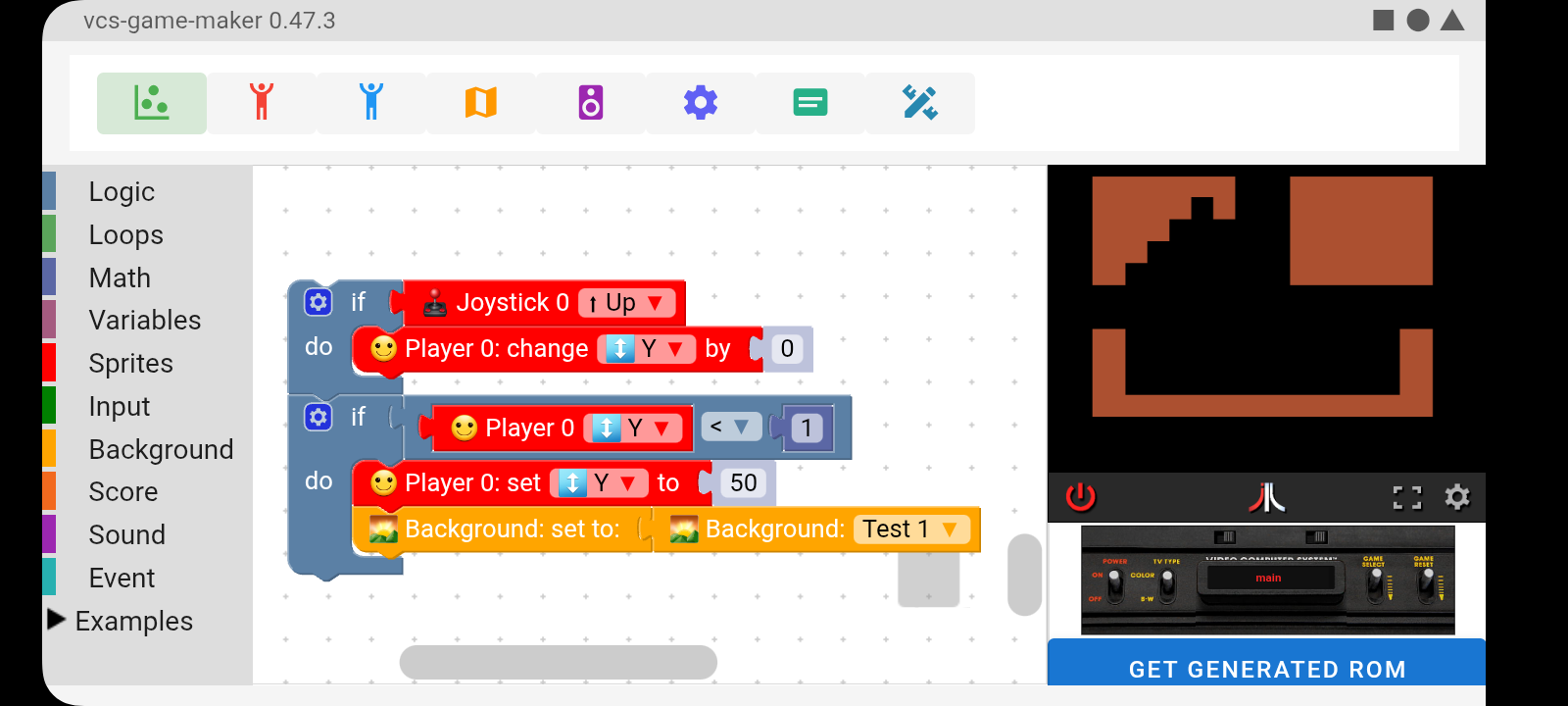
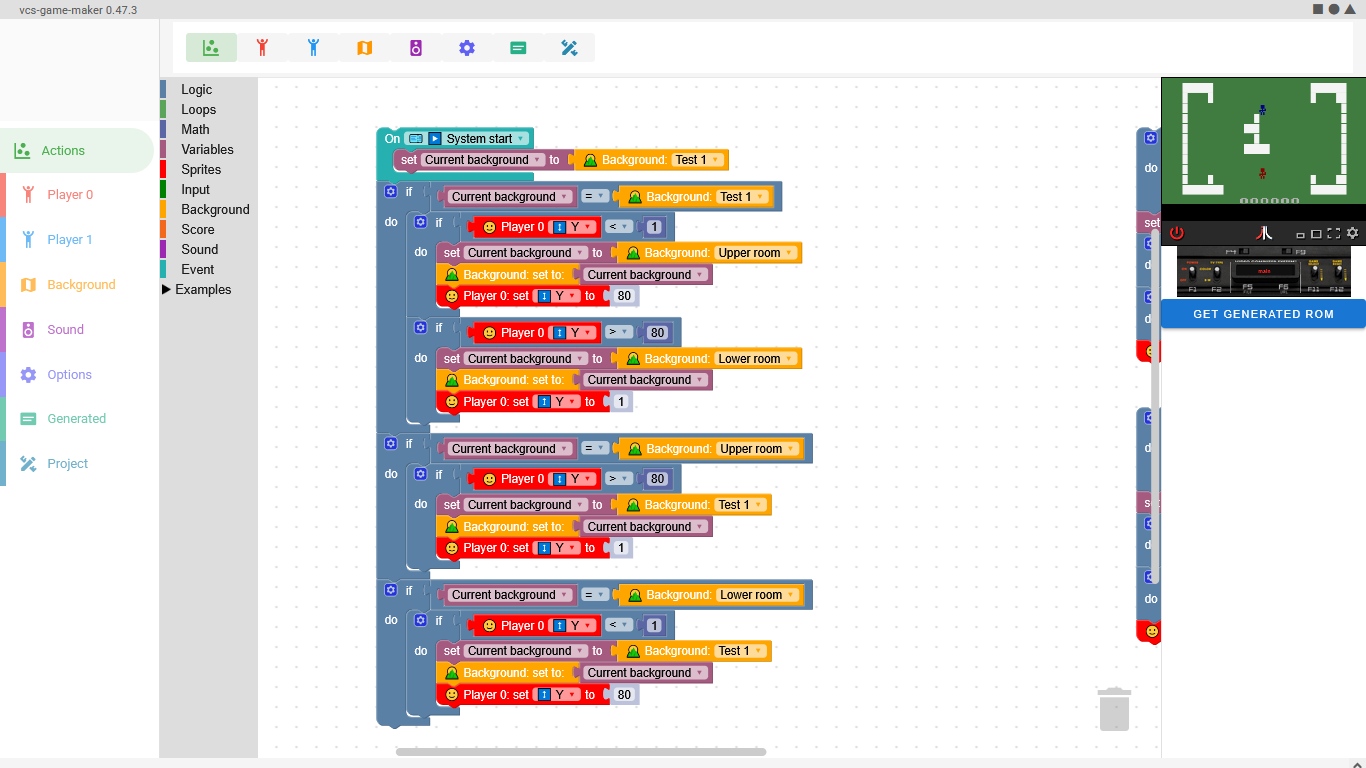
hello Haroldo! The program is superb! I've thoroughly enjoyed tinkering with it, but I've hit a wall. I'm trying to code a simple 6 screen zelda clone, no enemies or anything, just a simple empty world map to practice with. I'm having trouble getting the screen transition to work (trying to go for vcs adventure simple screen flip method) I've attached a screen grab of my current idea of going about this, and it works for going left and up a screen, but won't when going right and down.
I've racked my brains, searched Google, but to know avail... could u explain how to change screens on my overall map ala adventure, or possibly help me through a more efficient method, with which I can build on please? My backgrounds are there, my collision works (using your example) and please apologise for the bare bones screenshot of my project, it was imported into mobile version, but all my files are set up on Windows version at home. Thank you, and keep up the great work! :)