Indie game storeFree gamesFun gamesHorror games
Game developmentAssetsComics
SalesBundles
Jobs
TagsGame Engines

"Voices Of The Void" Pre-Alpha

Gather unknown signals from deep, silent space · By mrdrnose

Voices of the Void 0.8.2 Bug Reports Sticky

A topic by mrdrnose created Jan 20, 2025 Views: 103,522 Replies: 802
Viewing posts 421 to 439 of 439 · Previous page · First page

This also counts towards v.9 if im correct but oh well

For some reason in one of my save files (specifically, im on a file with an drone hooked onto a camera) it will never move, I think the cause of this issue is you know you can hook anything to the main drone? I tried to hook a camera to it, the camera got stuck on the barrier and now the drone is inactive, and to prevent this from happening in the future, is it possible to make the main drone not be able to be hooked onto?

Please fix or tell me whats wrong
im having issues with sitting on chairs / benches and then clipping through the map its annoying cuz then i end up in a maze thing and my menu doesn't work so i have to force the game closed through task manager

For whenever reason, Whenever the 'escape' entity appears, I can easily get rid of it by jumping off an not very ledge or going up the radio tower, is this intentional, And for some reason it also sometimes doesnt even show the 'escape' message when it spawns, leading me to just suddenly get murdered out of nowhere if i don't notice it

(1 edit)

Opening up the radio menu and clicking on a song/pressing the skip button instantly crashes my game. I had this problem before and fixed it temporarily by re-copying the .mp3 files back into the /assets/radio folder and reloading it using the button in the settings. This doesn't work anymore and now I have this problem every single time I try to use the radio, no matter which song I click on.

This is probably due to an unsupported character in one of the song titles, but given how often such characters get used this can be a problem.

Here's the error message I get:

LowLevelFatalError [File:Unknown] [Line: 902] 

Rendering thread exception:

LowLevelFatalError [File:Unknown] [Line: 258] 

Result failed 

 at D:/Build/++UE4/Sync/Engine/Source/Runtime/Windows/D3D11RHI/Private/D3D11Query.cpp:360 

 with error DXGI_ERROR_INVALID_CALL

0x00006fffffc0d137 kernelbase.dll!UnknownFunction []

0x0000000141229eb6 VotV-Win64-Shipping.exe!UnknownFunction []

0x00000001411eae6d VotV-Win64-Shipping.exe!UnknownFunction []

0x00000001416b558b VotV-Win64-Shipping.exe!UnknownFunction []

0x000000014169e549 VotV-Win64-Shipping.exe!UnknownFunction []

0x00000001416ac84d VotV-Win64-Shipping.exe!UnknownFunction []

0x0000000141b1522b VotV-Win64-Shipping.exe!UnknownFunction []

0x0000000141b30f48 VotV-Win64-Shipping.exe!UnknownFunction []

0x0000000141b37654 VotV-Win64-Shipping.exe!UnknownFunction []

0x0000000141b285e2 VotV-Win64-Shipping.exe!UnknownFunction []

0x0000000141b3522d VotV-Win64-Shipping.exe!UnknownFunction []

0x00000001417b725a VotV-Win64-Shipping.exe!UnknownFunction []

0x0000000141b0681f VotV-Win64-Shipping.exe!UnknownFunction []

0x0000000141af4e9e VotV-Win64-Shipping.exe!UnknownFunction []

0x0000000141afd819 VotV-Win64-Shipping.exe!UnknownFunction []

0x00000001410ebe5b VotV-Win64-Shipping.exe!UnknownFunction []

(+1)

Hi! I'm getting really confues on a bug with keybindings that doesn't go away after restarting the game. The precision placing (left shift + alt, then R) isn't working anymore, and I have changed no settings at all (apart from the "ragdoll" key at the start of my run, many hours before this bug happened): I can still press left shift and alt and have the green placeholder for the object, but when I press "R", it says in the left "Precision angle 0.0", and doesn't place the object at all. I tried goin in the tutorial, just in case I had forgotten the shortcut, but no, it says the same keys and it doesn't work in the tutorial too, but it doesn't stay the precison angle popup, it just doesn't place the object. It's getting pretty annoying because I can just drop or throw objects now, which is really slow compared to that shortcut. Am I doing something wrong?

I go to repair the oven, and I start unscrewing the screws in random orders, then all of a sudden a loud shock sfx happens, which assumes that I've been shocked. But I'm still in the repair UI, and I have no way of exiting it.

Not sure if anyone else has this problem but, Im trying to build big Kerfur however the limb joints that I need just dont exist - I know you can find them around the  transformers but they just arent there - neither in my 3 day old save nor on a new one (literally started a new file and immidiatly drove to all 3 transformers, theres nothing)

i just found the kerfur omega recipe but it doesnt show me any of the material to craft it. it just says "recipe:" and nothing else. what should i do?

Not sure if this is a bug or if I'm just being heavily misinformed by multiple sources, but some content might be missing from the shop? I've seen from some sources that I should be able to buy things like the hacksaw and the AI module in the shop, but they simply don't exist there for me?

AI module is only available after you have gotten it in game from the safe in the lake. And i think the hacksaw is in tools, you could also use the search bar to find it.

How can I get a pickaxe from the bottom of a frozen lake

The Airslapper Event, prevents you from sleeping which is fine, but even after multiple days, and even after the event is apparently no longer active (as per server command debug events) I still cant sleep, issue resolved via Debug scrape, at which point Airslapper was apparently scraped

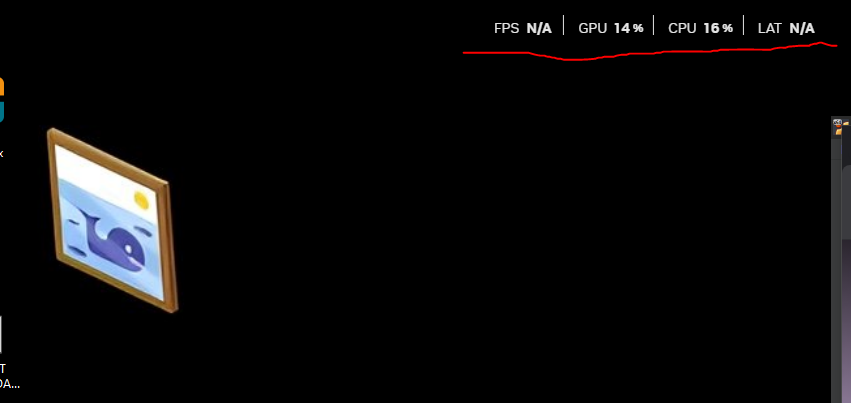
since the first time i started the game this thing won t go off my screen. i also restarted the pc and it stays there what do i do, is it on task manager somewere? (awesome game btw)

(+1)

I believe that is the nvidia overlay, you can get rid of it by pressing alt+r also try pressing alt+z and messing with settings. you can change the hotkeys so that way you don't accidently push it again.

I can't drop items!

The button simply doesn't work.

This can only be done through the menu option.

(1 edit)

Same problem, In the tutorial, for some reason the "R" doesn't work, I don't know how it will be in the game, I'll check.

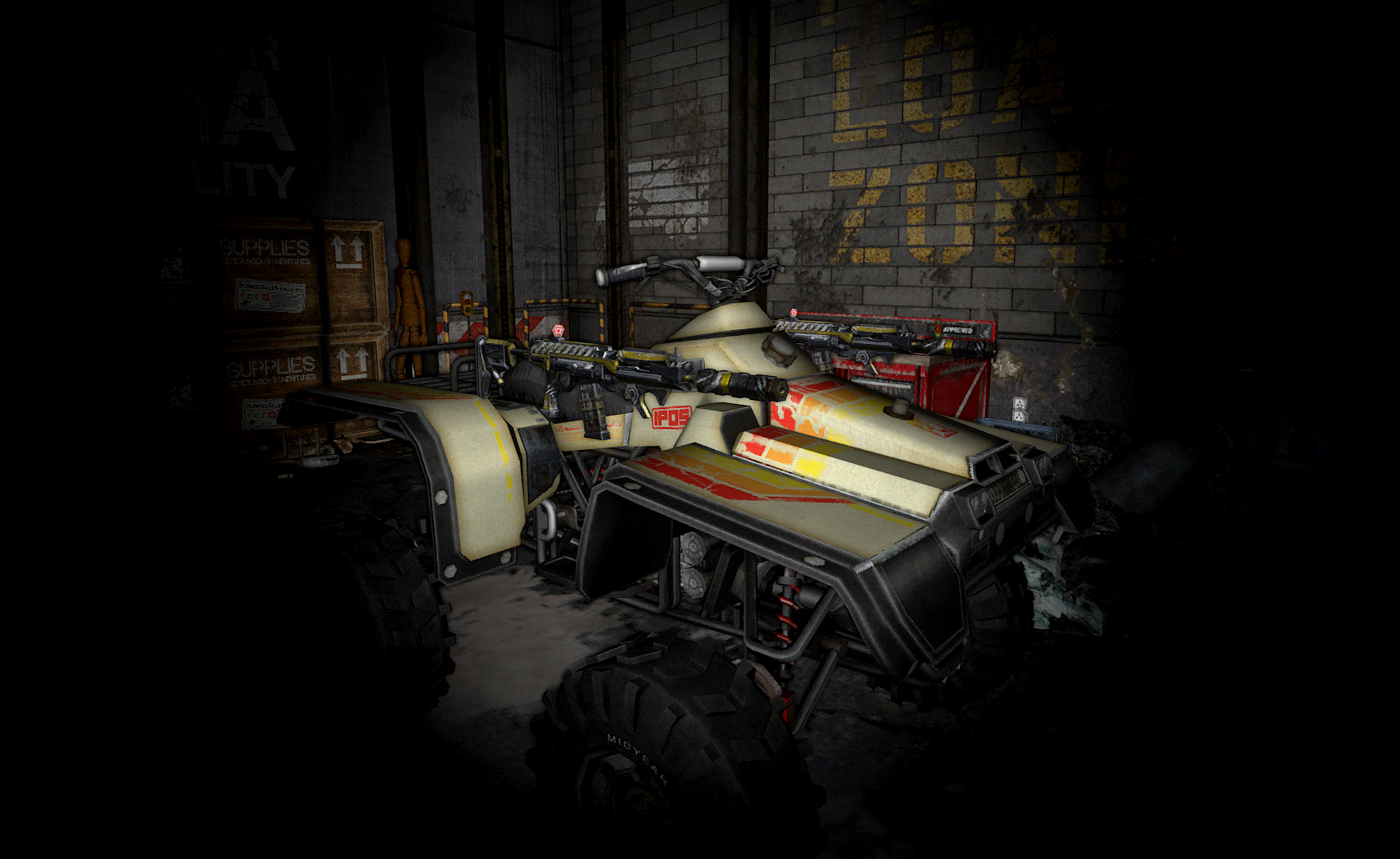
Just started new game, i dont think that these rifles should be here floating in garage.
They are not attached to the ATV, just floating in the air.
(2 edits)

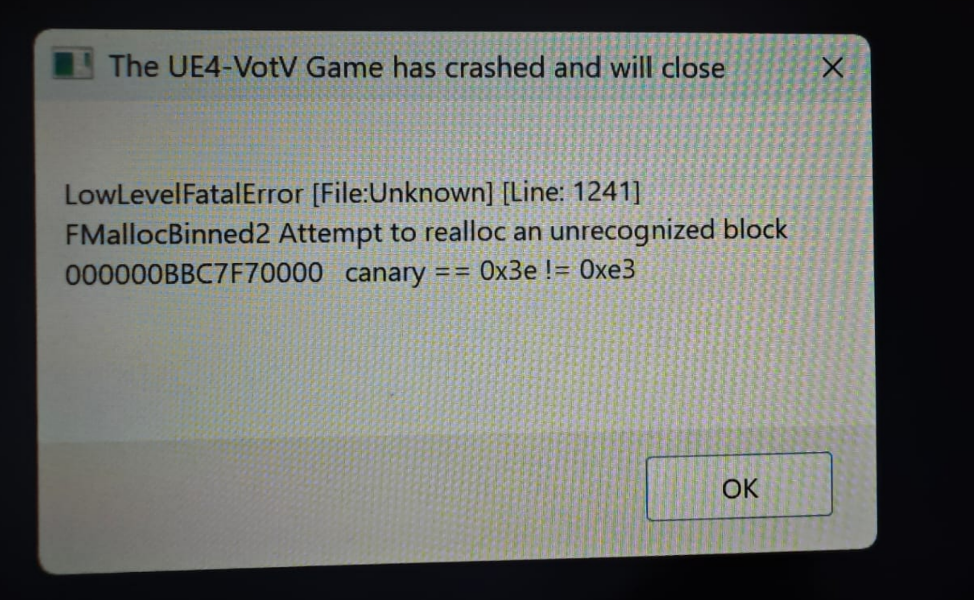
Since I bought some wall lamps (small ones) I get crashes with autosaves that happen inside the base or in a near area where the base is rendered (I usually have high render distances). It doesn't happen everytime if I'm honest.

I'm just supposing and I'm not even sure about this, but every time I get two variants of a fatal error and this is the most common one!

Now everytime I get an autosave I have to pray... I'm on Pre-Alpha 0.8.2c [0011] and RTX 4090, is there something I can do?

EDIT: The wall lamps might be totally unrelated, maybe it's related to objects inside the base or at none of this at all. I really hope this gets solved because I can't play properly without the fear of crashing every 2-5 minutes :(

Crash UE4

Achievements are completed on their own (so far, only the two related to the Hole location). I'm just HORRIFIED, but I don't think this should work like this...

Form's broken. Thankfully the link on votv.dev still works.

For some reason the "R" doesn't work, I cant drop item with "R"

(1 edit)

Help. Bug with custom settings.

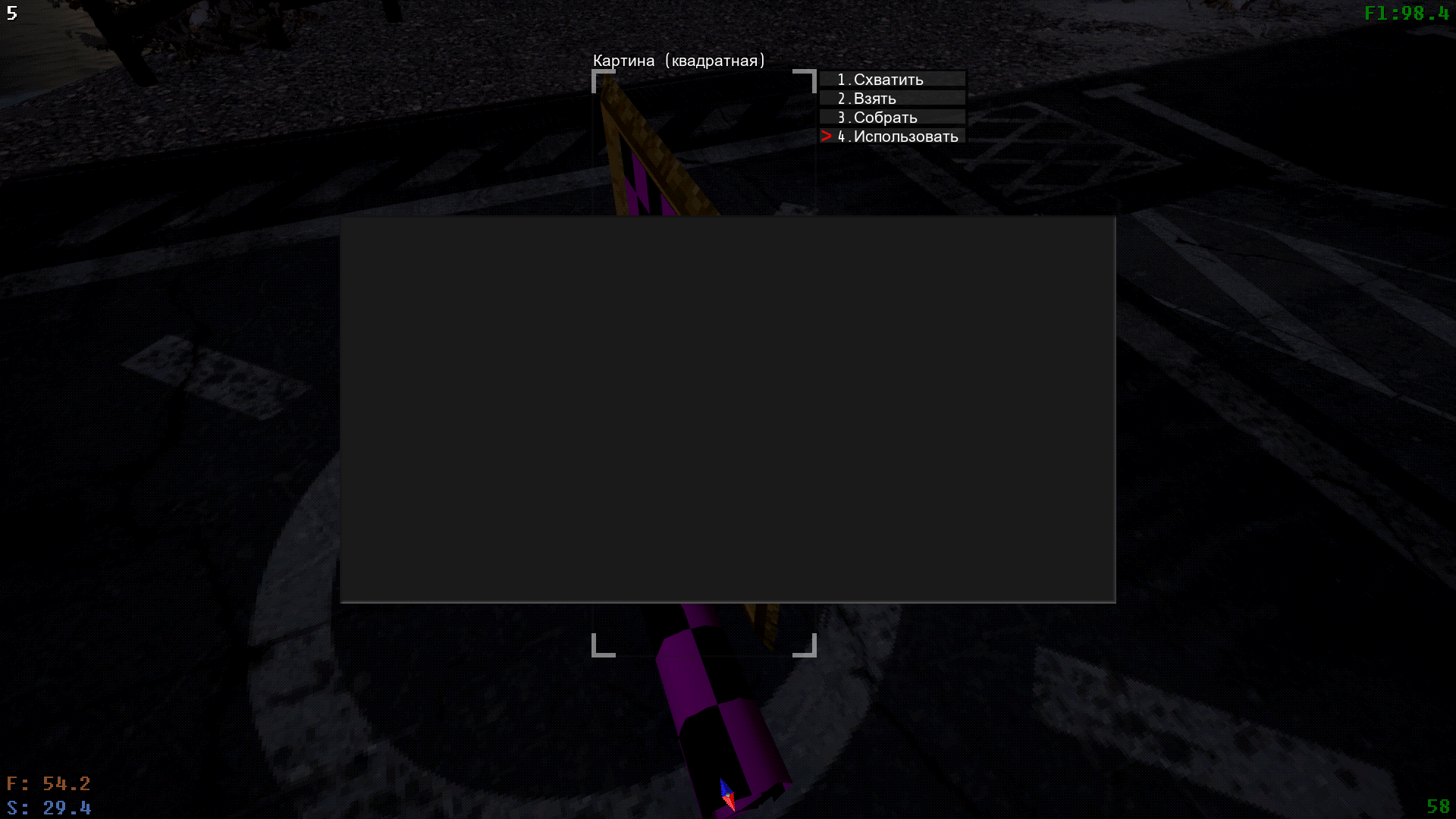
I'm playing on 0.8.2b version and  when i buy custom paintings and want to change image, just opens grey screen and i can't even change anything. Help please

Viewing posts 421 to 439 of 439 · Previous page · First page