Hi Gaziduc, my bad. I didn't understand I can only place program steps on the plus tiles. Instead I try to click the + sign with no effect and dragged the cards anywhere else but the plus sign. This isn't necessary in my opinion. Just let the player drop a card anywhere and position it by rounding its position to the next square.
I did 3 levels. I actually liked programming by drag and drop. Far less cumbersome than having code snippets inserted by Visual Studio (typing is often faster). And why not - beside code snippets - have a card for each variable already declared?
Since I know how to program that should be easy - but it wasn't. I wanted some if - else thing - jumping if there is there is a hole and walking if not. I think the end of the if block with a stop sign isn't optimal. It would be better if you could stretch the if block itself and place the other commands inside the block. When I "officially" learned programming I had already learned programing the auto didactic way. Nonetheless I benefited from those lessons because I learned to think in blocks. When I type code I'd usually type the closing bracket of a block at the same time as the opening bracket and fill in the content later.
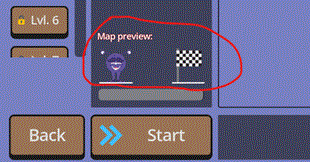
I also didn't like I couldn't see the level in advance. In my opinion its a good habit to plan ahead before you code and have some general structure/philosophy where your classes and methods fit in.