

Sorry for the late response! It's just that I haven't really been in the best of situations right now... Let's continue! I'll try answering your questions to the best that I can! And uh, try to structure this response like you did. Because that'll be the best way for you to understand, and anyone else! Like you said, right? Let's go.
1- Yes! The EliMZ_Book plugin is indeed above this plugin and all other EliMZ plugins that I could be using, and its version is 5.4.18 in case you need to know.
2- I did read some of it but, now I just noticed something that I completely overlooked before! “data/BitmapFonts/”. I checked if something was wrong in there, and there was! So, basically what I did was make a font, and its font face. Then after updating it, I renamed it and also renamed the font face! And because of that... After opening the game again, in data/BitmapFonts/ a duplicate json of the same font with the different name was made! And that made it so... If I made a second different separate font, none of the fonts would work basically! So, now that I deleted the duplicate, and opened the game again with two fonts, it worked! The first font is still being registered as the main one, and the other is still present! Well.... Now that I solved my own problem, there's not really a point in answering the other questions right...? Ok, I feel bad about that, so I'll answer them anyways!
3- Sorry but I... Really haven't. But if you really want to, I could! It sounds very useful to learn things I could need in the future.
4- Alright! Here there are, as of now I only have two of my fonts set up:
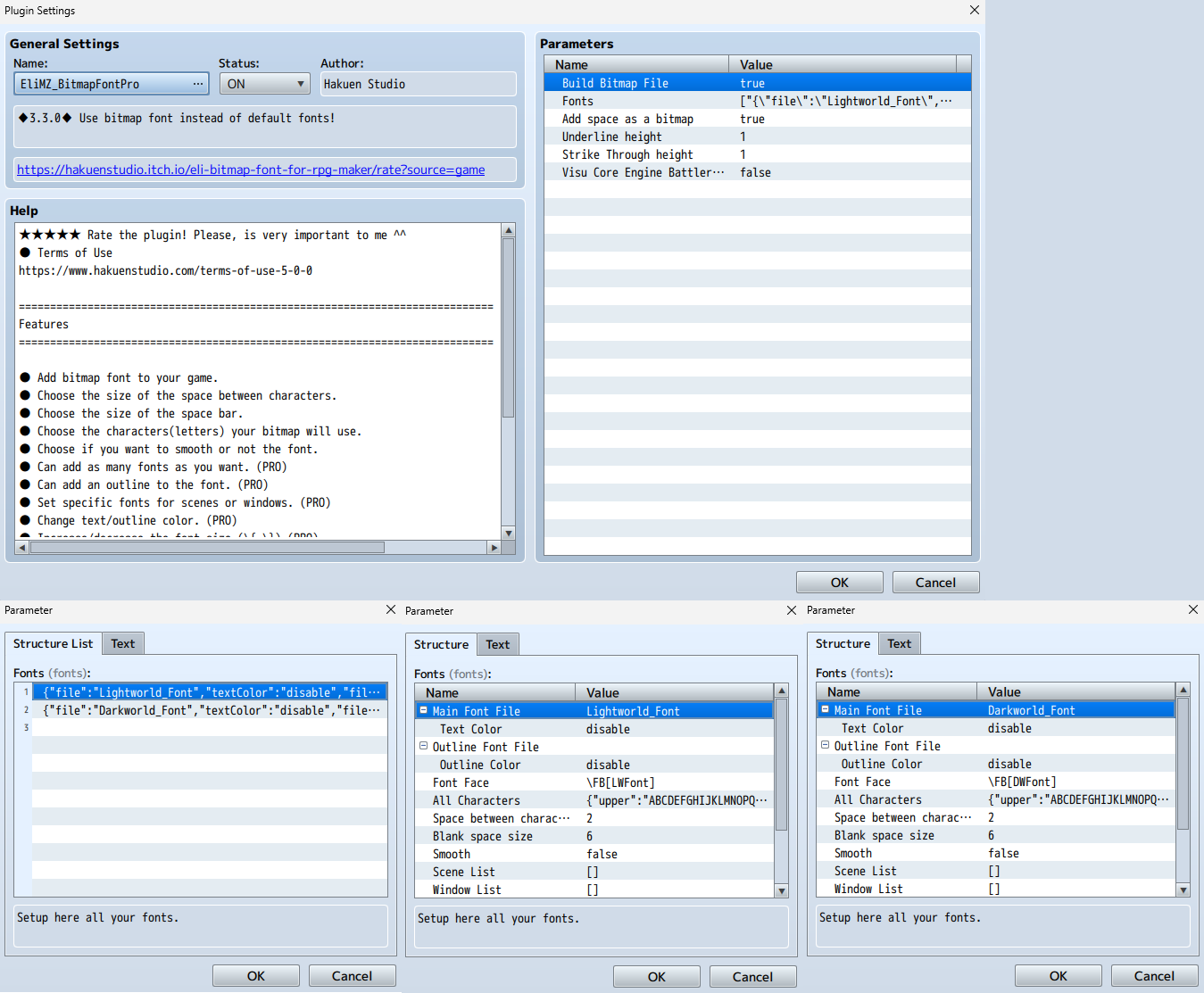
I put them all together into one, so I could just display it all at once.
5- Nah, don't worry man. This plugin has been great so far! I just gave it a low rating since I was stressed at that time...
Well, that's it for your questions! Now... I still have two simple questions left for you... I hope you don't mind answering them.
1- If the only way to change the font from the menu, text boxes, and so on, except from the title screen after entering like, a different section of my game, and then for the font to change back to the previous one when exiting that section of my game... Is tedious. Then what should I do about it? Should I just, wait until you add that feature? Because if so, don't worry, because I can! It is going to take a moderate amount of time before I reach that section of my game after all...
2- If writing the Face Font of the font I want a text box to use, like in order to have characters with their own fonts fit for their personalities... Is not the right way to do it, then what is? How do I do it? You just asked where I got this info from... And then you proceed to talk about the past issue... Sorry if the Help File already mentions how to do this, I just seemed to misunderstand it and then thought that I had to write the Face Font in the text box and all... Sorry about that. So... Is there actually a way to do this? If there is, you're free to do so.
And... That's basically it for now! Thanks so much for responding this quickly! I really didn't expect that... I thought I would go ignored or only responded after like days later. But no... You really care about what we say, and you had time for it... So, again. I'm really sorry for taking so long in responding this! Life... Can be harsh sometimes... So, thanks again! I'll be waiting...