
Indie game storeFree gamesFun gamesHorror games
Game developmentAssetsComics
SalesBundles
Jobs
TagsGame Engines
(+1)

Hi! Is it possible you could show a screenshot of what you mean? I'm not sure I see that on my end in the demo. Also, your device and resolution may help, in case it's a scaling issue. Thanks :)
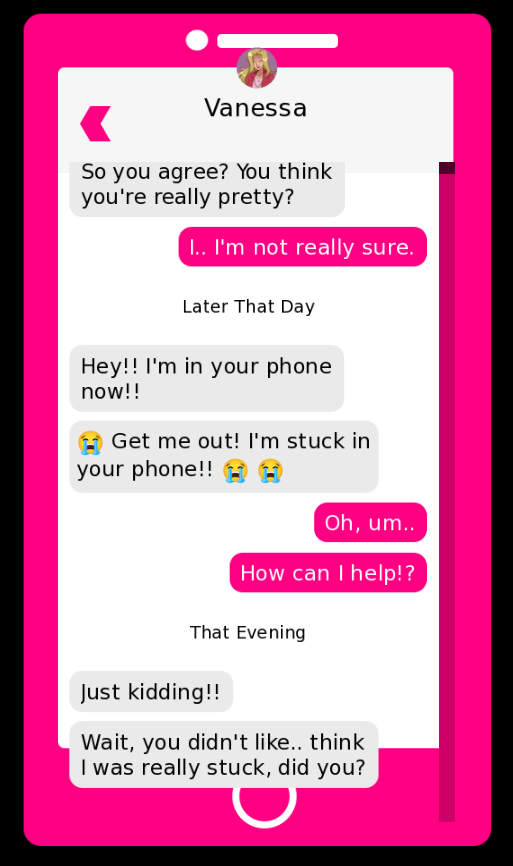
I'm on Windows 11 Desktop, and using resolution of 1920 x 1080. Here's a screenshot:

Did you change anything at all in the demo? That's so strange, I don't have that happening on my end. It looks just like a z-order issue with the phone case being too low. Does changing the window's aspect resolution impact it at all (ex. shrinking the window make it go away)?

The only thing I changed is renaming the inner folder to Game so Renpy can run it, and putting the game in the same folder as my other renpy project. though I re-downloaded and it's still the same thing. But I think I figured it out. in the message_viewport, you defined the ysize to be 750, so I removed that line and it somehow auto-scaled on its own with the correct ratio O_O

Hmm, strange. I'll have to take a look at that line of code. So does it all work as intended now?

Yes, it all looks good for now, thank you!!

Thank you so much for leaving this comment! 

I had the same issue and your fix of removing that line solved it!