

On Sale: GamesAssetsToolsTabletopComics
Indie game storeFree gamesFun gamesHorror games
Game developmentAssetsComics
SalesBundles
Jobs
TagsGame Engines

Quads rendering behind other UI elements

A topic by Neon Specter created 4 days ago Views: 80 Replies: 13
Viewing posts 1 to 14
(5 edits)

I'm running into an issue where quads don't seem to be respecting sibling index and end up being invisible because they render behind other UI elements.

I'm using a single SSO canvas and the view (parent object) with the STM that has the quads has a higher sibling index than the view with the objects that are blocking the quads.  The text renders as expected - it's only the quads that render behind other stuff.

The objects that the quads are rendering behind are map hexes, which contain several UI Images; and only after setting the parent objects of these images to inactive do the quads show up (even disabling the Image component itself doesn't work - the parent has to be set inactive).

I have no idea why this only occurs with my map hexes and not any other UI objects. The only differences I can see is that the hexes have Masks and a polygon collider 2D; but the issue occurs even if all objects with Masks are disabled, and disabling the colliders doesn't make a difference either.  I'm not doing any re-parenting or any weird canvas stuff and I've double checked that parents and sibling indices are correct.

I'm not using any sprites - only UI Images. This issue occurs both with my custom quads as well as the default ones.  I'm using Unity 6000.0.58f2 with STM 1.14.7.

EDIT:  Same behavior with 1.14.11

Developer

Does this still happen if you add "STMMaskableGraphic" to the gameObject? If it's already there, does it still happen if you remove it?


Is this happening with The Universal or Ultra shader? Is there a difference between the two?


Also, please try toggling "ZWrite" off if you're using the Ultra shader!


So is this not happening with, for example, a default Image component in place of your map hexes? Are you doing anything with the zBuffer or rendering order with your map hexes...? Or are they *only* composed of masks and polygon collider 2Ds...? If it's just happening with that object, it's got to be some conflicting interaction between them...

(4 edits)

Adding STMMaskableGraphic didn't make any difference.  I'm using the Universal shader.  I tried Ultra with and without ZWrite and there's no difference.  The only possible thing I can think of is the info panel attached to each hex, which has it's own canvas - but I have those that completely disabled (parent object is inactive).

All I do with the map hexes is instantiate them from prefab (into a parent with lower sibling index than the object with the STM), and then set their sibling indexes within that parent.  I'm not doing anything else that would affect rendering; so this is indeed very mysterious.  
EDIT:  I can confirm it's not the info panels - I deleted all of them in play mode and it made no difference.

EDIT 2:  One other thing of note:  If I stretch a single map hex and all its children so that it spans the "underside" of the quads, it doesn't cause this issue. It's only when there's a bunch of them active that this issue occurs. If I disable ~2/3 of them, then the quads show up.  So it sort of seems like it's the number of images/objects that cause the issue.  There's 221 hexes in total, each with 9 Images (plus 24 on the info panel, but that's disabled for this test).

EDIT 3:  This actually has nothing to do with the hexes rendering on top of the quads. I did another test where I took a single hex that's far away from the quads and duplicated (at the same position) it a bunch of times.  Once I hit 80 hexes, the quads disappear.  Delete one and they show up again.  There's no layouts involved here.

Developer

This feels pretty bespoke, I might have to look at a sample scene to solve this... So quads disappear if there are 80 hexes, regardless of position relevant to eachother...? Hm, I wonder if it could be related to masking depth... but in that situation STM *should* print a warning to the console. iirc Unity can only handle a mask depth of 7.

It could be related to generated materials, but it could also be how STM grabs it's parent canvas for rendering - maybe something is getting mixed up there I can look into on monday. Not totally sure about that since it should be using the same info for text and quads, here.

Something very strange is going on.  I did another test where I deleted everything inside the hex (including scripts), so it's just a RectTransform and a CanvasRenderer.  It took over 1000 hexes, but I was able to reproduce the bug by duplicating these empty hexes.  I then had weird behavior where disabling them did not make the quads show up again - I had to actually delete them from the scene before the quads would show up again.

So I've reduced this problem down to:  Main Canvas --> Container with ONLY RectTransform --> Container with ONLY RectTransform (Image, script, canvas group all disabled) --> Container with ONLY RectTransform --> Hex object with only RectTransform and CanvasRenderer.  All scripts on or interacting with any of these objects have been removed or disabled.  The main canvas does have a canvas scaler, but I disabled that to no effect.  I also tried disabling everything except the STM on the object that has the quads.

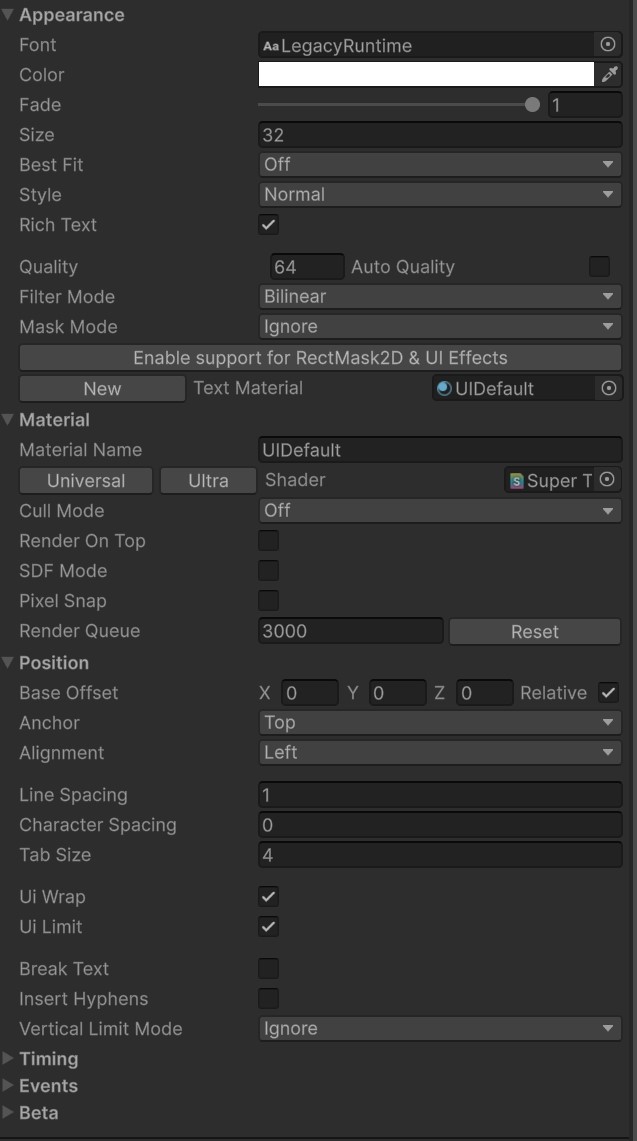
Here's my STM settings:


Developer

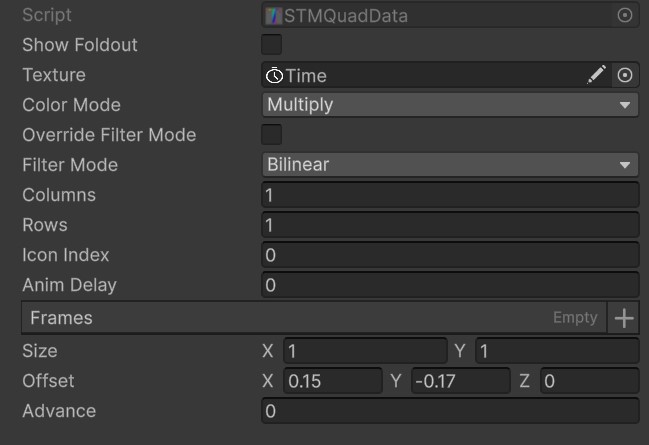
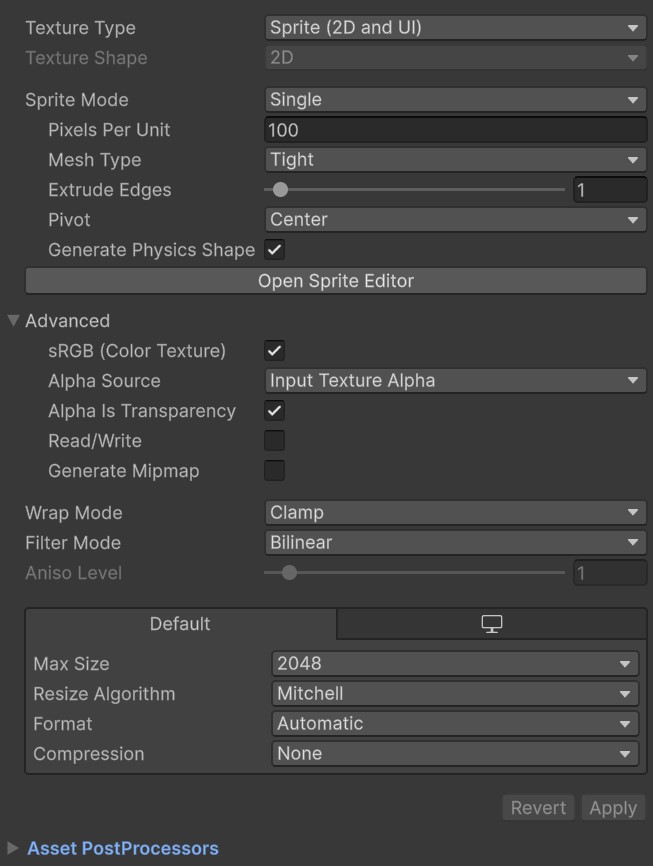
What do the settings for your quad look like? Including import settings for the texture being used?

As mentioned earlier, I also tried with the default quads ("clap").


Developer (1 edit)

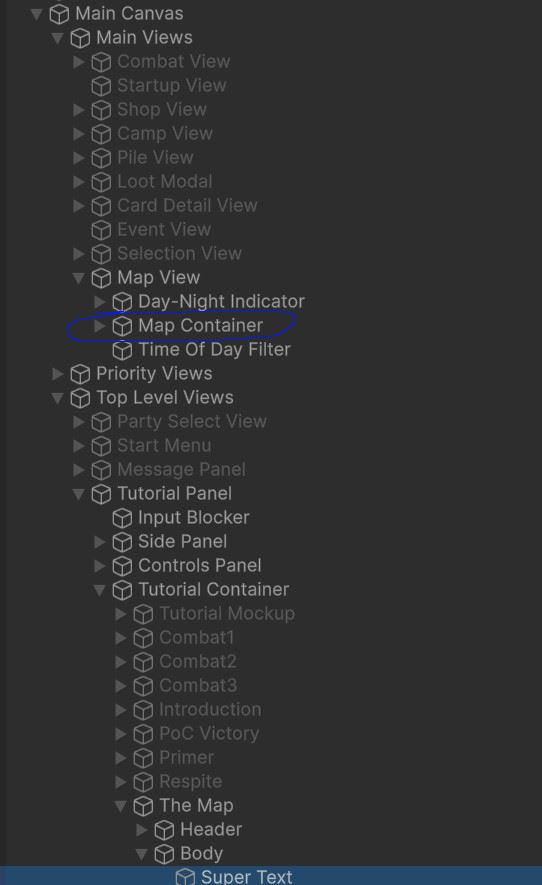
Hmmmm right, nothing looks particularly out-of-place here... Would it be possible to see the hierarchy and inspectors for the hexes so I can better replicate this on my end?

(1 edit)

The hexes are in the Map Container.  As mentioned previously, I tried removing/disabling all components such that Main Views, Map View, and Map Container have only RectTransform and nothing else.  I also stripped down the hexes to have only RectTransform.

In my previous test, I disabled all but 1 hex (which made the quads show up), then removed all components from that hex and duplicated it ~1000 times before the quads disappeared again (all inside Map Container).  If I disable Map View or Map Container the quads show up.

The STM with the quads is the selected Super Text.
Developer

OK I've been able to reproduce it!


In Unity 6, I've got a canvas with two children in descending order: HexContainer, QuadText.


HexContainer contains 1000 gameobjects which have a rectTransform and Image component each.

QuadText has a SuperTextMesh object with some text and the default clap quad on it.


The moment HexContainer has 1024 children, the quad vanishes from STM. I need just a bit more time to think about this, but I have a repro scene now so this is great.

Like it's pretty strange... it's *not* a material count issue like I suspected, the moment this condition is met, the actual geometry of the mesh changes! Trying to figure out if this is linked to submeshes... I wonder if this could *somehow* be related to a bug Unity 2019 had I was never able to solve where quads just wouldn't render on canvases in some versions? The end result is similar... Submesh Materials are still being generated, but not rendering at all so it might be something with submeshes...


Still thinking on this, just wanted to post to give an update!! 

Developer

Some resources I found:


https://www.reddit.com/r/unity/comments/18uwwz9/is_there_a_limit_of_only_like_10...

https://medium.com/my-games-company/how-to-optimize-uis-in-unity-slow-performanc...


In my reproduction, if I give HexContainer a canvas, STM's quad renders again. So I think it might just be a Unity limitation on how canvases with many elements are set up. (Maybe once it reaches 1024 elements, it gives up on rendering submeshes? I know Canvases do *some* type of mesh optimization since UI shaders receive verts in World Space rather than Object Space, and default Unity behaviour tends to not like submeshes as a concept (quads use submeshes to render in STM), so I wouldn't be surprised by this.)


So... I think it might be best to split up the hexes and STM on different Canvases! Seems to be a better way to structure a large scene.

OK, adding a canvas does work, thanks.  I had tried this in the past because I don't like the idea of everything re-rendering on canvas rebuild; but it had caused a lot of bugs, so I went back to a single canvas (I don't have any performance issues, anyway).  In my brief testing here, however, it doesn't seem to be causing any problems for the map view to have its own canvas.

I redid the previous test, this time keeping all the hexes enabled while adding over 1024 images to the map container.  The result was that no graphics disappeared.  So my question is:  why does this only happen with STM quads?

Developer

I'm thinking it's because STM Quads use submeshes. After 1024 objects on a canvas, some optimization or whatever code is modifying verts on a Unity canvas must be running, but doesn't include submeshes. This falls in-line with what I saw with Unity's VertexHelper class when I was writing STMMaskableGraphic - I needed to create a vertex stream for every submesh used on STM, then use the data from those to fuse everything back into one mesh. I got the sense that Unity itself prefers to use a single vertex stream and ignore submeshes from this. Whenever a material change is used in STM, submeshes are used to display multiple materials with a single mesh, so you should see this with font changes, too.

Developer

I made a note about this in the docs! Will push that to the online docs soon. I really wish there was more info about the internals of what exactly is going on here, but ultimately... it's reproducible, it's fixable, and the fix is probably a good practice to follow anyway with how canvases rebuild and the nature of STM updating its mesh constantly.