


Guide to use a bidirectional Japanese <-> English LLAMA supported model
Since the demand for Japanese translations is massive in comparison to other languages, I figured it is due time that I provide a short guide on how to translate offline with a better (but slower) translation model using LLAMA.
1. Download a model from the right-hand side of this model board or directly download the Q4_K_M model (229mb) or the Q8_O model (379MB)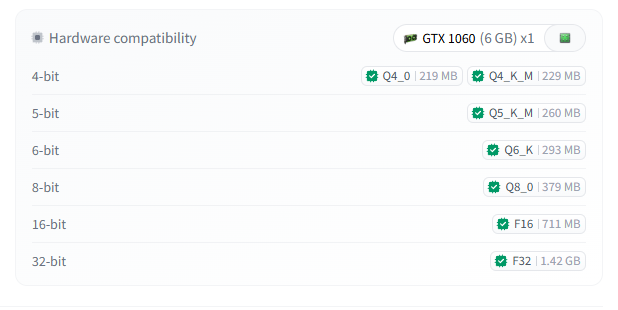
2. Select LLAMA translator in the GameTranslate app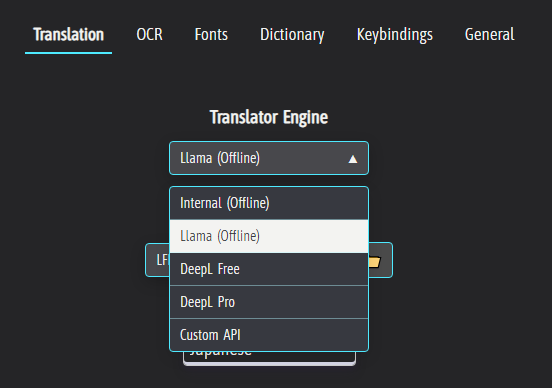
3. Import the downloaded .gguf model file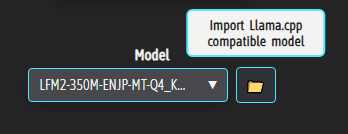
4. Put Japanese or English for source and vice versa for target, and select Full language name box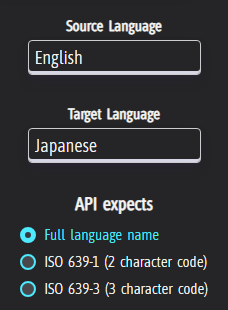
5. Tick the 'Custom Body' box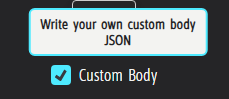
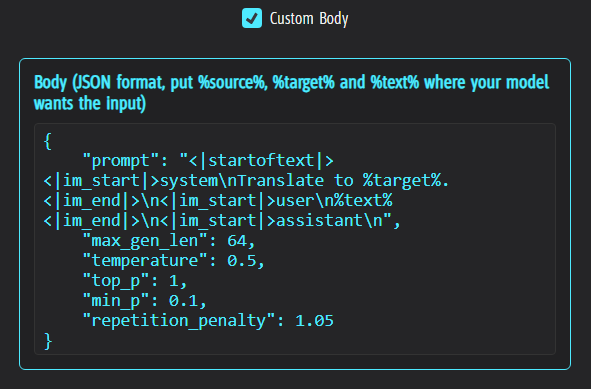
6. Copy this JSON block and paste it straight into the body
{
"prompt": "<|startoftext|><|im_start|>system\nTranslate to %target%.<|im_end|>\n<|im_start|>user\n%text%<|im_end|>\n<|im_start|>assistant\n",
"max_gen_len": 64,
"temperature": 0.5,
"top_p": 1,
"min_p": 0.1,
"repetition_penalty": 1.05
}
7. You're done! Feel free to try it out in the translation test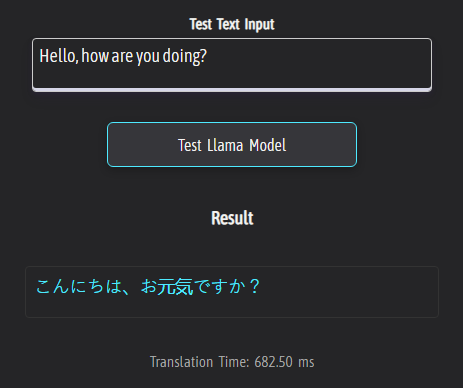
If your intention is to read Japanese Manga (Right to left, Vertical text), keep reading!
To adapt the application for reading Japanese Manga, you will want to change a few more settings;
1. Select Right to left reading direction & Vertical Writing orientation in the OCR tab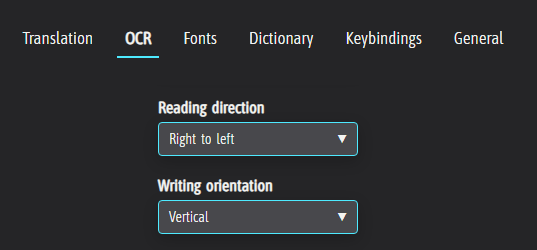
2. Check the 'Comic mode' and 'Scroll reset behaviour' checkboxes in the General tab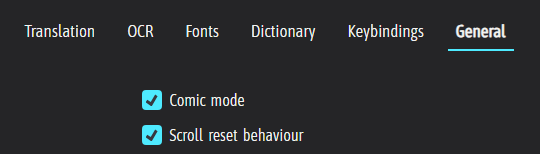
For this guide to work pain-free, please make sure you do not have any 'Manual selection' checkbox checked
That's it for this short guide. Please let me know if you have any issues using the LLAMA model in any way, and do not be shy to request guides for other languages! Enjoy! :)