

Hi Werzaque, I tested your exact setup on my end using both Aseprite v1.3.15.5 and Aseprite v1.3.14-beta1 to confirm, and Tweencel is generating the correct in-between frames.
Here’s the setup I used:
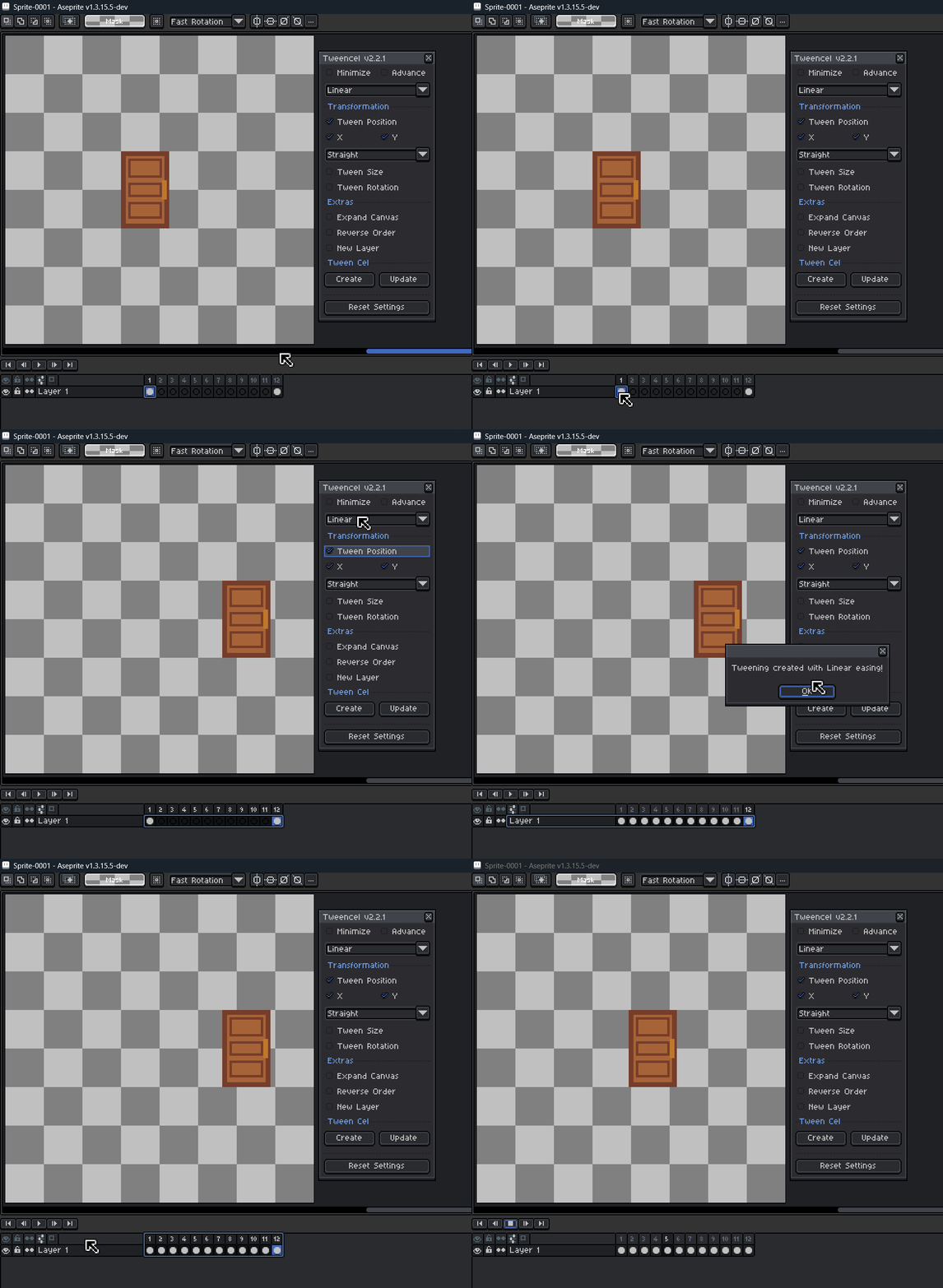
- 12 frames total
- Frame 1: door image (closed)
- Frames 2–11: empty
- Frame 12: same door image moved +45px to the right
- Applied Position Straight Tween > Hit "Create" button
The tween interpolated the movement correctly from Frame 1 to Frame 12.
I also recorded a GIF demo to show how it looks on my end. https://postimg.cc/3ycWCZG5
Since things are working correctly here, your setup might be behaving differently for a reason I can’t see yet.
Could you share a short GIF of how you’re doing it on your side? And also let me know which Aseprite version you’re using?
Seeing your exact steps will help me understand what’s causing the different result.
Thanks again for reporting this, I appreciate your help in improving the tool!