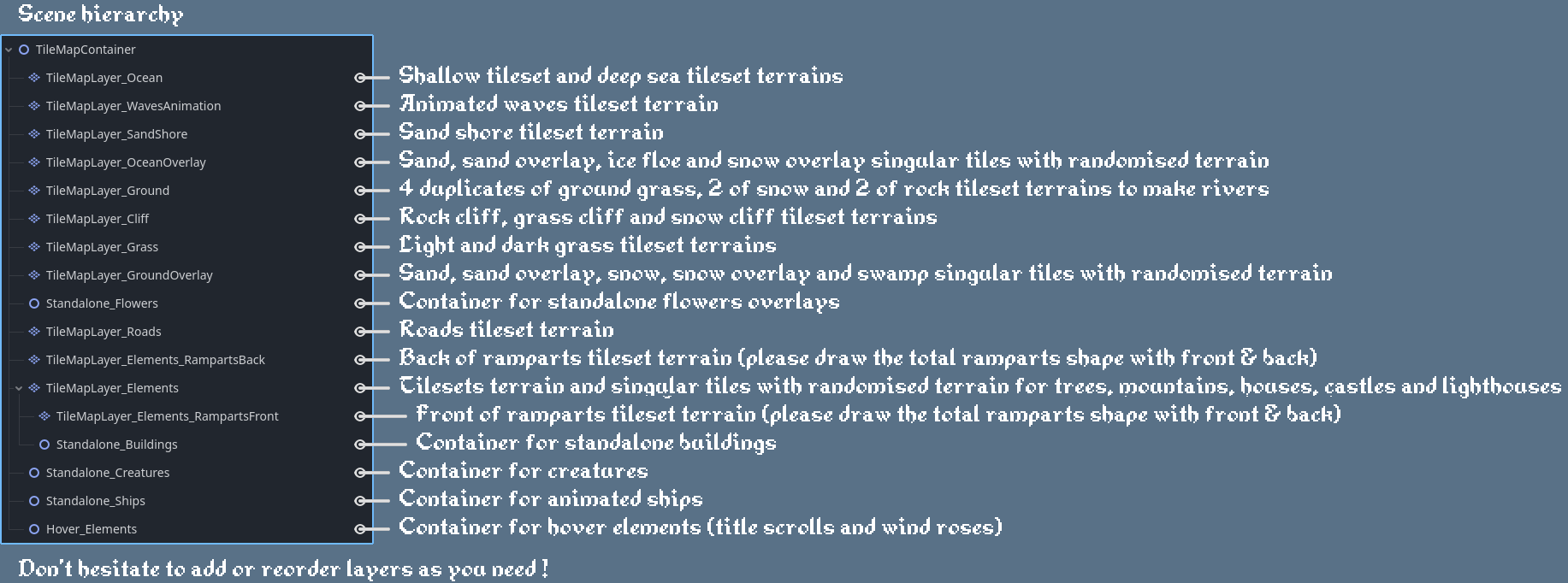
Hello! Sorry for your difficulties.
Normally, it's very simple to use. If you purchased the Godot version, you should have a .zip file called “LaPetiteTile_Maps_Godot” containing a folder of the same name. Extract the contents of the .zip file (the folder named “LaPetiteTile_Maps_Godot”) into your Godot project (anywhere) and you should be able to use the tilemaps. The easiest thing to do from there is to duplicate the scene /Scenes/TemplateScene.tscn and you will be able to use the terrains of the scene there.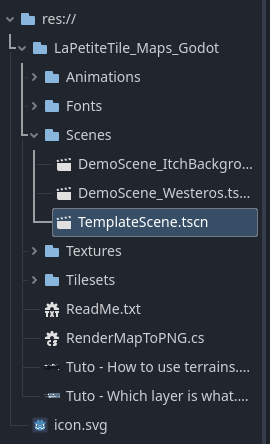
All the .tres files for the Tilesets are already included in the /Tilesets/ folder, you should have nothing to generate!
In the TemplateScene scene (or any DemoScene), if you have trouble selecting the tool to paint the terrains, you can follow these 6 steps: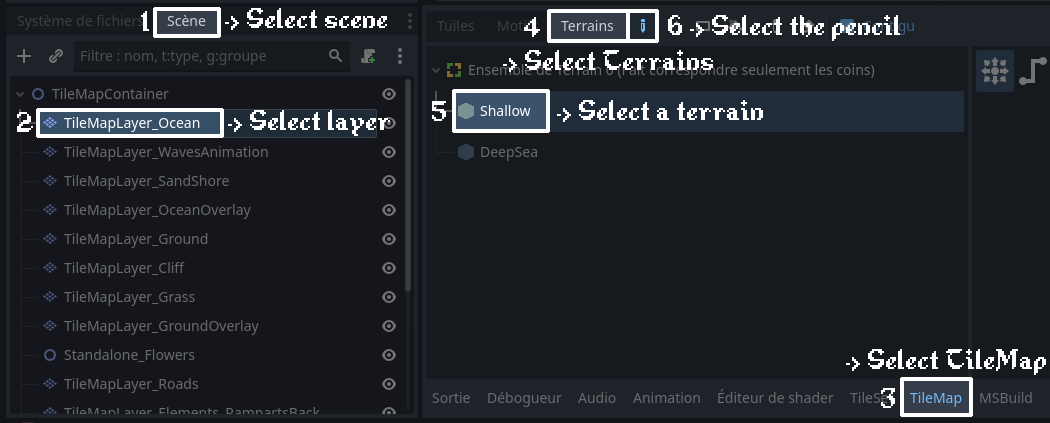
If you want to create your own scene (not duplicating TemplateScene.tscn), you have to create several TileMapLayer nodes (as it is in the TemplateScene and DemoScenes) and add the given Tile Set files to each, they are already included in the /Tilesets/ folder.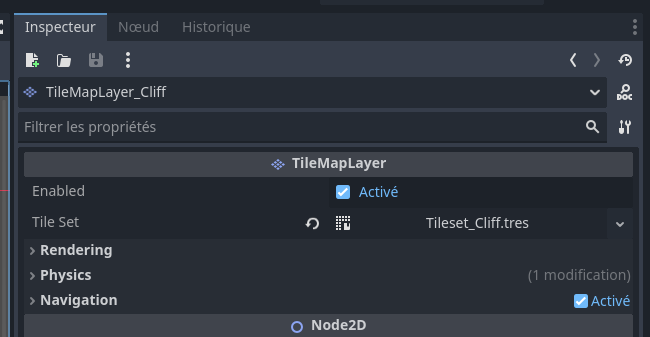
It's a bit longer and redundant so the easiest way to include a map to your scene is to import a copy of TemplateScene.tscn as a node in your own scene, just as you would with any scene in Godot.
If the .zip file you purchased is named only “LaPetiteTile_Maps” and not “LaPetiteTile_Maps_Godot,” it means you purchased the less expensive (3$ instead of 5$) version that does not include Godot integration and contains all assets in .png format only. In this case, you have to create the tilemaps and terrains yourself.
It works on both GDScript Godot and C# Godot versions. Does your Godot version include the new tilemap system? I used Godot 4.5.1 to create the tilemap, but any version 4.3+ should work (and possibly 4.2+, but I'm not sure).
I'm giving you general advice because I didn't quite understand what your problem was. Could you give me more information? (The version of LaPetiteTile_Maps, your godot version, whether you added the complete folder to your project, whether you're using TemplateScene or not...)