

I'm working on a game in decker that includes a few doll-maker/dress up games. For the clothes I've pasted images into draggable canvases (i'm basing it on the layouts of games like dollzmania), and I was just wondering if there's an easy way to be able to have a button for players to reset the card so that the clothes are in their original spots. i saw in another thread someone asked a similar question and it was suggested that they use the listener to get the canvas position and set it so that the canvas returns to that spot when they go to the next card. however, that'd mean scripting in the position of each separate object, and for my project it would be really fiddly to do if there's like 15 items of clothing on the card. Any advice? I'm new to Decker so I'm still getting the hang of things, but i'm loving it so far!
203 days ago(+1)
You could write a script to record the position of all the canvases automatically (rather than recording every coordinate by hand), stash those positions in a field somewhere, and then have another script re-apply them when appropriate.
Let's say you have widgets something like this:
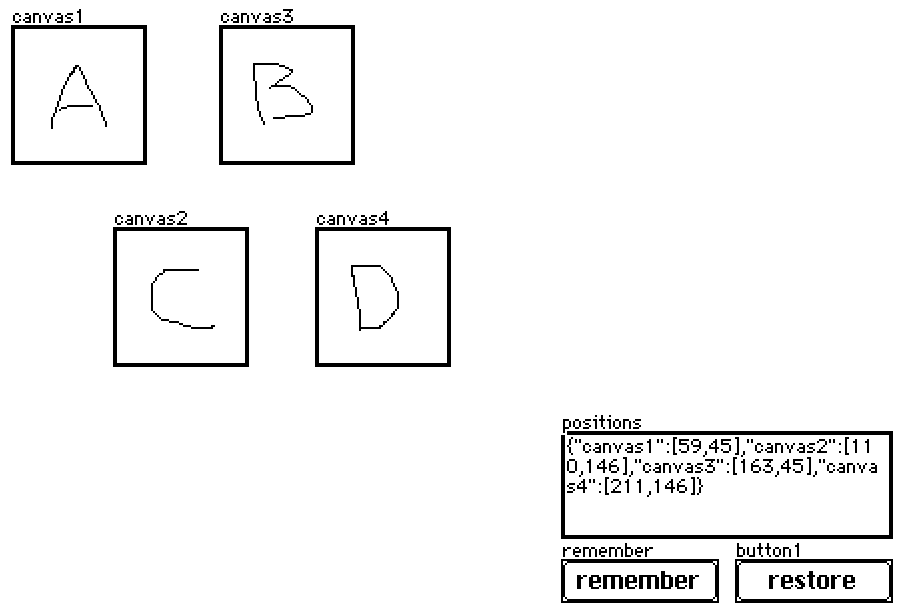
The "remember" script looks like:
on click do
 p:select key value..pos where value..type="canvas" from card.widgets
 positions.data:raze p
end
And the "restore" script looks like:
on click do
 each pos name in positions.data
  card.widgets[name].pos:pos
 end
end
In practice, this field and buttons will probably be hidden (set to "show none"). If you ever want to record the current state of the canvases without un-hiding the buttons you can simulate a click via the listener:
remember.event.click
Does that make sense?