
Indie game storeFree gamesFun gamesHorror games
Game developmentAssetsComics
SalesBundles
Jobs
TagsGame Engines

GameTranslate

Immersive real-time translator at your disposal · By Godnoken

Automatic Mode: Text Masking, Poor Line Breaking (No Wrapping), and Translation Alignment Issues

A topic by norby777 created 47 days ago Views: 113 Replies: 9
Viewing posts 1 to 3
(2 edits)

Hey,

I noticed a few bugs in the new GameTranslate_0.5.8-alpha.4 update. They all showed up when I used Automatic mode.

1: If some words in the text are a different color—like orange or red—the app often fails to mask or hide them properly. The picture only shows the orange-word issue (I forgot to screenshot the red ones). It sometimes successfully hides the orange words, but sometimes it doesn't. It never hides the red words. You can see the successful and unsuccessful orange word masking in the images for the third bug down below too.
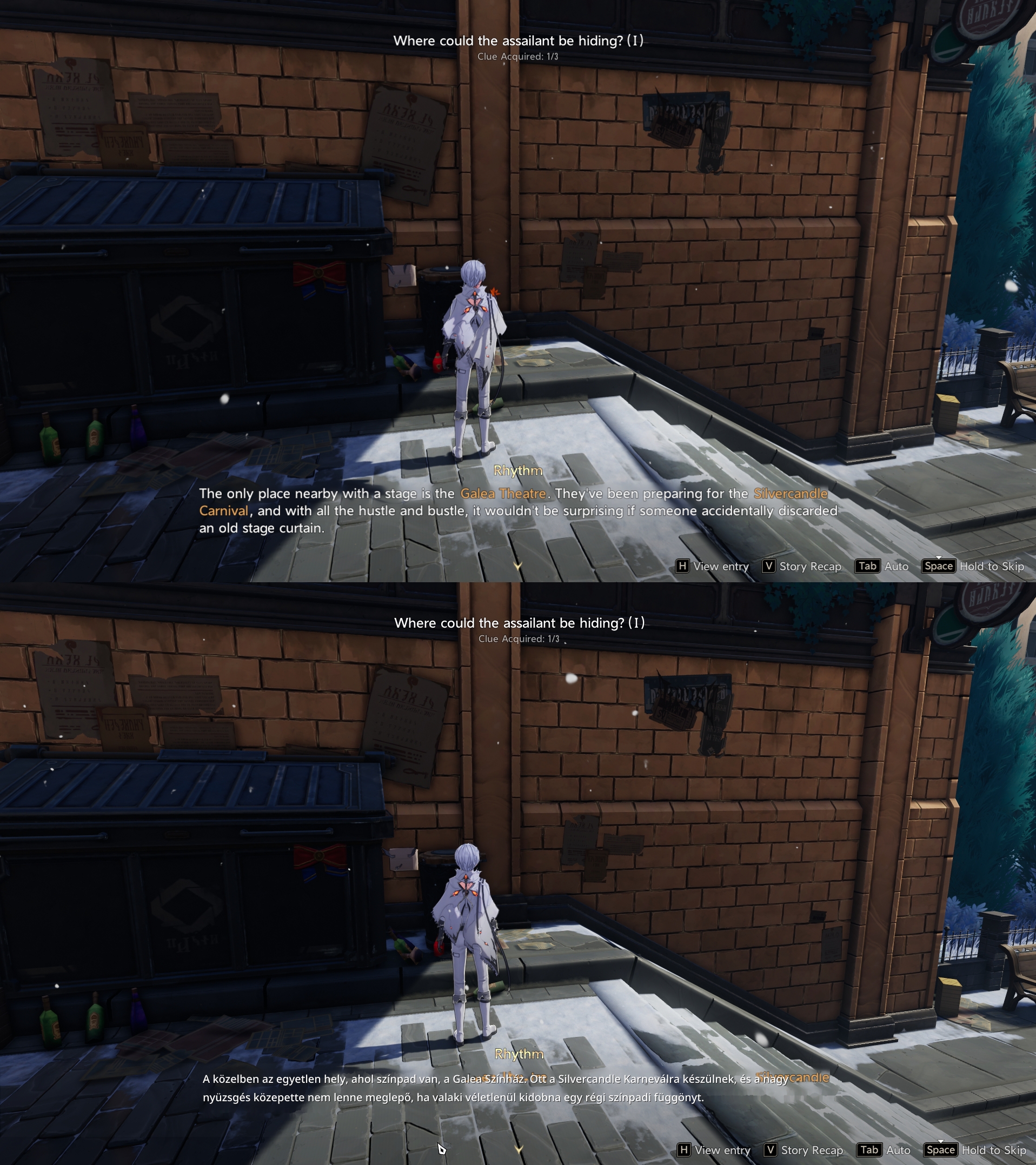


I'm not sure if this particular bug is new to this update, because I've never tested sentences that have different colored words before, or at least I don't remember doing it.

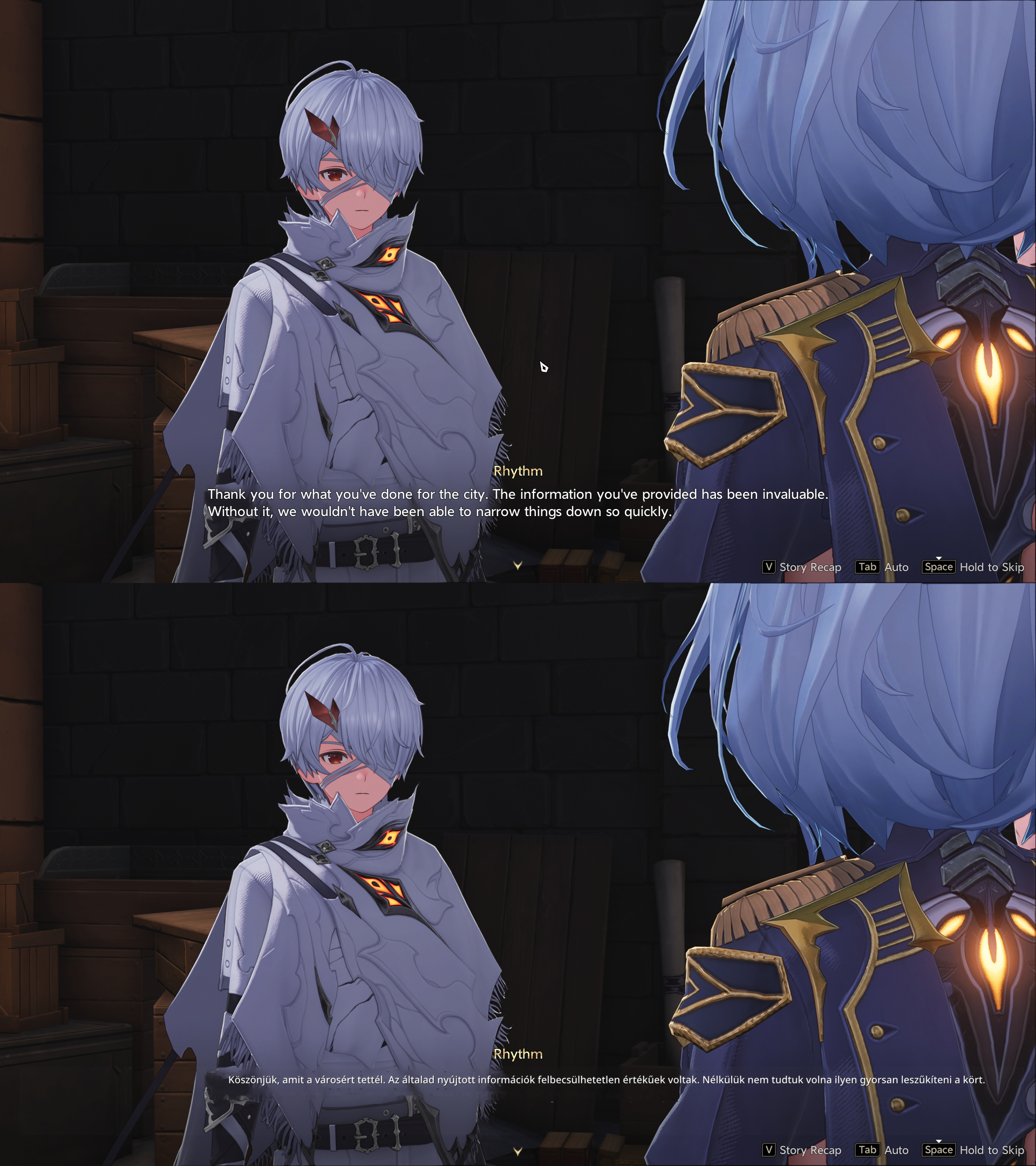
2: The translation text isn't wrapping right compared to the original text; it just outputs the translated sentences in one long line. The area selected for the translation is wide, but I don't think this was a problem before. It doesn't happen a lot yet, but it does show up sometimes.

3: This is the most annoying one. Very often, the translation just slides way off to the right. Sometimes it moves so far off the screen that I can't even read it. It's okay when the text is short, but it's a huge pain when the text is long.
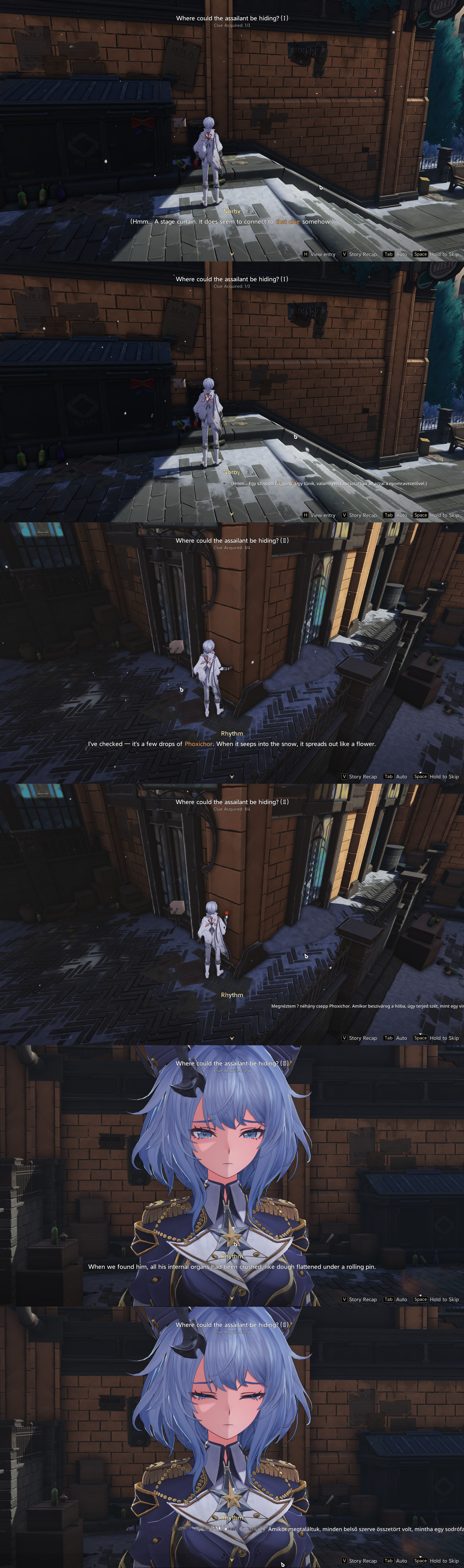
I don't remember if the second and third bugs ever happened before. (Or maybe I just forgot :) )

Thanks.

Okay, I figured out what's causing the third bug (and maybe the second one too? The line breaks were actually fine in my quick check, but who knows :) ) It's the combo of Automatic font size and Attempt text centering, but this only happens in the very latest version. If I turn on Comic mode with those, it gets a little better because it doesn't shove it so far to the right. I switched back to alpha 3, and those same settings worked fine there. So, this bug is only in the newest release.

Developer

Hey bud! :)

The first issue is not related to the newer versions; it's just the text removal algos not being able to handle that case. I think is being filtered out early on in the process and is discarded. Thank you for reporting it eitherway, it's good to have something to works towards, either by creating a different algorithm or by improving the existing ones to handle it.

The second & third are most likely related. I made an effort to normalize line height/vertical spacing between text, for all fonts, which was to be expected to bring out some bugs.  'Attempt text centering' was never actually meant as a real feature toggleable feature, it is a remnant of an algorithm that I figured didn't really work properly, so I made it optional for edge cases when people absolutely want to try to centre text. I'll definitely have a look at it though, I think I know of a way to make it centre properly, without having to guess if it should or not, which is the current implementation.

Thank you very much as always! :)

(2 edits)

Okay. Thanks for the explanation. (I just saw the first picture again, and those colored words are more orange than yellow, but whatever, I fixed those lol) Keep up the good work :)

Developer

Haha, no worries, I'm very glad you provide very clear pictures for me for reference & testing.

As far as I have tested, if you now enable "Centre text" in General config, it should now centre properly every time. Make sure you keep Comic mode disabled for this as it takes precedence over Centre text.

Thanks, will do!

Yeah, the centering is fine now. The text hasn't been pushed to the right at all. Thanks! :) 

Developer

Sweet! Let me know if issue 2. pops up again! :)

My last comment was about the third bug. That one's fixed now. The second bug is still popping up sometimes, but not as often.

Developer

Understood. Okay, good to know, I'll have to look deeper into that for sure, cheers! :)

Just take it easy; no need to rush :) It's not that annoying.