Indie game storeFree gamesFun gamesHorror games
Game developmentAssetsComics
SalesBundles
Jobs
TagsGame Engines

[SOLVED] Icons of events using switches don't appear/always appear on minimap Locked

A topic by Kevvvchen created Aug 31, 2025 Views: 191 Replies: 10
This topic was locked by Hakuen Studio Nov 11, 2025
Viewing posts 1 to 5
(1 edit)

So I have an enemy event whose minimap icon should only be visible when the event itself is active (toggled by a switch).

If I put a comment "<MMIcon: Enemy>" (this refers to one of my icon templates) into the event, its icon doesn't appear on the minimap even after the switch is turned on and the event is already visible.

If I instead put the "<MMIcon: Enemy>" into the event's note field, its icon always appears on the minimap, even when the event isn't yet active due to the switch still being off.

Am I missing something or is this bug?
Developer

Hi there!

Thanks for the feedback! Indeed is a bug. I will fix this week!

(+1)

While you're at it, could you maybe check whether the player shows up on the minimap at all for you if it uses an icon or sprite template?
It doesn't for me, though I'm not sure this changed when updating to the most recent version or because of something I did, since I was so focussed on the enemy icons.

(+1)

And one more observation that might help you solve the initial problem: If I enable the switch that makes the enemy events appear and then call up the full map, all of their icons show up correctly there and then also on the smaller minimap.

Developer

Hi there!

I think I fixed the issue. Please download the new version 2.3.2 and let me know!

Sorry, I only now got around to testing 2.3.2.

The issues I described seem to be fixed. Thanks!

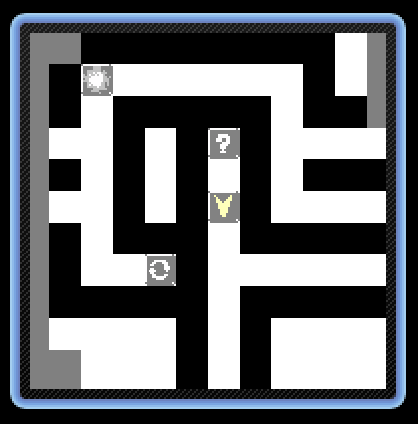
However, I've noticed something else now: The icons on the minimap flicker. You can't see it on a GIF, so here's a screenshot instead. The icons originally have a solid black background.

Developer

It's alright! Glad the other problems are fixed!

Now, the issue with icons is that, when they flick, they are showing a black background and they are not suppose to show it?

Are you sure your iconset does not have that black background? And the iconset file extension is .png ?

(2 edits)

Maybe I phrased it weirdly. The icons look like this:


Do you notice how much brighter they are in the minimap screenshot I posted? They look like they're semi-transparent.

But in motion, this looks less like transparency and more like flickering. Like the icons are being turned on and off at high speeds. Unfortunately, my screen recording tool doesn't capture it properly, it just looks like in the screenshot.

I think you should be able to easily reproduce this, since I didn't change that many of the default settings.

Nevermind, I found the source of the issue. In Minimap Markers > Icon Template, I have to set "Blink Min Opacity" to 255 to make the icons appear solid ("Blink Duration" is still set to 1, though). Now everything looks like it should.


Not sure if this is the expected behaviour, but at least this fixed the issue for me.

Developer

Hi there!

Thanks for the feedback! I fixed the issue. The problem was that the code was not checking for the Blink Duration value to be higher than 1 to apply the Blink effect. So, the Blink Effect was ON everytime. Now if you set the Blink Duration to 1, it will not execute the Blink Effect. Don't need to change the Blink Min Opacity to 255.

Please, download the new version 2.3.3! Let me know if it worked!

(+1)

Yep, that worked. Thanks!

Developer locked this topic