Yep, that worked. Thanks!
A member registered Oct 21, 2022
Recent community posts
Hakuen Studio Minimap for RPG Maker MZ community · Replied to Kevvvchen in [SOLVED] Icons of events using switches don't appear/always appear on minimap
Nevermind, I found the source of the issue. In Minimap Markers > Icon Template, I have to set "Blink Min Opacity" to 255 to make the icons appear solid ("Blink Duration" is still set to 1, though). Now everything looks like it should.
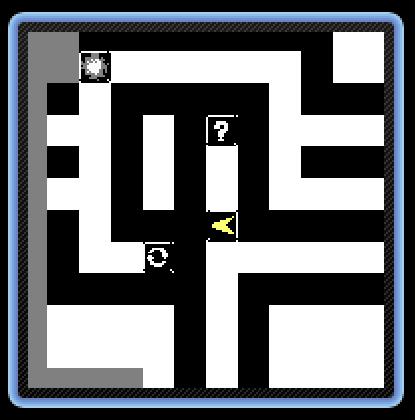
Not sure if this is the expected behaviour, but at least this fixed the issue for me.
Hakuen Studio Minimap for RPG Maker MZ community · Replied to Hakuen Studio in [SOLVED] Icons of events using switches don't appear/always appear on minimap
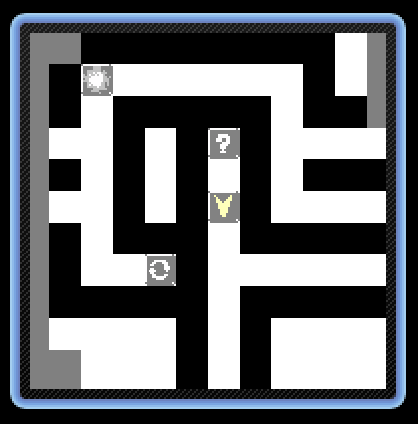
Maybe I phrased it weirdly. The icons look like this:

Do you notice how much brighter they are in the minimap screenshot I posted? They look like they're semi-transparent.
But in motion, this looks less like transparency and more like flickering. Like the icons are being turned on and off at high speeds. Unfortunately, my screen recording tool doesn't capture it properly, it just looks like in the screenshot.
I think you should be able to easily reproduce this, since I didn't change that many of the default settings.
Hakuen Studio Minimap for RPG Maker MZ community · Replied to Hakuen Studio in [SOLVED] Icons of events using switches don't appear/always appear on minimap