

One improvement I'd love to have here would be treating same-color background as transparent. That is centering in this situation:
Resulted in this:
Regardless of that I am getting a lot of mileage out of this :)
I think you screenshot did not upload correctly, could you try uploading it again? I’m curious about your suggestion.
Let's try again! The scenario is where I have some image on a background that's not transparent pixels but the same color, like here:
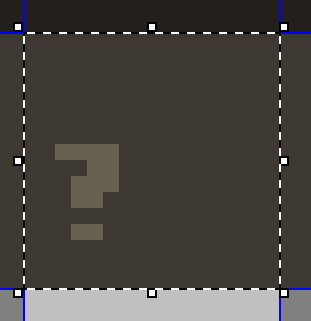
It would be great if in case where all the edge pixels are the same colors then said color is treated as if it was the transparent background and centered the question mark in the middle of this 16x16 tile.
(It finally uploaded! All I had to do was use the upload image dialog rather than paste the image from clipboard)
I see, I like this idea 🤔 It’s simple and shouldn’t interfere with how the extension works right now. I should have some time to implement this in a few weeks.
It took me some time to figure out how I want to approach this. In the end I decided to add an option to ignore the Background Color (the one that’s usuall on the right-click) as there’s no option to reliably (and quickly) calculate the actual border of a selection. That’s only because a selection doesn’t have to be a simple rectangle but there’s no way to know that within a script.
I hope this solution is helpful for you ✌️