
On Sale: GamesAssetsToolsTabletopComics
Indie game storeFree gamesFun gamesHorror games
Game developmentAssetsComics
SalesBundles
Jobs
TagsGame Engines

The problem I’m having is with the grass assets and the ground assets, like dirt. Every time I try to place one on top of the other, it looks weird—like they’re stacked instead of blending together, and they don’t fit right. Do you have any solutions or ways I can make it work better? In unity
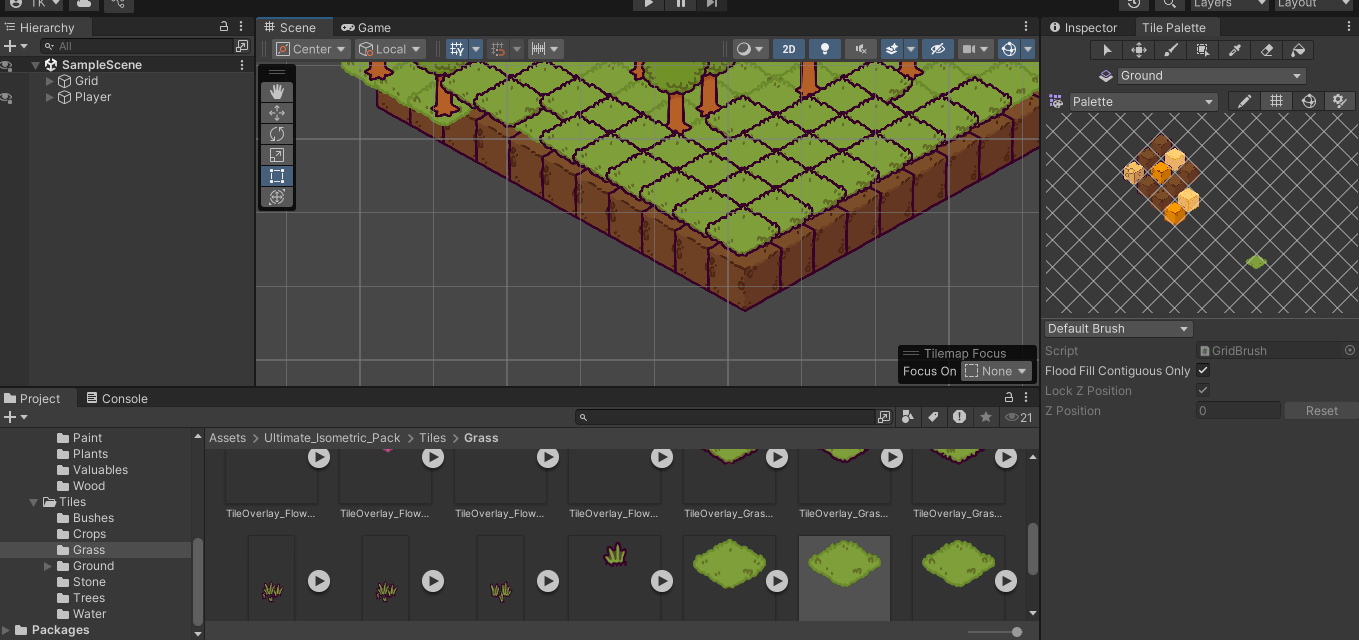
The technically are "stacked". Can you perhaps attach an image or the like for me to have a better view of the issue?

When I place the grass tile over the ground tile, it doesn’t clip or blend properly—it just overlaps and looks like it’s floating.

I'm not sure what the issue is. It most likely is something about the grid; when I look at the files on my end, they overlap as they should. I've never had this issue come up before.

Some things that could be the issue:
- Sorting for isometric/2D is off
- Different import settings between the two sprites If PPU/pivot/mesh type differ
- Grid / cell size mismatch (the grid should be true isometric, not 1:2)

(1 edit)

I fixed the issue thank you. And also I was wondering if you was planning on making animal packs isometric? and also medieval furniture?

Not at the moment, but It's on my idea list for later. I've noted that you've asked for it, the more people that do, the more I'll prioritize specific expansions :)

thank you