
On Sale: GamesAssetsToolsTabletopComics
Indie game storeFree gamesFun gamesHorror games
Game developmentAssetsComics
SalesBundles
Jobs
TagsGame Engines
(1 edit)

double check that you have them copied to:

c:\program files\blender foundation\blender 4.5\4.5\python\lib\site-packages

and not:

c:\program files\blender foundation\blender 4.5\4.5\python\lib\

It looks like you may have copied them one directory to high.
thanks for the replay! i have PIL and pillow-11.30.0 dist in the correct folder. keep getting the same error.i think for some reason, the add on is not getting the right path to the install site-packages. 

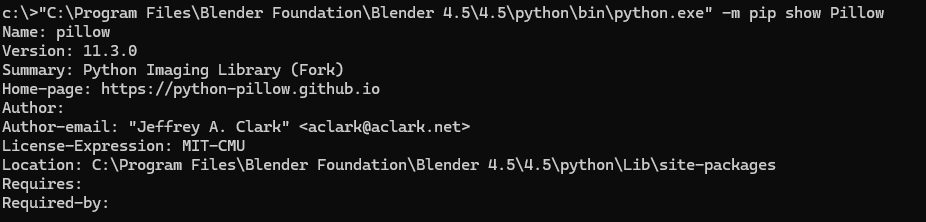
Could you run this from the command prompt:

"<Path to Blender>\4.5\python\bin\python.exe" -m pip show Pillow

It should give you info about the library including the install location:


This is the output from mine. I just want to see if there is a conflict with the install location from the pip command side of things.

I feel like you are super close to getting it working!