

Hi, I have this issue shown below. I don't understand why, since I have a good PC with Windows 11, an RTX 4060, a good CPU, and HotScreen version 5.0. I really don't like slow mode. What can I do to fix it?
"The fast way of getting the screen is not working. Do you want to use the more compatible method?
Close this message to keep the fast recording method."
[Switch to the slower recording method.]
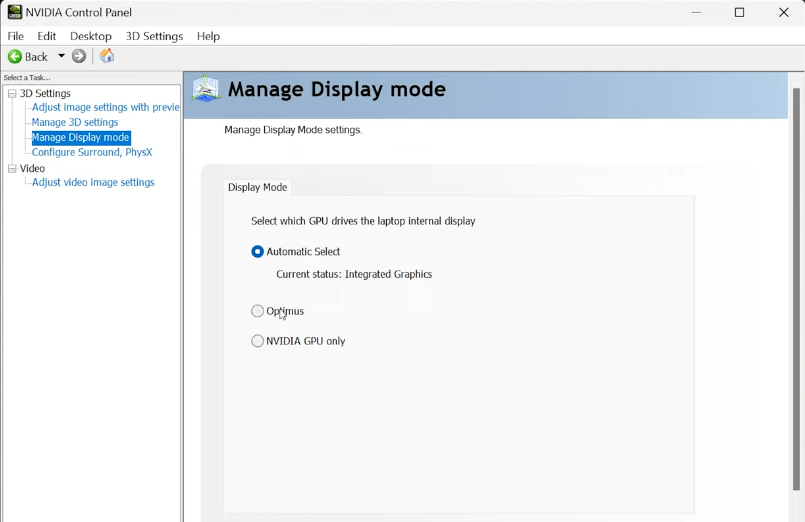 For a laptop, you have to set the internal display to Optimus or Nvidia Gpu. If these settings don't show, your laptop probably hasn't a hardware MUX switch that allows the Nvidia Gpu to manage the screen.