
Indie game storeFree gamesFun gamesHorror games
Game developmentAssetsComics
SalesBundles
Jobs
TagsGame Engines

Pixel Composer

Node based VFX compositor for pixel art. · By MakhamDev

Frozen Execution in Linux

A topic by Greem created 2 days ago Views: 23 Replies: 3
Viewing posts 1 to 4
(1 edit)

I am trying to run Pixel Composer 1.21 (latest stable) on Ubuntu 24.04 Linux.

I have tried running it via Steam and the itch.io executable, but neither works.

The issue is that when I launch the program, a window appears, but its content is whatever was behind the window where it opened (for example, if it opened behind a game, that game appears inside the window). It also always opens at a size of 1600x800; this happens with both the Steam version and the itch.io executable.

Here is a photo of the issue:
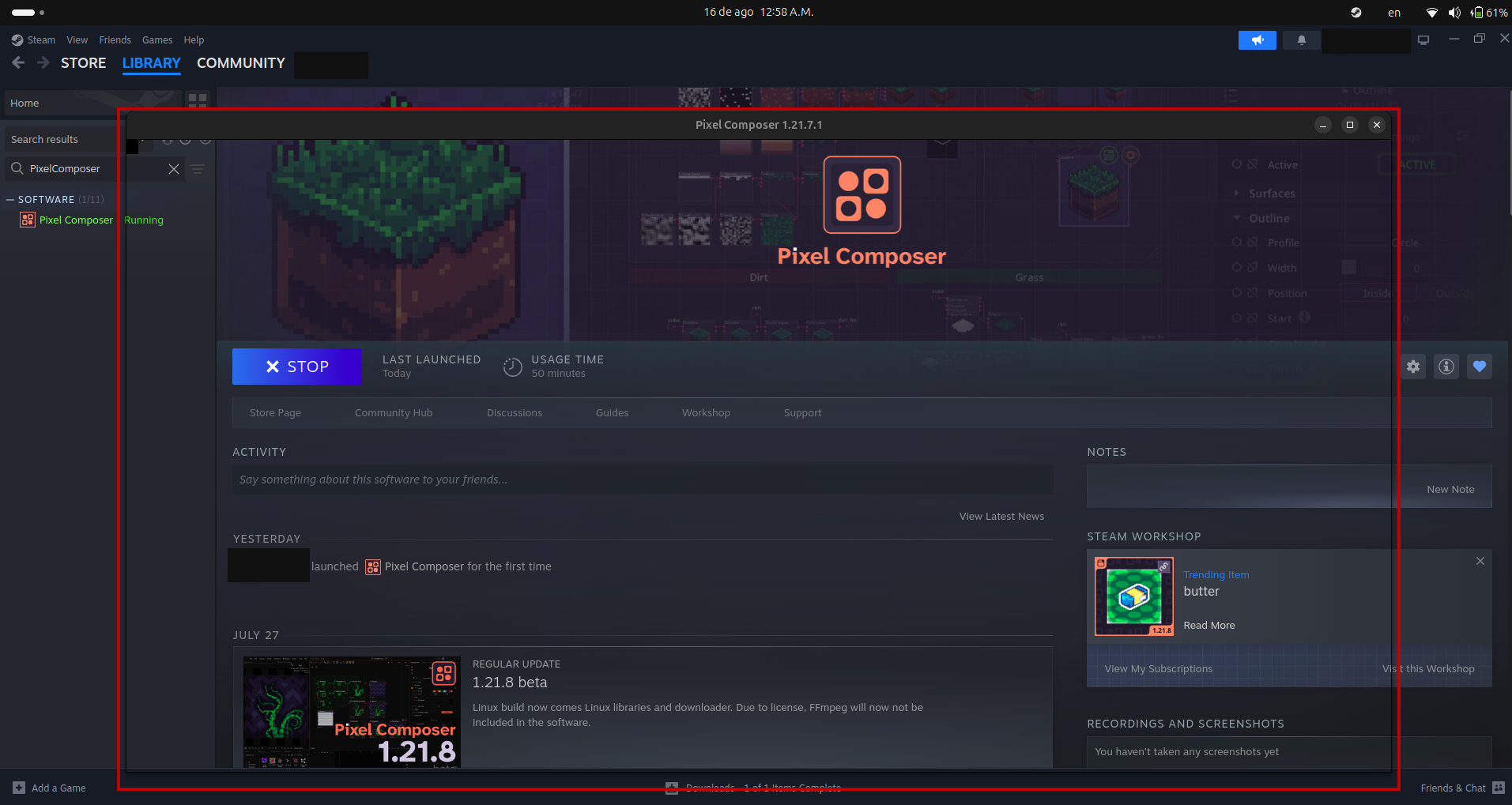
Screenshot from 2026-08-16 00-58-43-edited.png

Update: Now, for some reason, the application reopened after I took the screenshot (note that I had restarted the PC before taking the shot and disabled Steam’s forced compatibility mode).

This might have been a glitch caused by some random issue, but I’m mentioning it just in case.

Another update: After running the program, anything that uses the file browser (such as importing an image) no longer works; the file browser simply doesn’t open.

For example:

  • It won’t let me add an image node.
  • I can add an export node, but if I try to select a directory using the file manager, nothing opens.

Okay! Latest update: for some reason, the Windows executable does work now (meaning it opens File Explorer), but it doesn’t work when I launch it via Steam. Could it be an issue with different builds?

I created a simple animation, and now when I try to export it, it says the export was successful, but when I check the directory, nothing has been exported (Yes, I checked if the folder was the correct one, I went to that exact path, etc…).

It appears the program isn’t detecting ImageMagick; here are the notifications:

No ImageMagick detected at /tmp/.mount_pixel_fpdhiu/usr/bin/assets/imagemagick/linux/imagemagick.appimage, please make sure the installation is complete and ImageMagick path is set correctly in the preference.

No webp detected at /tmp/.mount_pixel_fpdhiu/usr/bin/assets/webp/linux/webpmux, please make sure the installation is complete and webp path is set correctly in the preference.

No gifski detected at /tmp/.mount_pixel_fpdhiu/usr/bin/assets/gifski/linux/gifski, please make sure the installation is complete and gifski path is set correctly in the preference.