
Indie game storeFree gamesFun gamesHorror games
Game developmentAssetsComics
SalesBundles
Jobs
TagsGame Engines

The Choicer Voicer

Match your voice against your choice of audio clips in a mini-gameshow! · By YeahMaybe

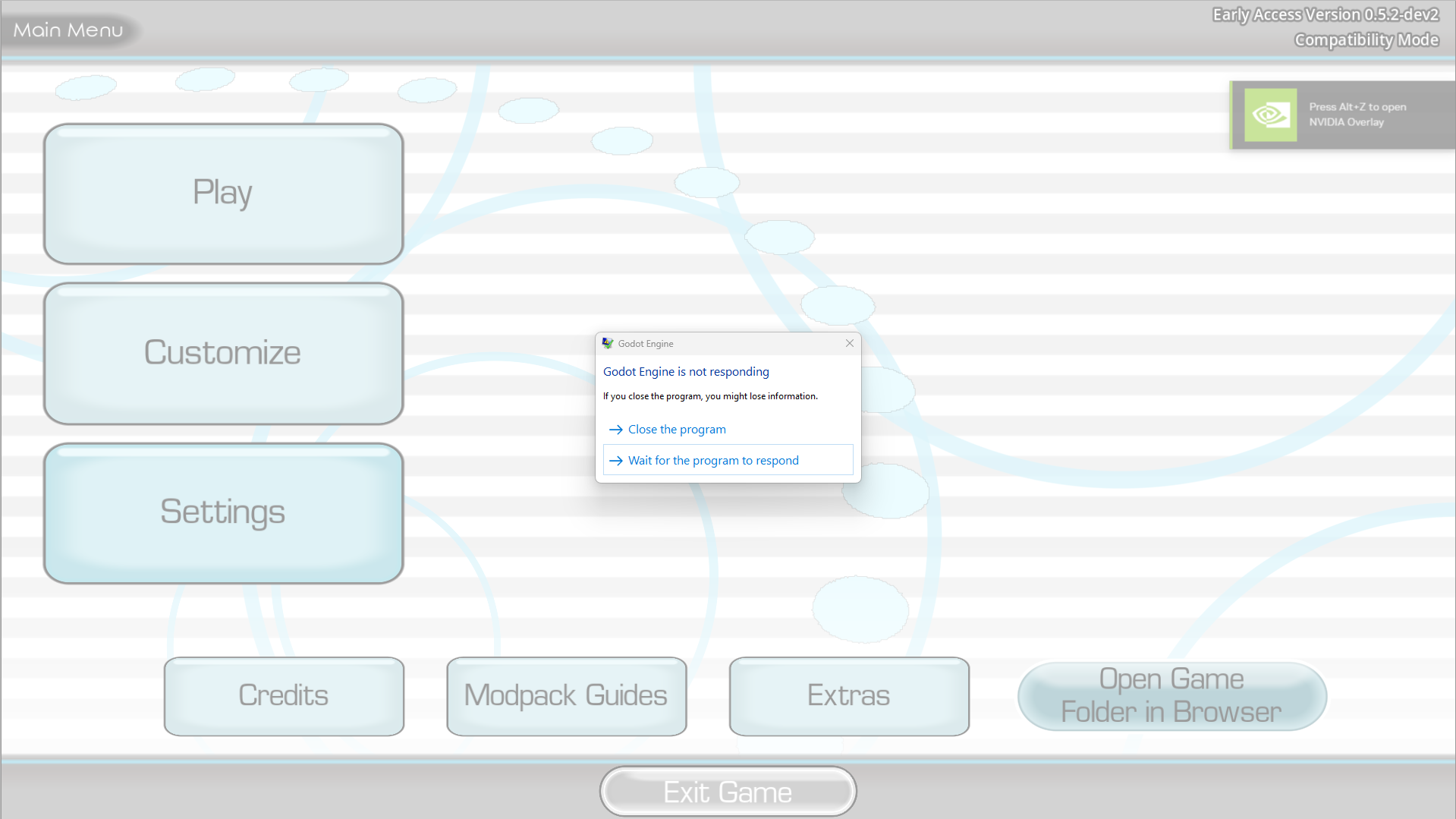
Not Responding

A topic by reddish created 4 days ago Views: 300 Replies: 7
Viewing posts 1 to 3

EVERYTIME I LOAD UP THIS GAME IT JUST KEEPS SAYING NOT RESPONDING LIKE WHAT HOW AM I SUPPOSE TO PLAY THIS GAME IT LOAD ME FOR 1 TIME AND THEN CRASHED AND SAID "NOT RESPONDING" LIKEEEEEE ANY TIPSSSS?

its doing the exact same thing to me. No matter what version i play on and its actually killing me bro :(

(-1)

fr its like i wasted my 5$ lmfao

oh bro it ended up working shortly after i did this post. I had to change something with my microphone in my computer settings. i was using google ai to help and it told me to change it. after that, it asked to access my microphone and stopped crashing

can you help me with this bc idk what is happening  my insta or snap or tt is my username i geuninely am so confued its stressed me out.

That's why the mic test demo exists for you to test if the game launches and everything works before you buy it.

Hello, I would like to say that the demo isn't reliable for actually testing the game. I did the mic test demo, I opened settings and made sure my mic worked and everything. It was working perfectly well so I bought the game. I couldn't play the game, it crashes immediately when it comes to my turn in speaking, it also doesn't even let me open up settings. The demo worked just fine; the actual game did not. 
Hey, Charaplays I'd like to tell you that you should send the godot.log file from your game files they don't show sensitive information but they do help the actual developer, in the game open the game folder and go 1 directory down then go into logs.