Indie game storeFree gamesFun gamesHorror games
Game developmentAssetsComics
SalesBundles
Jobs
TagsGame Engines

RPG Maker MZ - Menu UI Pro

Menu UI Pro MZ: Customize your Title Screen, Inventory, Equipment, Shop, or Battle scenes individually. · By vishi221

Limitations and compatibility

A topic by Nedeleg created 21 days ago Views: 91 Replies: 8
Viewing posts 1 to 3

Hello, the plugin looks really great and quite easy to use!  I do have a few questions, though, before I buy it.

Does the plugin really allow you to customise everything? The demo mainly shows native RPG Maker windows, so I’m not entirely sure, and it doesn’t seem possible to change the back arrow, for example. 

My second question is about compatibility: is the plugin compatible with VisuStella, and does it allow you to modify a menu added by a plugin? (For example, I have a skill tree – could I customise it if it uses RPG Maker’s native windows?) 

Finally, are there any further updates planned and, if so, are these included once the plugin has been purchased? 

Thanks in advance for your reply and thank you for your work!

Nedeleg
Developer (2 edits)

Hi,

Thank you very much for your kind words and for your interest in the plugin!

The plugin provides extensive customisation for RPG Maker’s standard menu scenes, including the Title, Main Menu, Item, Skill, Equip, Status, Shop, Options, and Battle scenes. You can reposition and resize windows, customise window backgrounds, buttons, images, animations, particles, and many other visual elements.

However, I would not say that it can customise literally every element from every possible plugin. For example, the standard back arrow can currently be repositioned or hidden, but its image cannot yet be replaced directly through the editor.

Regarding VisuStella, compatibility depends on which VisuStella plugins are being used and how heavily they modify the same menu systems. Basic compatibility is possible, but I cannot guarantee compatibility with every VisuStella plugin or combination. Because VisuStella plugins are obfuscated, full 100% compatibility with them isn't possible.

I do plan to continue improving the plugin with bug fixes, compatibility improvements, and useful editor features. Updates to the plugin are included for existing customers after purchase, although I cannot promise a specific feature or release date in advance.

You may also send me the name or link of the skill-tree plugin, and I can check its structure more specifically.

Thank you again!

Hi !

Thank you for your quick and very detailed reply! I’m using the FELSKI_SKILLTREE plugin – if you could tell me anything about it, that would be great! In any case, great work!

Developer (2 edits)


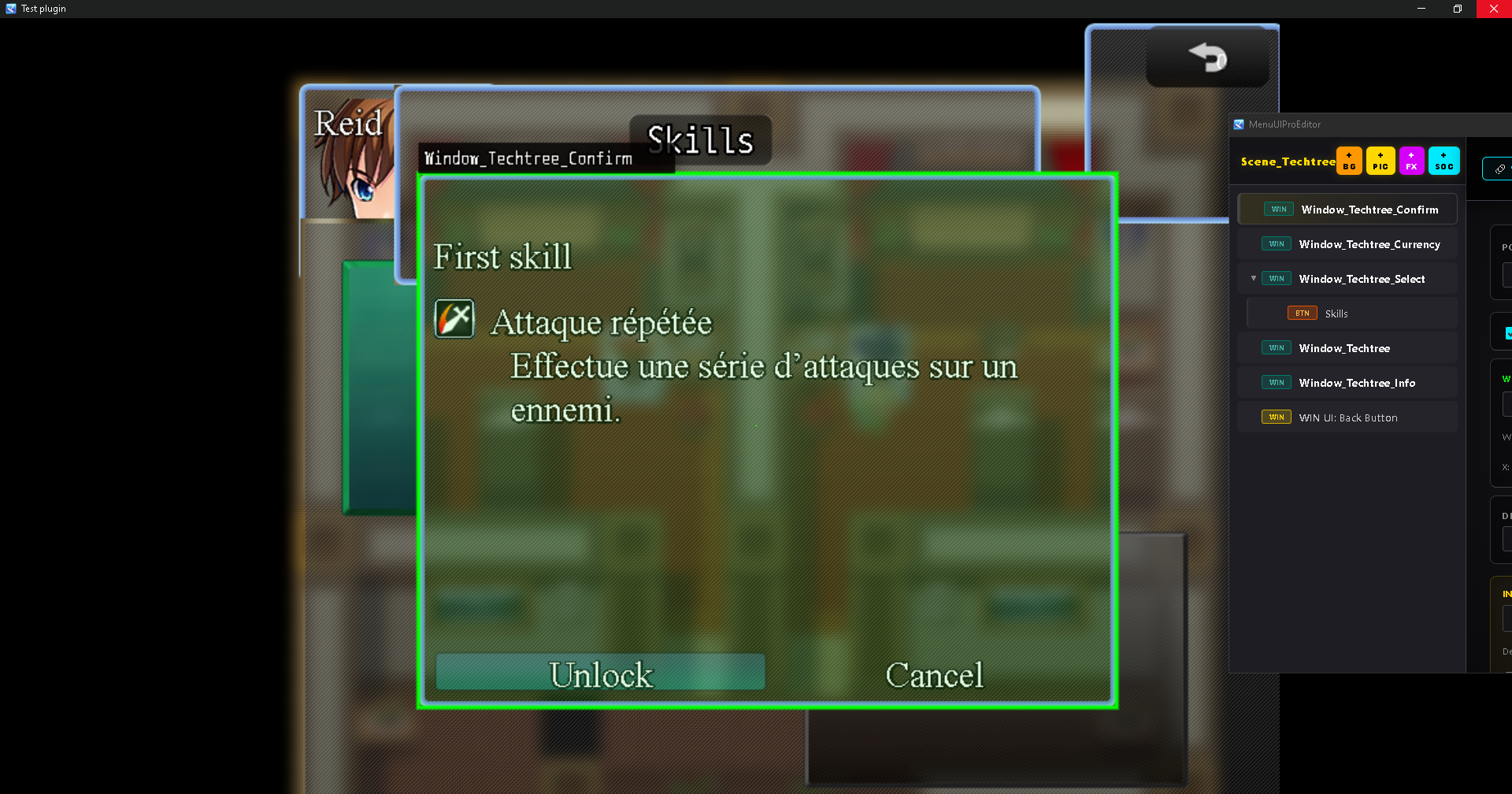
Here is the image I tested with. I'm not really sure how to use it yet, but the plugin can still load images properly and currently works just like other compatible plugins.

The only remaining compatibility issues are the default close button, the character face graphic, and making the skill trees draggable inside.If possible, do you have a blank setup project with the skill tree configured? Please send me the project via Google Drive so I can test the window scenes and ensure full compatibility for future updates.

Here’s a simple test project I’ve put together in RPG Maker. I’ve included a skill tree with two abilities just for the test. Will that be enough?Thanks again for going to all this trouble! (Sorry for the delay in my reply)

https://drive.google.com/drive/folders/1y9um0QjRx9VMHYysaK9OYquVCunJzJfq?usp=dri...

Developer (1 edit)

I've submitted the download request. Please check your email or Google Drive, or you can just set the file access to public to make it faster.

Yes, I saw it and I’ve given you access. Sorry, I’d forgotten that bit. 

Developer


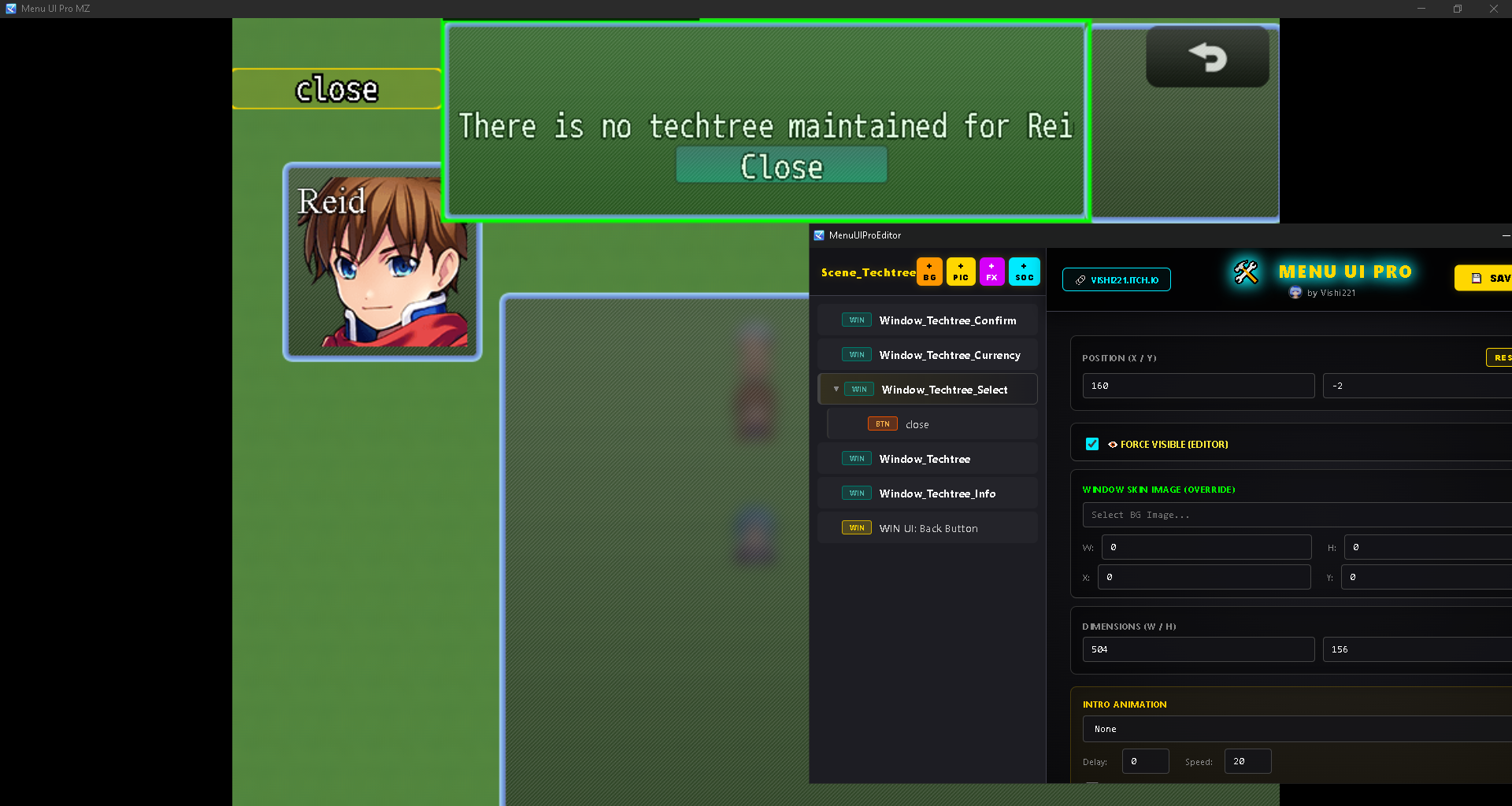
Here are the plugins detected from these window scenes. I wasn't really sure what you were aiming to design, so I'm just showing how the plugin functions when you open these scenes.

Great, it looks like it’s compatible. Many thanks for these tests!