Indie game storeFree gamesFun gamesHorror games
Game developmentAssetsComics
SalesBundles
Jobs
TagsGame Engines

RPG Maker Cook Tool Deluxe

The one stop shop for deploying RPG Maker MV/MZ games · By AceOfAces

Error and Infinite Loop

A topic by heiSei created 12 days ago Views: 60 Replies: 5
Viewing posts 1 to 2

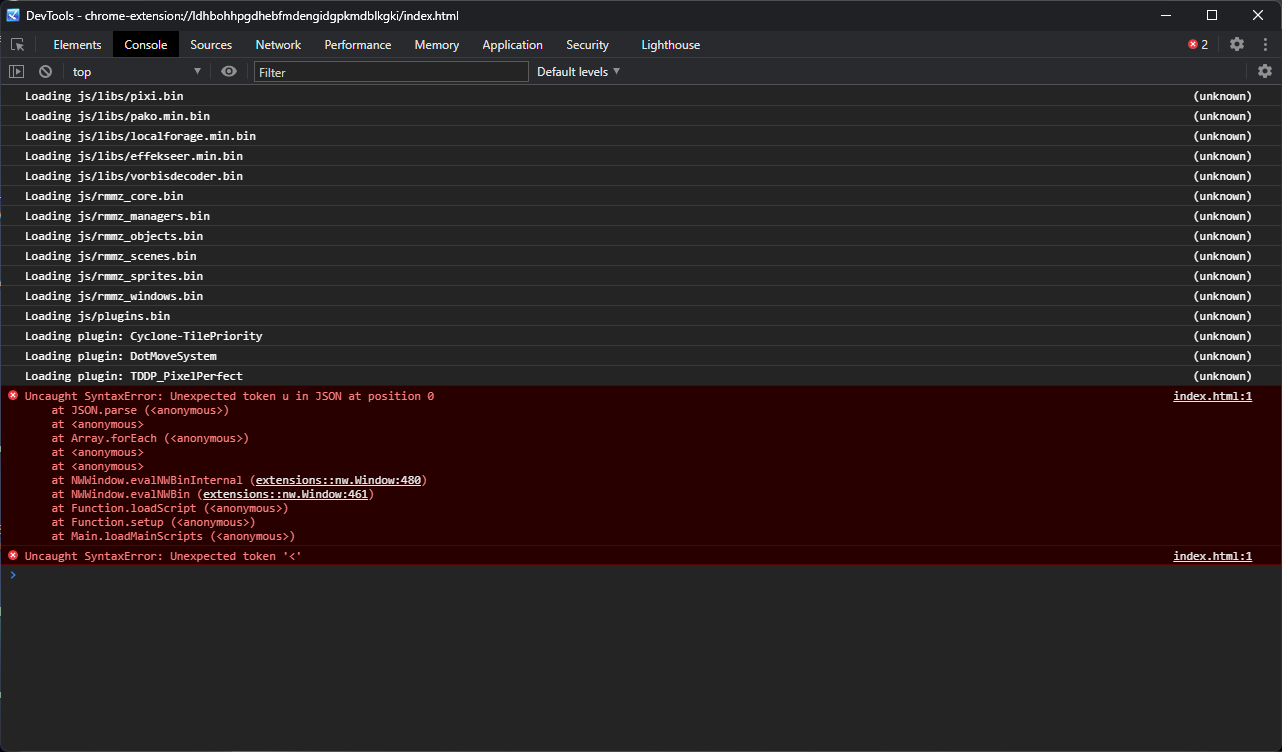
Hello, i just bought the software and when its done its doing some infinite loop, How to fix this thing, and here i got when i press 'F12'
Hello, heiSei!

It's a conflict with the "Protect Source Code" option. You can fix this by changing line 298:

const DotMoveSystemPluginName = document.currentScript ? decodeURIComponent(document.currentScript.src.match(/^.*\/(.+)\.js$/)[1]) : "DotMoveSystem";

to this:

const DotMoveSystemPluginName = "DotMoveSystem"; 
(1 edit)

I will try it,let see if its  works  Thank


*UPDATE: Still doesnt work, Still Looping

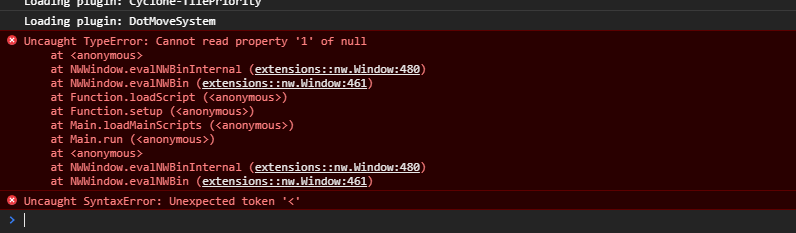
Is it showing a different plugin now? Plugins that rely on finding their name via document.currentScript do break, as the option uses nwjs' own script loader.

(2 edits)

I dont know, but indeed now its show on different plugin


Note: I will see if i turn off this plugin/ remove it


Update : After i delete the TDDP Plugin now its become auto Force close

(1 edit)

Hmm... This can happen due to either:

- The version of nwjs  you've selected is a bit broken and just crashes when it tries to load the binary versions of the js files. This is more prominent in older versions  (before version 0.43.3, I  believe)of it. A workaround for this (if you can't use newer versions of nwjs) would be to use the Metadata Editor (found under Utilities) and add --no-flush-bytecode in the JavaScript Flags. 

- The more likely scenario would be that a file wasn't included in the packages (when it should have been) and the bootstrap would assume that the cache is broken (and thus, close the game). I'd need to take a look at a build of the game to examine it, so please send me a test build so I can diagnose it.