


comment tu fais pour être ce point nul? tu vends un putain de logiciel et tu expliques nulle part comment ça marche? t'es un putain d'abruti
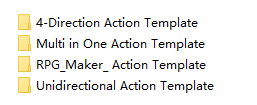
I'm extremely sorry for making you so angry. I can fully understand your feelings. Spent money on a tool, only to find it couldn't be used. This is really a very infuriating matter. But please calm down and don't get angry. Since you have spent money on my tools, I have the responsibility to be accountable to you. If you have any questions, please feel free to tell me. I will do my best to help you solve the problem. This action library was used by the older version of the tool. Now I have placed this action library in the root directory of the tool. Open the file in the action library using the tool, and then you can use it.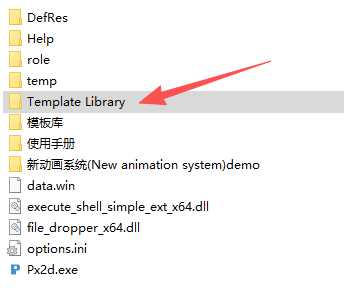
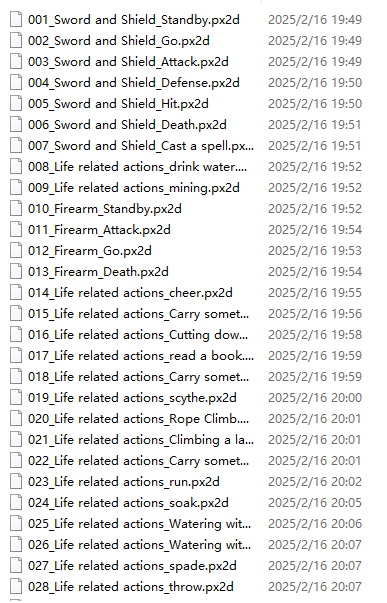
Sorry for getting annoyed, but I paid at least 50 euros for your software and resources, but what is this software?? Even your tutorial is useless. If I manually place the character and export it, it's positioned all wrong. The proper way to use it is to click on an animation, then modify the character and switch with 1. But it's impossible to change animations; it's completely incomprehensible.
The character preview doesn't even work anymore in your version 6.1. And I have absolutely no idea how to change a character's animation despite your 70-page manual. I have 27 animations at the top and my character below, and I have no idea how to apply an animation to the character. It should be super simple, but no, it's a mess and incomprehensible.