On Sale: GamesAssetsToolsTabletopComics
Indie game storeFree gamesFun gamesHorror games
Game developmentAssetsComics
SalesBundles
Jobs
TagsGame Engines

Hakuen Studio Zoom for RPG Maker MZ

Add a plugin command to use the default zoom feature of MZ. · By Hakuen Studio

[ANSWERED] Zooming on wrong tiles

A topic by nametaken121 created Aug 22, 2025 Views: 123 Replies: 6
Viewing posts 1 to 4

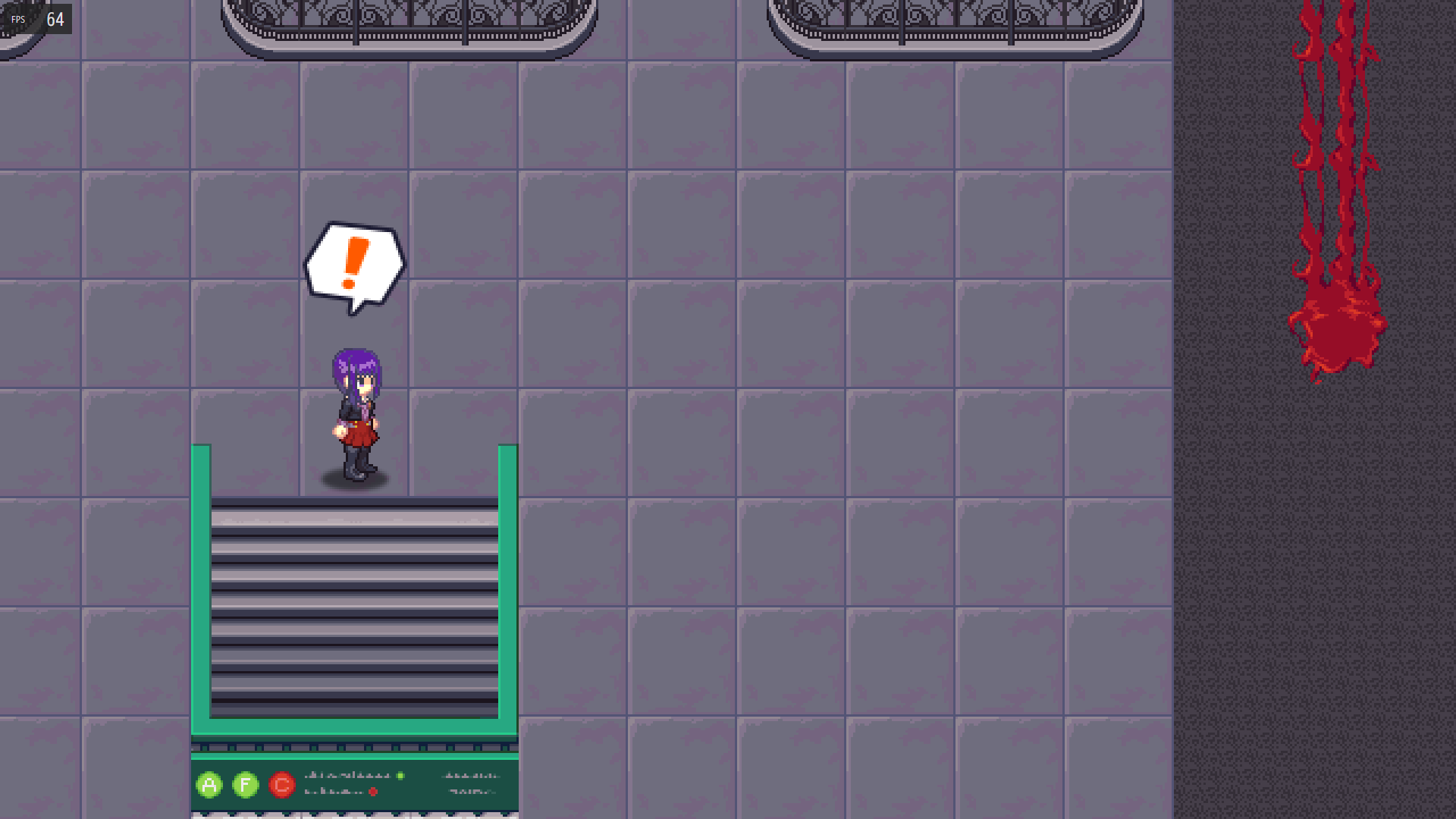
I deleted my last post because I thought I solved it and it was a dumb mistake, but I am still having the same results. Whenever I zoom on to a tile it never zooms on the correct tile. Is the tile that it zooms on not supposed to be centered?

Developer

Hi there!

I will only be able to take a look into this on monday.

But it will be helpful if you send a screenshot of how are you doing it.

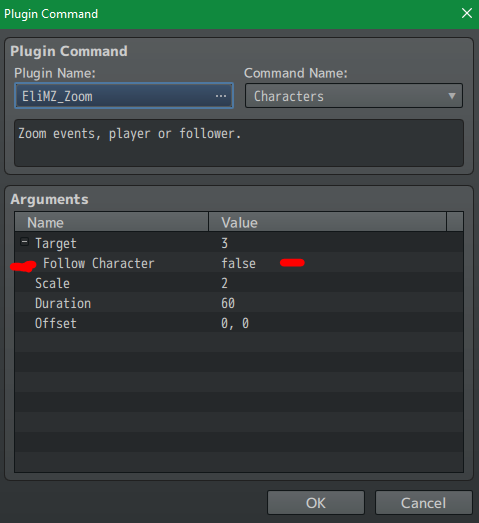
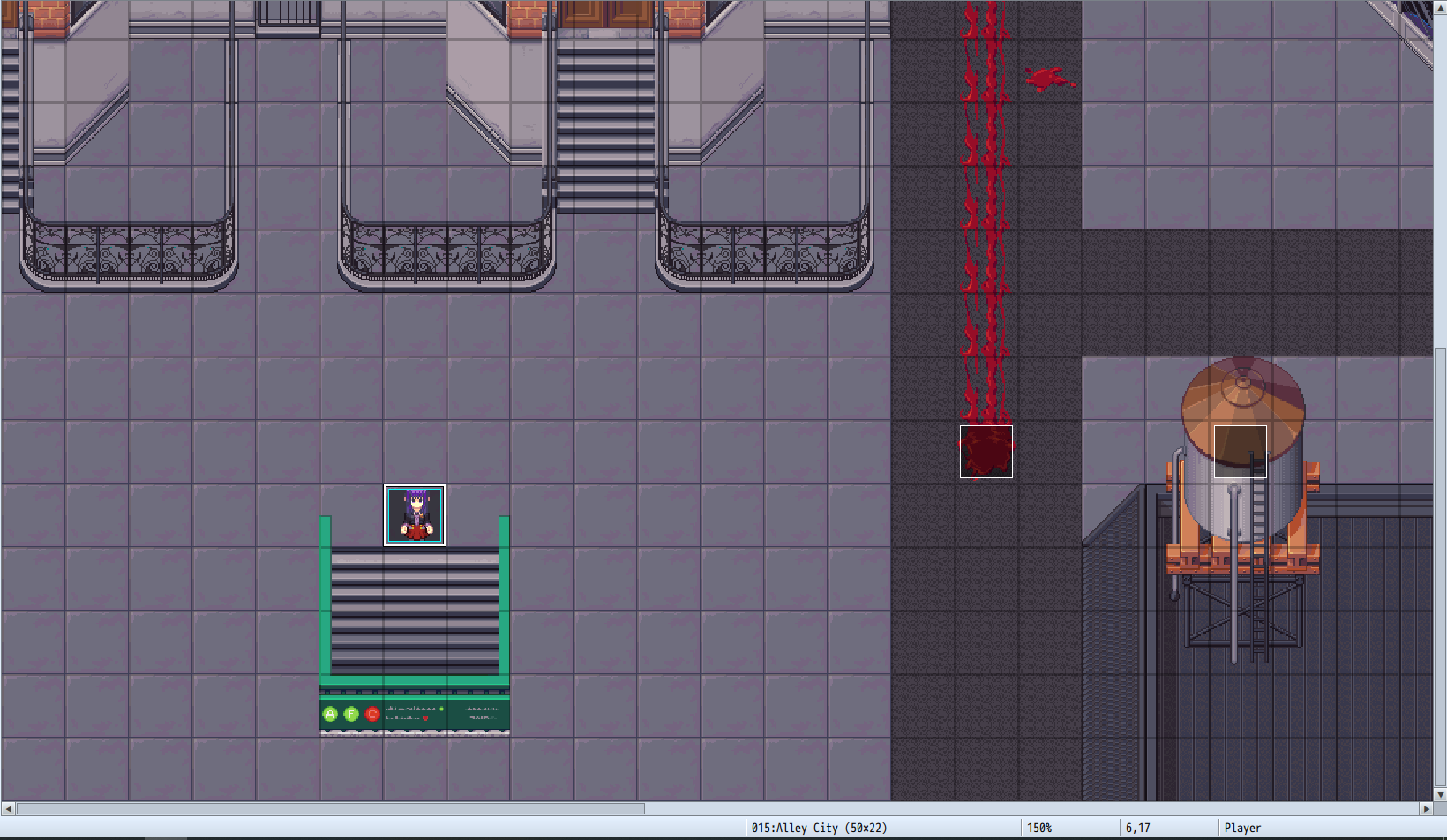
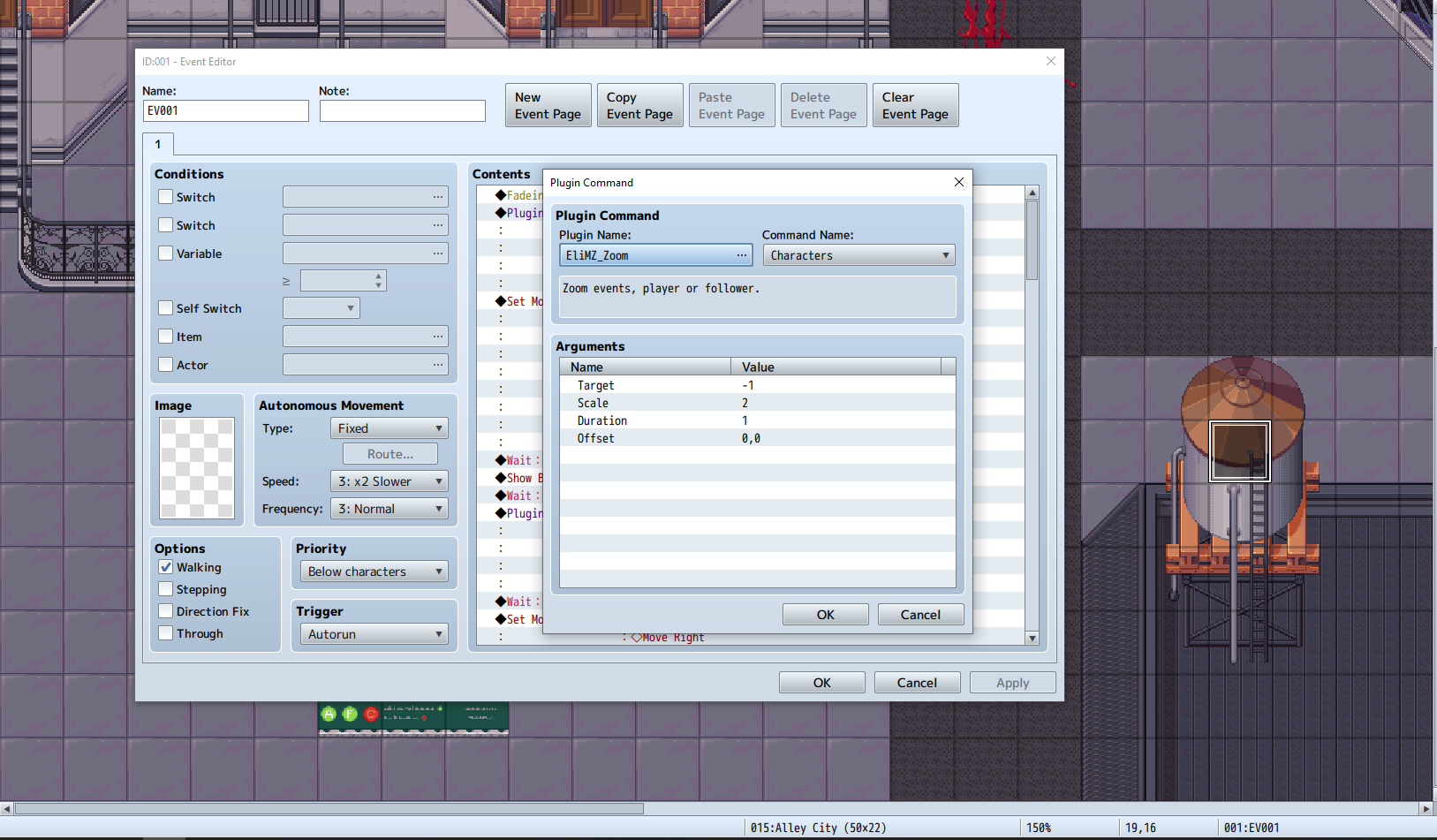
Here are some screenshots for reference

Character to be zoomed on

How i set up the plugin command
How it ends up looking
Developer

Hi there!

Yes, that is the expected behavior. The zoom will not change the camera focus. It will only zoom on the coordinates/character set.

Developer

Hi there!

I was reading your problem again and also my answer. Although that is the expected behavior, the camera will focus on the zoomed character or tile. But not always will be able to center it on the screen. That depends on what position the character is from the edges of the map. If it is too close of an edge, it may ended up looking like your result above.

If you experiment it with a very large map, and put the zoom on the player, walk through all the map and you will see that the player will be centered, as long as it is far from the edges. When he is getting closer, the camera needs to adjust so it not shows any black screen border.

Also, taking a look at your plugin command, the plugin version you are using seems to be outdated. Because the 1.3.0 had another argument inside the plugin command:
I'm getting a virus warning when trying to download the new update for EliMZ_Zoom.

Developer

Lol! Sometimes .js files can be caughty by the antivirus because of the .js nature. The same file was fine here on my computer after I run a scan. But indeed the download file here triggered a virus warning. But I upload it again and it is fine now.

Thanks for the feedback!