On Sale: GamesAssetsToolsTabletopComics
Indie game storeFree gamesFun gamesHorror games
Game developmentAssetsComics
SalesBundles
Jobs
TagsGame Engines

Lancer Tactics version 7 will not launch

A topic by RytchTheMad created Aug 07, 2025 Views: 96 Replies: 8
Viewing posts 1 to 3
(1 edit)


Hi! I'm trying to run Lancer Tactics version 7 and it will not start.

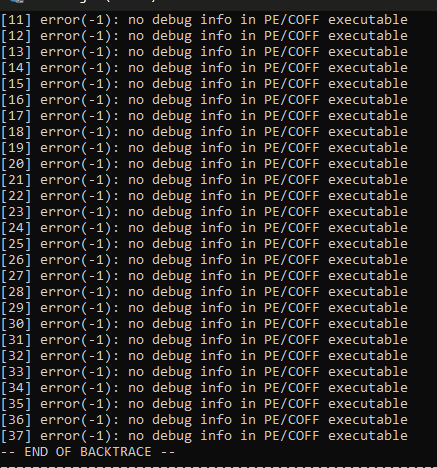
Furthermore I downloaded Godot to troubleshoot and after running Lancer tactics it won't start either, above is the error code spit out by the console. 

I played previous versions with no issues so I'm unsure what could have changed to have this issue.

Oh dang! Thank you for the report, this is concerning. Could you send me the log files? If you鈥檙e on PC, they should be in C:\Users\USERNAME\AppData\Roaming\LancerTactics\logs

Google Drive link to Zip folder Here you go! Hope you can figure this out!

馃檹 thank you!

Hey, I solved the issue. It was incredibly monumentally stupid and not the games fault. I sincerely doubt my problem will be replicated by anyone else but if you want I can post what happened.

Oh? I鈥檓 very curious to hear what it was.

I had recently had a colossal CPU error. After trying for a few days to fix it myself, I took it to the local PC repair shop. When they fixed it and reinstalled windows the profile they created was called User Setup.
When I got home with the PC I re-setup my account but the Users folder was stuck named User Setup and I figured that wouldn't matter. Lancer Tactics and several other games had issues with this for some reason, I finally figured out how to switch it which was a long annoying process I won't go into details about, but the game runs now that my User folder is no longer called User Setup and matches my account name.

Fascinating! I guess we should add a check if the user data folder is available or not, and show some kind of error message if it鈥檚 unable to access the folder. It鈥檒l be low on my priority list but I鈥檒l add it as something to think about.

I鈥檓 very glad to hear that you got it sorted!