
On Sale: GamesAssetsToolsTabletopComics
Indie game storeFree gamesFun gamesHorror games
Game developmentAssetsComics
SalesBundles
Jobs
TagsGame Engines

FPS Drop

A topic by rcco created Aug 05, 2025 Views: 274 Replies: 6
Viewing posts 1 to 4

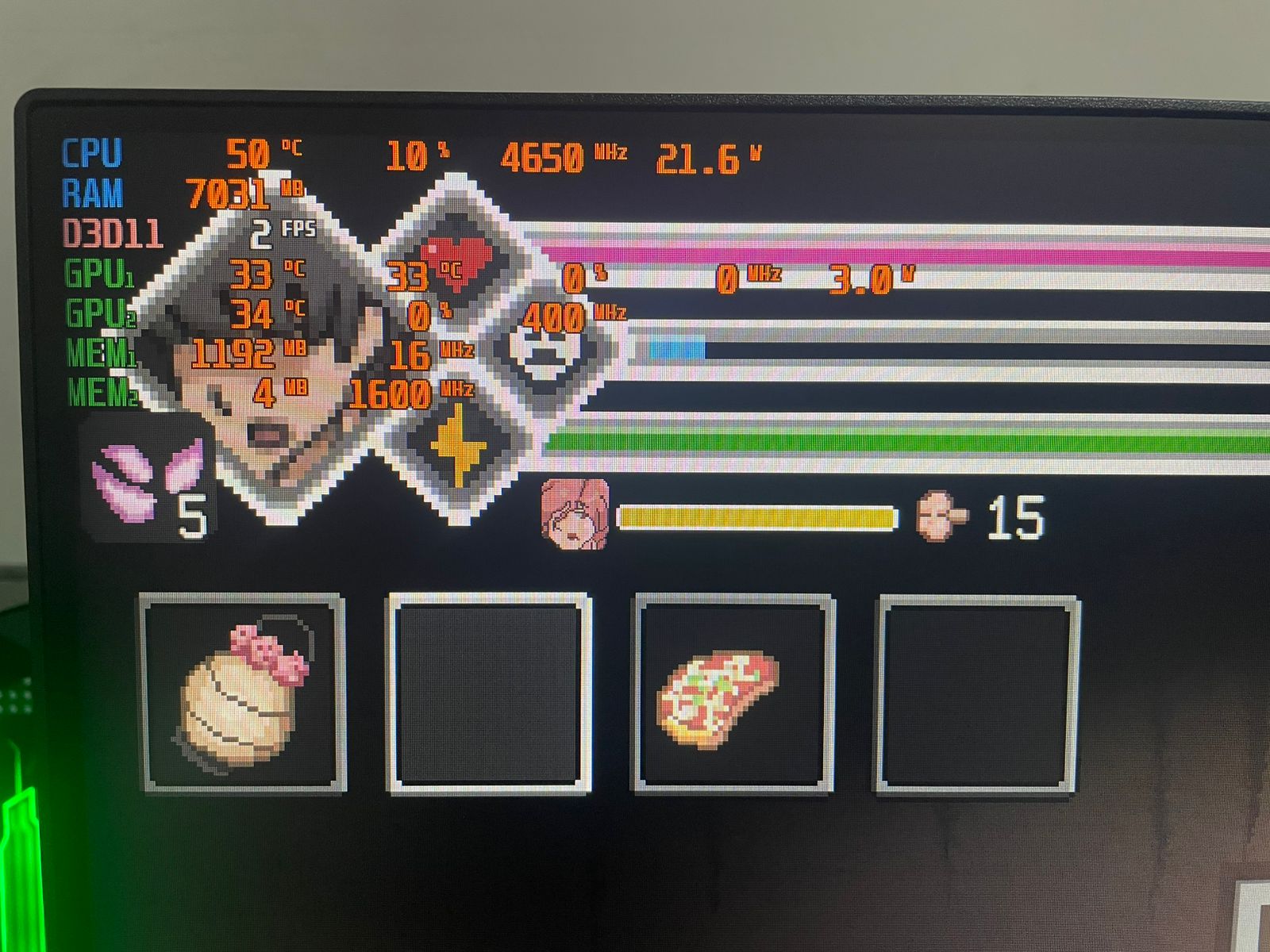
Hey LAGS, I'm experiencing a significant FPS drop during missions. When I start any contract, my FPS is quite high, but over time it gradually decreases until it hits just 1 or 2 FPS, even though my PC should be able to run the game without any issues.

Specs: Ryzen 5 5600GT, 16GB RAM, RX 6600XT
Developer

I think it should work for those specs. I'm able to run it without problems on my 1650 gtx and ryzen 5 4600h. What point it occurs? Contract map and if on map which ones?

It happens on every map and contract — Mei's House, Asylum, Sunrays Apartments, Void... all environments. The FPS always starts out high, but over time it keeps dropping. However, if I'm in a contract and go back to the van to finish it, when I return to Mei's House, the FPS goes back to normal.

Developer

I don't know how to troubleshoot that problem if I'm not able to replicate it on my end. Why don't you try redownloading the game and extracting it in a different folder. Rename your old save folder at 'C:\Users\USERNAME\AppData\LocalLow\LAGS\RingManSpiritHunt' to something else temporarily and see if it works with fresh save.

I managed to fix the problem. After this update, the SaveData is now organized in a column format, while in previous updates it was in rows—or rather, plain text. I had to format my PC and backed up my old SaveData, but I didn’t launch the game again until this latest update. I believe that’s what caused the FPS drop. I ended up downloading a SaveData file from another player on a different site, and the issue disappeared. I really appreciate your attention in trying to help me solve the problem. Also, I want to congratulate you on this amazing game!

Developer

I'm glad you were able to figure it out. Never thought it would be because of a save file.