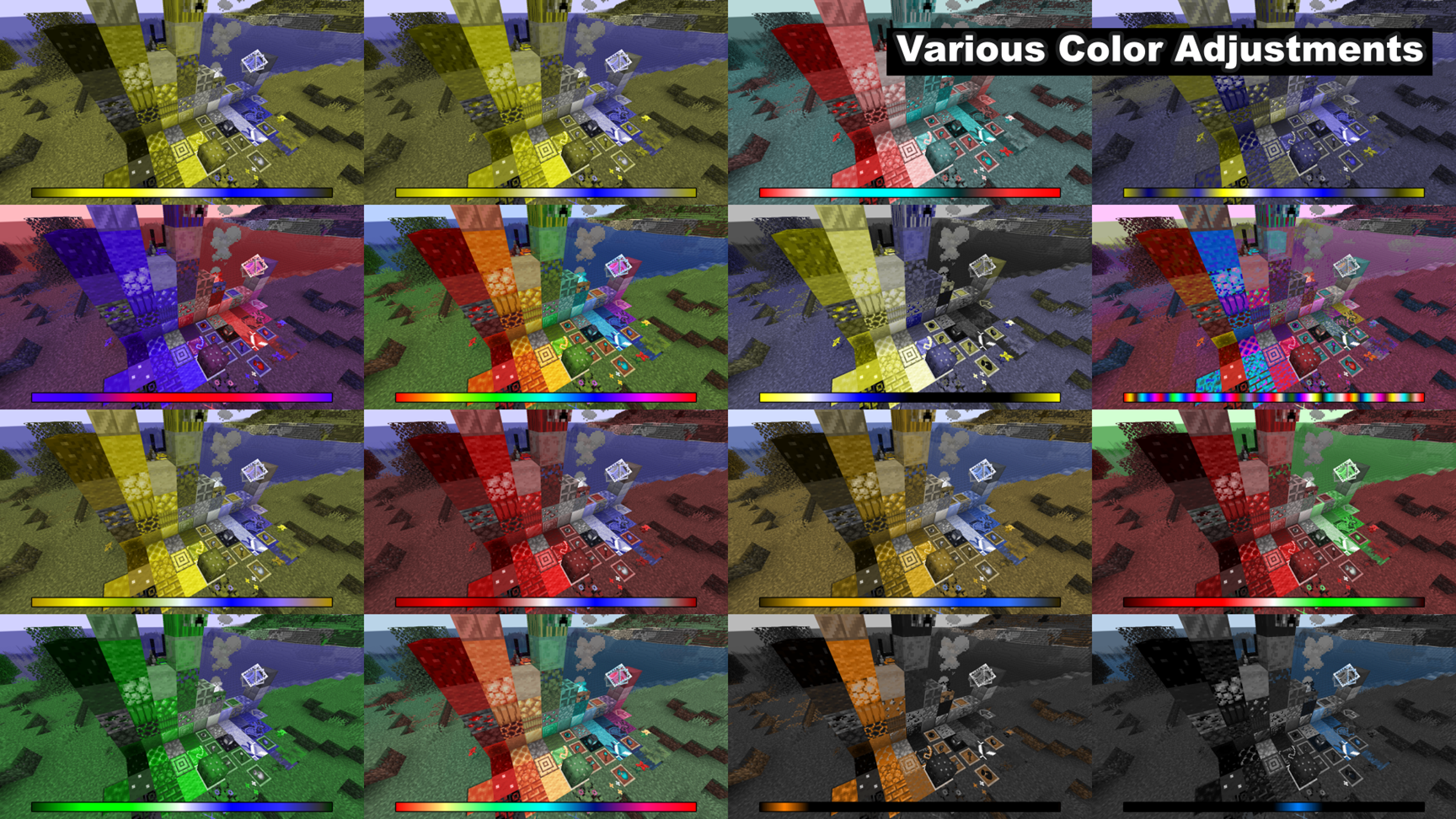
Turn any Windows 11 (and conditionally Windows 10) desktop into the color-lab of your dreams. Custom Color Vision lets you drop in a simple 1D spectrum or 2D image and instantly remap every pixel on the chosen monitor. Simulate any colour vision deficiency, highly modifiably daltonise games and apps that forgot about accessibility, or even craft an altered or “better-than-normal” trichromacy for yourself—all at full-screen, real-time speed.
Who's it for?
- Designers & Educators who need to see and want to experiment with every type and severity of color vision deficiency, dichromacy and monochromacy—for testing and teaching.
- Gamers & Professionals living with color vision deficiencies who want universal, system-wide daltonisation, or just show curious others how they're actually seeing colors. Easy color accessibility for games, maps, apps, spreadsheets, images, etc.
- Normal trichromats who want to experience what it's like to have various color vision deficiencies (coll.: "color blindness") and better trichromacy.
- Artists & Art-Enthusiasts who want to see their and other works of art with completely new eyes—with less, altered and/or more colors.
- Color Nerds chasing a better than average trichromacy or wanting to experiment with inter-/exchanging, dimming, omitting, multiplying, decreasing (etc.) hues and colors in general.
- And generally those who want to watch videos, series and play games with freely customizable color settings.
You can also functionally correct color vision deficiencies through stereo viewing techniques and impossible color combinations, or temporal colors. More information on this "impossible color vision" in the article "How to Correct Color Vision Deficiencies".
Key Features:
- Live overlay applies to the entire screen (excluding some exclusive full screen applications)
- Per-monitor control & hot-swappable quality presets (360p → 1080p), lower quality settings improve the FPS
- <span class="C9DxTc " <instant="" spectrum <="" span="">drag & drop>span class="C9DxTc "> interface without any loading time</span>
- Screenshot button for before/after comparisons and sharing
- Starter spectra, plus free 1D/2D Color Texture Designer for creating your own custom spectra and textures
Custom Color Vision by Ooqui Sensory Lab on itch.io: https://ooqui-sensory-lab.itch.io/custom-color-vision
Trailer video:
Icon:

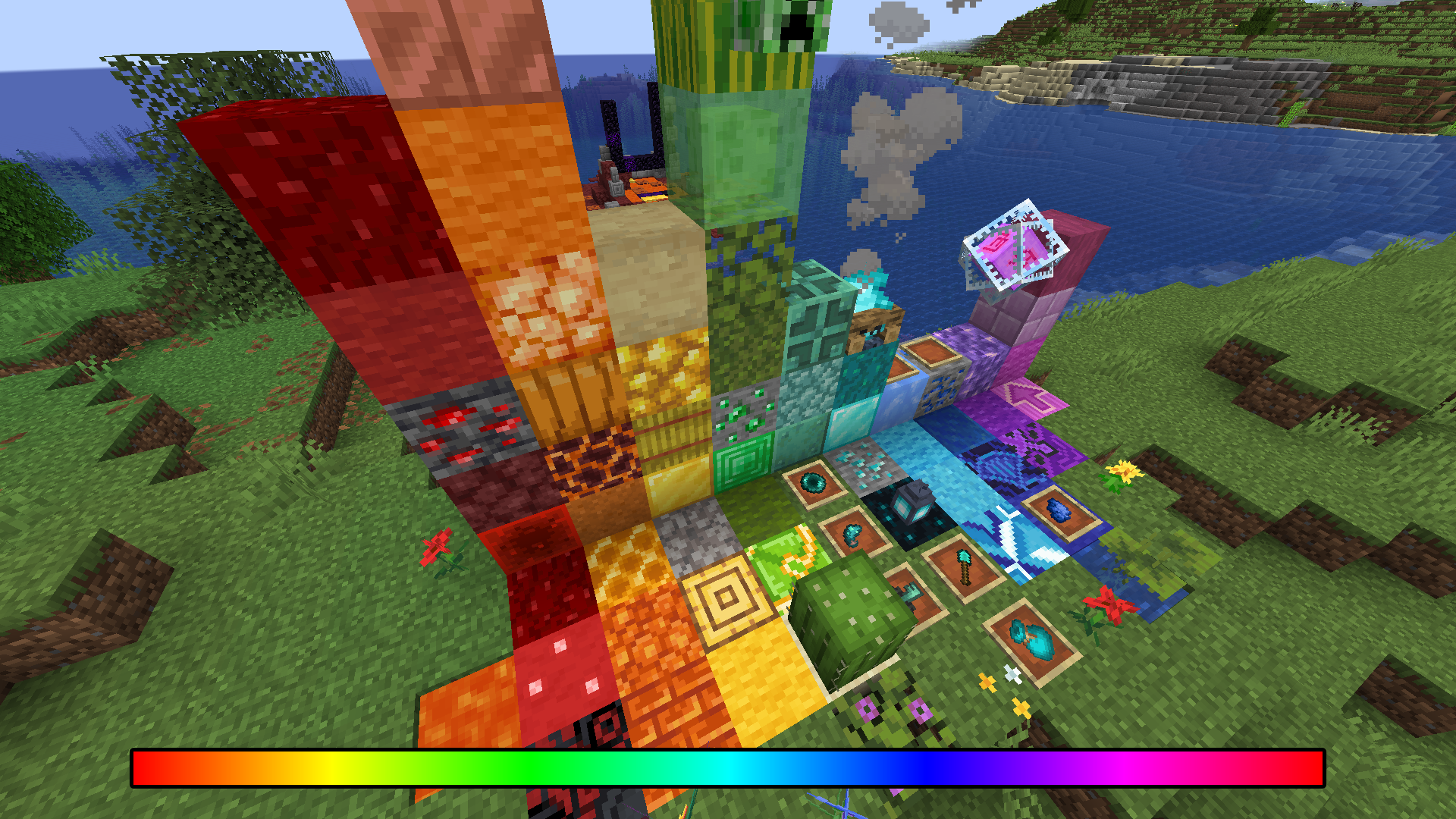
Original example image before color conversion:
Original example image with exemplary color conversions: